3 – General Operation
3-2 March 6, 1997
Controls Common to All Modes and Features
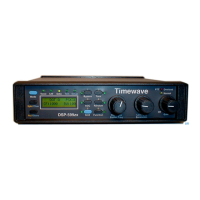
Primary Operating Modes [Mode]
Press the Mode key to switch between the main operating modes (Voice,
CW, Data). Each time you press
[Mode]
, the operating mode changes to the
next mode. The active mode is indicated by a LED and is displayed on the
LCD as a two or three character name.
Secondary Operating Modes and Features [Shift]
The
[Shift]
key selects modes and operating features with light blue letter-
ing by pressing and releasing
[Shift]
before
pressing the mode or feature
key. The shifted modes include Setup
[Shift+Mode][Shift+Mode]
and
Test Instrument
[Shift+Mode]
. Shifted operating features include Input
Channel
[Shift+Chan]
, memory store
[Shift+Store]
, and Speaker Mute
[Shift+ Spkr]
.
Many specialized mode dependent functions are controlled, for example, by
pressing
[Shift+Tone], [Shift+Random],
or
[Shift+Function].
The
availability of any of these and response vary depending upon many factors
including operating mode. See mode specific sections for information.
If you press the
[Shift]
key and decide not
to complete the shift operation,
pressing the
[Shift]
key a second time before
pressing another key will can-
cel the shift operation. If a mode or operating feature does not require a shift,
pressing
[Shift]
and that mode or operating feature key cancels the shift and
does not execute the mode or operating feature. The shift operation will au-
tomatically cancel if you do not press a key within three seconds after press-
ing
[Shift]
.
Speaker Control [Spkr/Chan]
The
[Spkr]
key will mute both A and B speaker outputs. The
r
icon near the
top middle of the display is visible when the speaker outputs are active. The
speaker output setting does not affect the headphone outputs or the line out-
puts.
Function
6
Shift
5
AGC
3
Bypass
Setup
TestData
DSP-599zx
CW
Voice
Mode
Rcl/Store
Spkr/Chan
1
Random
4
Tone
2
599-006
High Pass
Center Freq
Time


 To Next Page


