DSP-599zx Audio Noise Reduction Filter
March 6, 1997 7-3
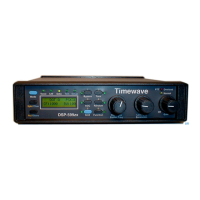
Sine Wave Generator
This mode produces a tunable low-distortion, precision frequency sine wave
test signal from 20 Hz to 10 kHz in 20 Hz steps. Output signal voltage is ad-
justable from 5-50 mV in 1 mV steps and from 50-500 mV in 10 mV steps.
The operator may use the precision test signal for calibration and/or trouble
shooting of other equipment. The display shows the frequency and ampli-
tude of the output signal from the line output.
• Press
[Shift+Mode]
to enter the Test Instrument mode.
• Turn the left knob to
6LQH
• Press the left knob to select the sine wave generator
• Press
[Tone]
to start generator.
• Turn left knob to set frequency.
• Press
[Function]
to select input signal amplitude units -
P9UPV
or
P9SN
.
• Turn middle knob to set output amplitude (shown on lower right of dis-
play).
• Press
[Tone]
again to turn off generator.
• Press
[Mode]
to exit Test Instrument mode. Press the middle knob to
escape back to the test function menu.
Function
6
Shift
5
AGC
3
Bypass
Setup
TestData
DSP-599zx
CW
Voice
Mode
Rcl/Store
Spkr/Chan
1
Random
4
Tone
2
599-044
High Pass
Center Freq
Time
Function
6
Shift
5
AGC
3
Bypass
Data
DSP-599zx
CW
Voice
Mode
1
Random
4
Tone
2
599-046
Setup
Test
Rcl/Store
Spkr/Chan
High Pass
Center Freq
Timewave
Low Pass
Bandwidth
Function
6
Shift
5
AGC
3
Bypass
Data
DSP-599zx
CW
Voice
Mode
1
Random
4
Tone
2
599-055
Setup
Test
Rcl/Store
Spkr/Chan
High Pass
Center Freq
Timewave
Low Pass
Bandwidth


 To Next Page


