6 – Data Mode
6-10 March 6, 1997
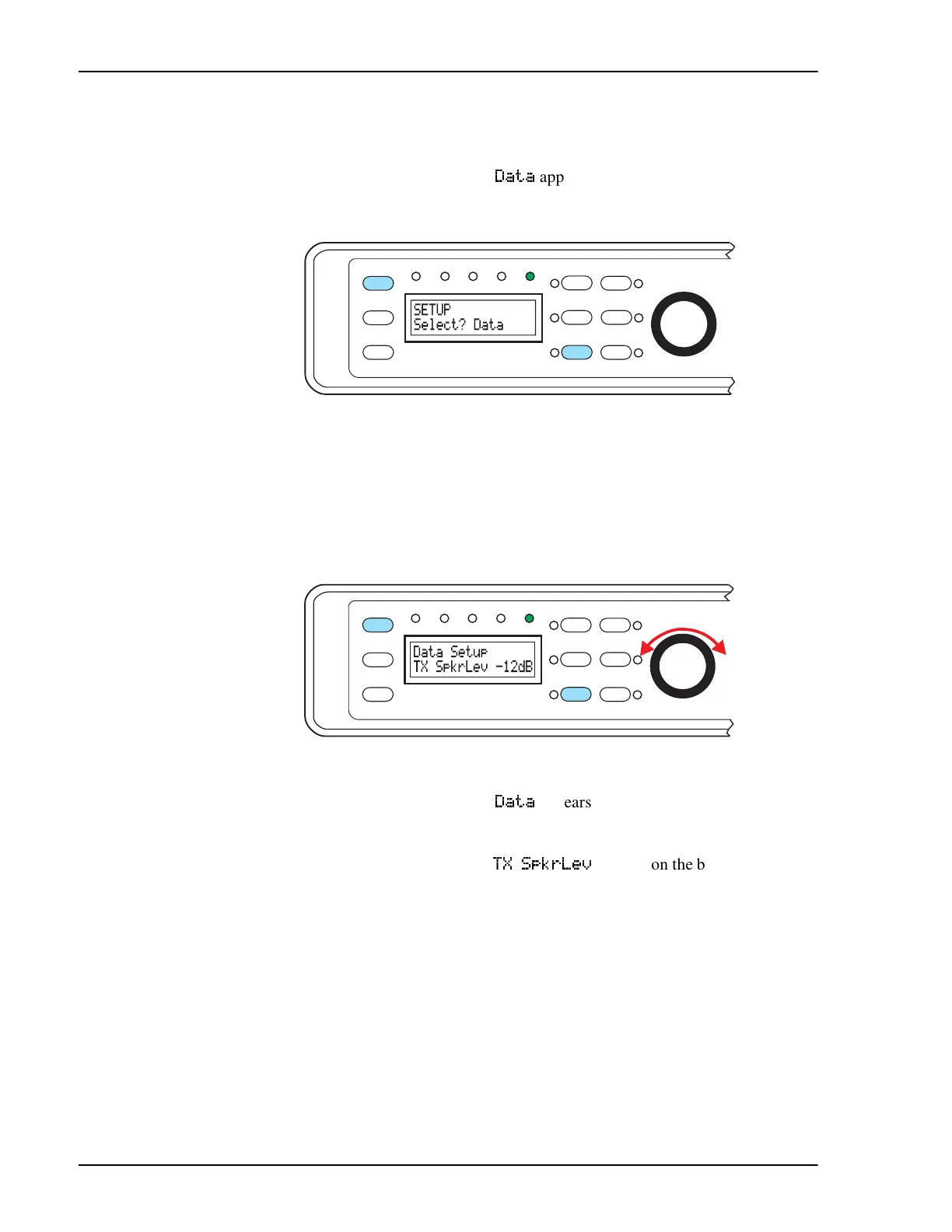
Setup - Data Mode
1. Press
[Shift+Mode]
twice to enter Setup mode.
2. Rotate left knob until
'DWD
appears on the bottom line of the display
3. Press the left knob to select.
Speaker Mute/Bypass
You can adjust the transmit speaker volume of the data signal. This allows
you to set the audio level of the transmitted signal from off the full volume
when compared to incoming data signals. This is something of personal
preference. The range is from 0 dB to -24 dB in 3 dB steps and off. The fac-
tory default value is off.
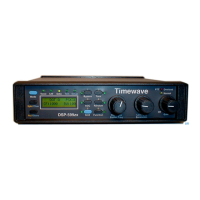
1. Press
[Shift+Mode]
twice to enter Setup mode.
2. Rotate left knob until
'DWD
appears on the bottom line of the display
3. Press the left knob to select.
4. Rotate left knob until
7; 6SNU/HY
appears on the bottom left of the
display
5. Press the left knob to select.
6. Rotate left knob until the chosen value appears on the bottom right of
the display
7. Press the left knob to accept choice and save. Press middle knob to
escape without saving changes.
8. Rotate left knob until your next function to change appears on the bot-
tom line of the display or press the middle knob to return to main set-
up menu.
Function
6
Shift
5
AGC
3
Bypass
Data
DSP-599zx
CW
Voice
Mode
1
Random
4
Tone
2
599-070
Setup
Test
Rcl/Store
Spkr/Chan
High Pass
Center Freq
Time
Function
6
Shift
5
AGC
3
Bypass
Setup
TestData
DSP-599zx
CW
Voice
Mode
Rcl/Store
Spkr/Chan
1
Random
4
Tone
2
599-092
High Pass
Center Freq
Time


 To Next Page