DSP-599zx Audio Noise Reduction Filter
March 6, 1997 3-3
Channel Control [Spkr/Chan]
Press
[Shift+Chan]
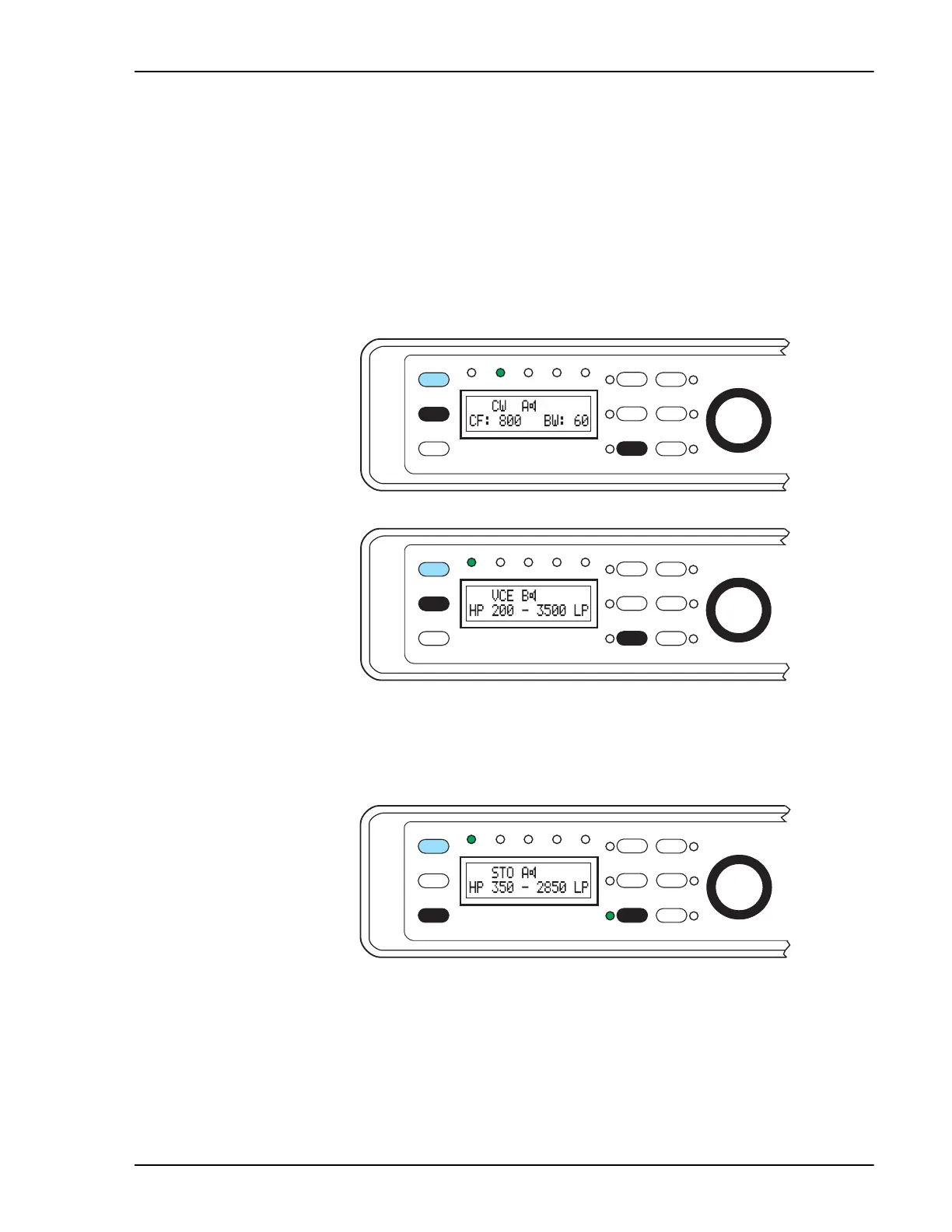
to toggle between input channels A and B. The active
channel is displayed immediately to the left of the speaker icon.
An example: Channel A is connected to your HF rig and set for CW mode
with a narrow bandpass filter. Channel B is connected to a shortwave receiv-
er and set for Voice mode with a wide bandwidth filter. When switching
from channel A to B, all the settings change from CW mode with a narrow
filter to Voice mode with a wide filter for AM. Switching back to channel A
changes everything back to CW mode again.
Memory Operation [Rcl/Store]
To store a setting in memory, press
[Shift+Store+{#}].
(# = a digit in the
range 1 to 6 printed in yellow letters above the corresponding key.)
Function
6
Shift
5
AGC
3
Bypass
Data
DSP-599zx
CW
Voice
Mode
1
Random
4
Tone
2
599-031
Setup
Test
Rcl/Store
Spkr/Chan
High Pass
Center Freq
Time
Function
6
Shift
5
AGC
3
Bypass
Setup
TestData
DSP-599zx
CW
Voice
Mode
Rcl/Store
Spkr/Chan
1
Random
4
Tone
2
599-032
High Pass
Center Freq
Time
Function
6
Shift
5
AGC
3
Bypass
Data
DSP-599zx
CW
Voice
Mode
1
Random
4
Tone
2
599-037
Setup
Test
Rcl/Store
Spkr/Chan
High Pass
Center Freq
Time


 To Next Page