DSP-599zx Audio Noise Reduction Filter
March 6, 1997 6-13
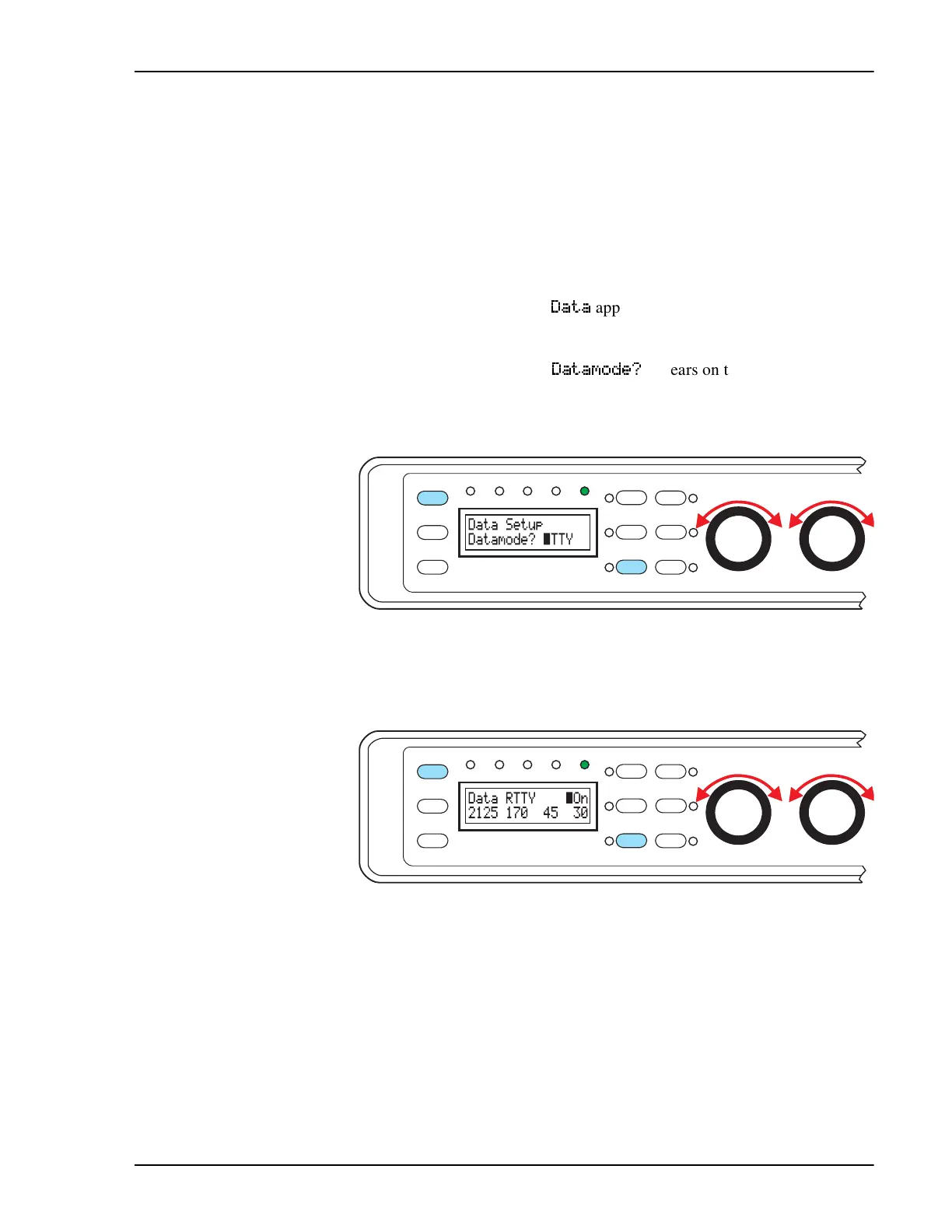
The choices for frequency shift are 170, 200, 425, and 850 Hz.
Baud rate choices are 45, 50, 57, 75, 100, 110, 150, 200, and 300 baud.
Bandwidth is adjustable in 5 Hz steps through a range from 20 - 600 Hz.
Optimal bandwidth approximately equals the baud rate multiplied by 0.75.
For example: If the baud rate is 100, the optional bandwidth would be 75 Hz.
If the baud rate is 75 baud, the optional bandwidth would be 55 Hz.
1. Press
[Shift+Mode]
twice to enter Setup mode.
2. Rotate left knob until
'DWD
appears on the bottom line of the display
3. Press the left knob to select.
4. Rotate left knob until
'DWDPRGH"
appears on the bottom left of the
display
5. Press the left knob to select.
6. Rotate left knob until the desired data operating mode appears on the
bottom right of the display
7. Press the left knob to select.
8. Rotate the middle knob until the flashing cursor appears on the first
character of the parameter you would like to change. Rotate left knob
until correct value appears.
9. Rotate the middle knob gain until the flashing cursor appears on the
first character of the next parameter you would like to change. Rotate
left knob until correct value appears.
10. When done, press the left knob to accept choice and save. Press mid-
dle knob to escape without saving changes.
Function
6
Shift
5
AGC
3
Bypass
Data
DSP-599zx
CW
Voice
Mode
1
Random
4
Tone
2
599-093
Setup
Test
Rcl/Store
Spkr/Chan
High Pass
Center Freq
Timewave
Low Pass
Bandwidth
Function
6
Shift
5
AGC
3
Bypass
Data
DSP-599zx
CW
Voice
Mode
1
Random
4
Tone
2
599-094
Setup
Test
Rcl/Store
Spkr/Chan
High Pass
Center Freq
Timewave
Low Pass
Bandwidth


 To Next Page