10
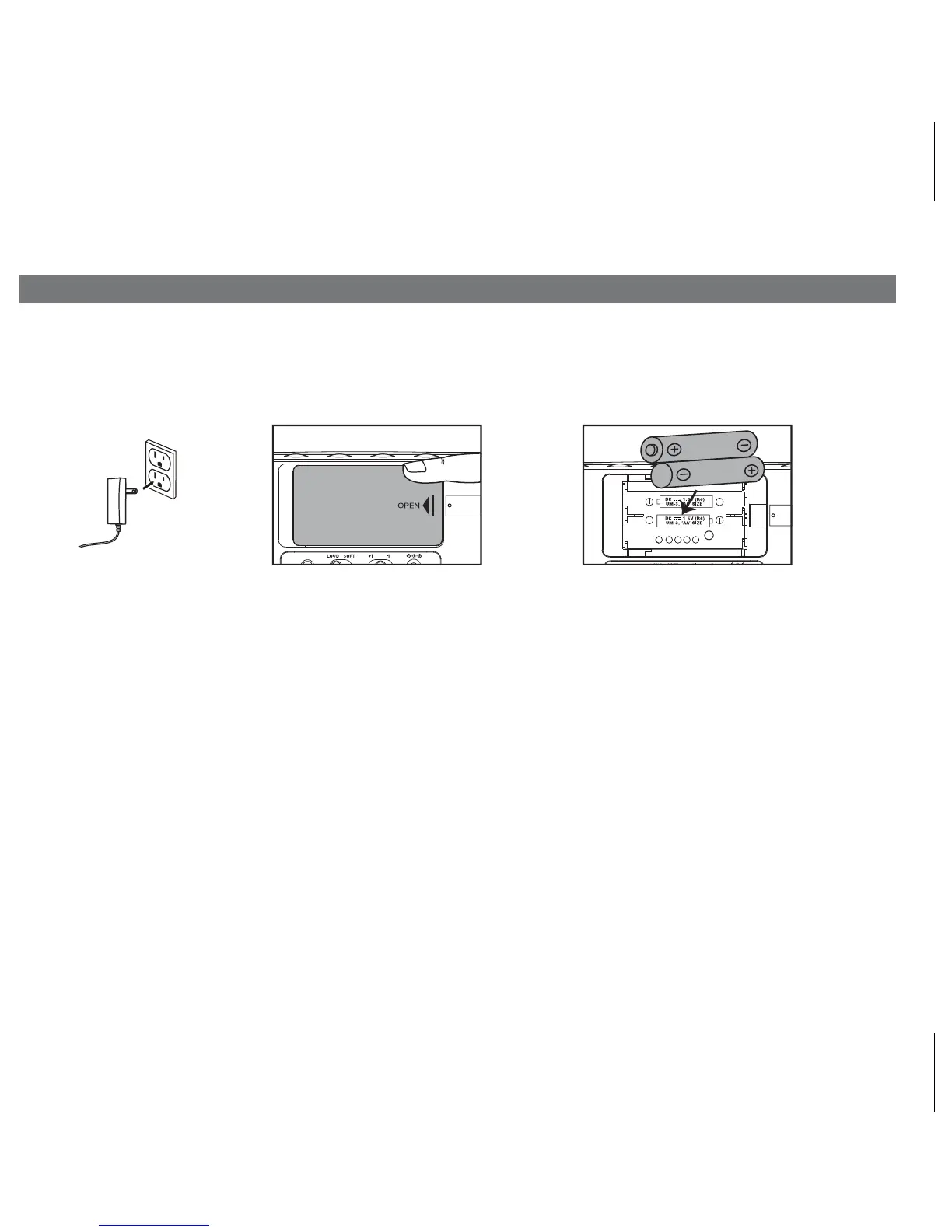
Installing and Replacing Backup Batteries
Slide
Your new Timex Clock Radio includes 2 AA batteries (installed). This battery backup system will
maintain the time and alarm settings during a temporary power interruption. When the Battery Low
Indicator on the bottom right of the display is lit, it’s time to replace the batteries.
1. Keep unit connected to
AC power when changing batteries to avoid losing your settings.
2. Insert the end of a paperclip or similar into the Door Release port next to the battery door
.
3. Slide the battery door to open and remove the battery door
.
4. Install 2 fresh “AA”batteries. Check and match the correct polarity (+/ - ) markings
in the battery compartment.
5. Replace the battery door
.
NOTE: With batteries installed, the display will turn off during a power failure but the clock will
continue to run and maintain your alarm settings and the alarm will sound.
1 32
P11
DOOR
RELEASE
DO
REL



 To Next Page