7
P8
Press and release the Snooze/Dimmer Button
when the alarm sounds to silence it for 9 minutes.
Snooze can be used several times during alarm.
RESETTING AN ALARM TO COME ON THE NEXT DAY
SNOOZE
1
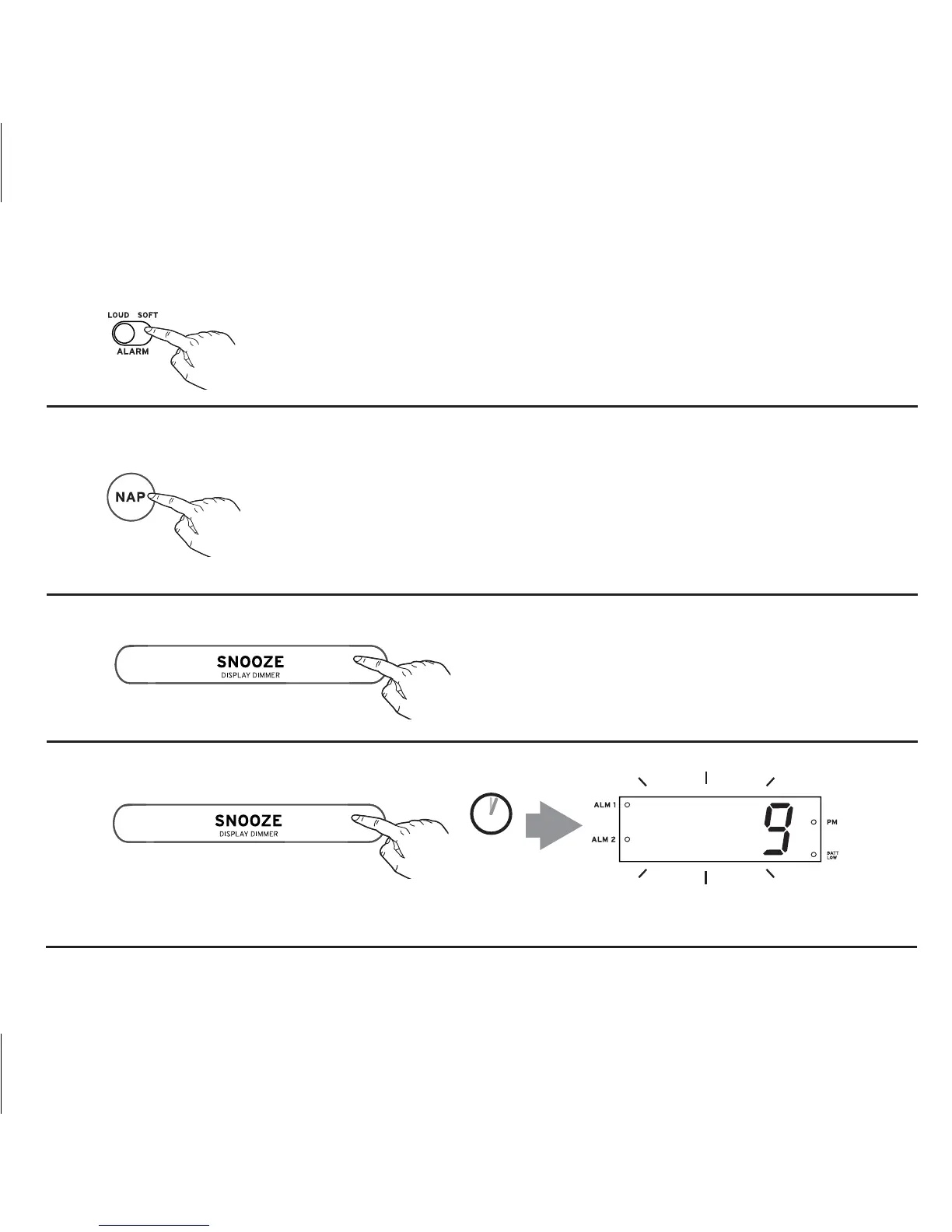
Move the Alarm Volume Switch on the back of the unit to Loud for
sound sleepers or to Soft for lighter sleepers.
To silence any sounding alarm and reset it come on the next day at
the same time, press and release the Nap/Alarm Reset Button.
Note: If you press either Alarm 1 Button or Alarm 2 Button, you will
disable current alarm setting and alarm will not sound the next day.
SETTING THE ALARM VOLUME
Press and hold the Snooze/Dimmer Button during normal operation (no alarm is sounding). Current
snooze duration will flash on the display.
ADJUSTING SNOOZE TIME
2 SECS
ALM RESET



 To Next Page