14
The 5” In-Car Baby Monitor comes with two USB Power Adapters and two 118” / 300cm Micro USB
Power Cables.
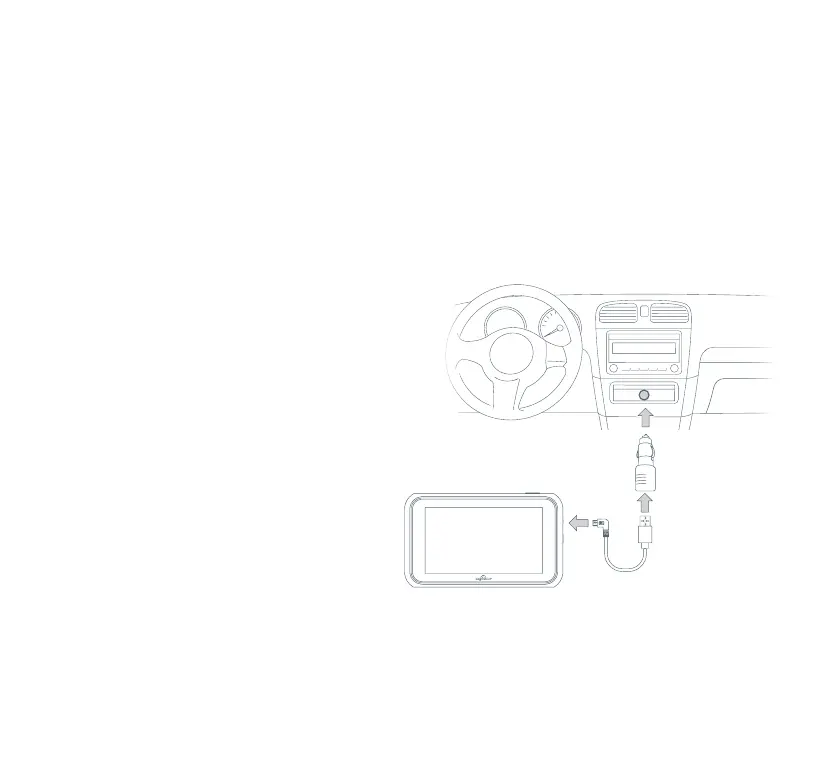
Plug the power cable into the input port on the Monitor, then run and tuck the cable to the 12/24V socket
in your vehicle. Ensure that the cable is not in contact with the car seat or within reaching distance of the
baby. It is recommended to tuck the cable behind the seat, lining, rug or panels in order to keep it from
tangling or getting caught in any object.
Once the Monitor is secured in its mount and the power cable is tucked carefully out of the way, you can
plug the power cable into the USB power adapter, then into the 12/24V socket. Make sure the adapter is
pushed all the way into the socket.
NOTE: If your vehicle has USB media ports, you
can plug the cable directly into the port without
the adapter.
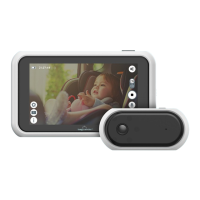
Once connected and powered on, the Monitor will
automatically show the image from the Camera.
Pairing is not necessary as the unit has already
been paired. If you are not able to connect the
Camera, please try to pair the Camera (refer to
the 5 steps in page 16).
13. CHARGING THE MONITOR
Usage Precautions
Many vehicles provide constant power to the 12/24V outlet. If your outlet provides constant power, please
remember to unplug the Touch Screen LCD Monitor and Camera when not in use to avoid draining the
vehicle’s battery.



 To Next Page