20
17. VIEWING AND MANAGING MEDIA FILES USING A COMPUTER
33” / 84cm
USB to Micro USB
Cable
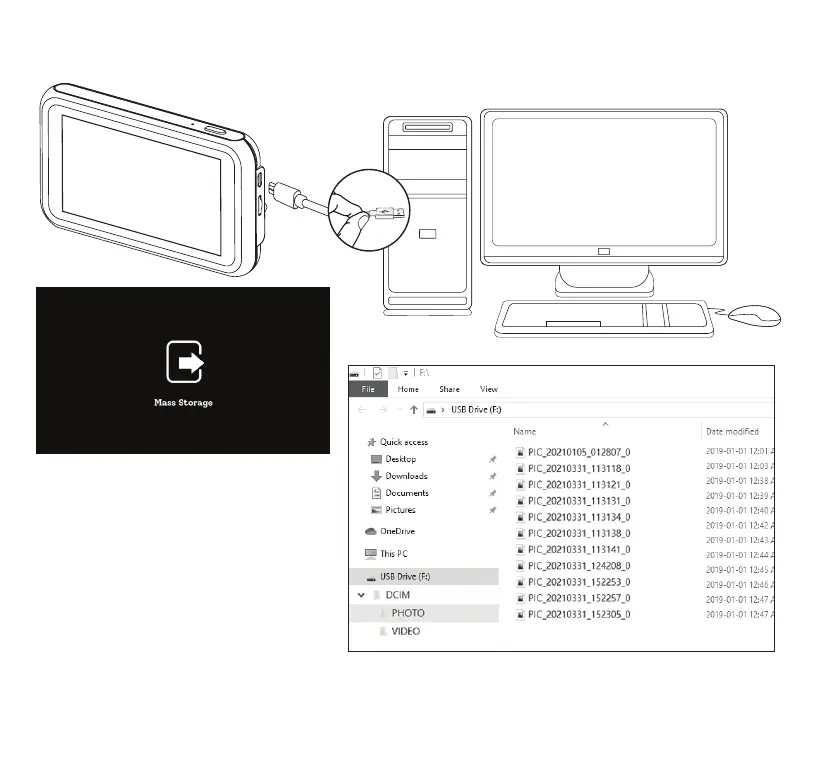
Once the Baby Monitor is connected to a
computer via a USB to Micro USB data
cable, the screen above will show up on
the LCD. The Baby Monitor will function
as a card reader for the computer, and it
will appear as a new USB drive. User can
manage les in the Micro SD Card directly
from the computer.
Note: The Baby Monitor will stop recording
when it is connected to a computer.
Note: Please make sure the Micro SD Card is inserted into the Baby Monitor before connecting to the computer.



 To Next Page