Rack Control Module
TM
Product Manual
Rev. 1.2, May 9, 2014 Page 25
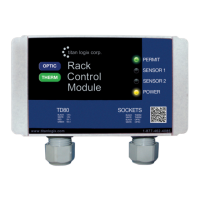
i. Power Indicator is ON and solid YELLOW
ii. Sensor #1 and #2 are OFF
iii. Permit is ON and solid GREEN
1. If the Permit is SOLID RED , turn the power OFF and then
back ON
3. Test the Finch volume display by doing the following:
a. For dual rod probes, place your hand across the rods and slide it up and
down the probe to check the volume display and alarm settings. If the probe
is not within reach, use foil or a metal rod to short the two probe rods
together.
i. Volume displayed will increase as the hand or shorting rod moves
toward the top of the compartment
ii. Volume displayed will decrease as the hand or shorting rod moves
toward the bottom of the compartment
b. For coaxial probes, insert a small metal rod into the holes along the probe.
Short the center rod to the outer tube to check the volume and alarm
settings.
i. Volume displayed will increase as the shorting rod moves toward the
top of the compartment
ii. Volume displayed will decrease as the shorting rod moves toward
the bottom of the compartment
4. Set the Fill alarm according to the customer’s requirements.
5. Clear all active alarms.
a. Ensure RCM Indicators are as follows:
i. Power Indicator is ON and solid YELLOW
ii. Sensor #1 and #2 are OFF
iii. Permit is ON and solid GREEN
1. If the Permit is SOLID RED , turn the power OFF and then
back ON
6. Confirm that the following occurs when the probe is shorted by a hand or metal tool
to simulate liquid level at selected points:
a. “2 LO” is displayed when the tank level is less than 5.5”. Volume is displayed
when the level is above 5.5”.
b. Installed Fall alarm activates when the tank level decreases to or is less than
the Fall alarm setting.
i. Display flashes the volume
ii. Installed light and horn activate
iii. Installed underfill prevention system activates
c. Installed Fall alarm deactivates when either the Up or Down button is
pressed.
i. Display returns to normal, not flashing
ii. Installed light and horn deactivate
iii. Installed underfill prevention system deactivates
d. Installed Fill alarm activates when the tank level increases to or exceeds the
Fill alarm setting.
i. Display flashes the volume
ii. Installed light and horn activate
e. Installed Fill alarm deactivates when either the Up or Down button is
pressed.
i. Display returns to normal, not flashing
ii. Installed light and horn deactivate
f. HH alarm activates when the tank level reaches the HH alarm setting.
i. Display shows blinking “HH” and volume
ii. Installed light and horn activate


 To Next Page
