Rack Control Module
TM
Product Manual
Rev. 1.2, May 9, 2014 Page 12
3 Installation
TD80 Installation Steps Overview 3.1
The following installation instructions are specific to the RCM only. Refer to the TD80
Installation and Operation Manual, TPM 001 for full TD80 Level Gauging and Overfill
Prevention System details. The RCM may be installed in any currently recommended
level gauging system including one that performs onboard loading control. These details
are beyond the scope of RCM installation and testing.
Pre-Installation Requirements 3.2
1. When choosing a location to install the TD80 components, including the RCM, the
following guidelines must be followed:
a. Appropriate industry, national, provincial/state and local codes
b. Fuses and components appropriate for the area classification
2. The tank is completely drained of liquid and vapour free.
3. No drilling or welding to the tank and frame without first consulting with the tank
manufacturer.
Installation Steps 3.3
2. Install the 1” NPT Top Fitting
3. Install the Anchor Cone
6. Mount the Finch Display
7. Mount the Relay Module (optional)
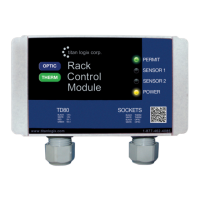
8. Mount the Alarm Accessories (optional), including the RCM *
9. Inspect the Mechanical Installation
10. Install the Electrical Wiring *
11. Set and Verify the Finch Display Jumpers
12. Confirm Fuses Installed with Correct Type and Rating
13. Perform the TD80 Basic Operation Test
14. Verify TD80 Transmitter Programming
15. Set the Fill or Fall Alarm Level
16. Perform the TD80 System Test and Verification *
17. Perform the Offset Calibration *
Table 3-1: Installation Steps


 To Next Page
