Rack Control Module
TM
Product Manual
Rev. 1.2, May 9, 2014 Page 41
i. Check all electrical wiring and connections between the affected
transmitter and display.
ii. If this happens while a two-way radio is keyed, find and physically
separate all TD80/Finch and radio wiring.
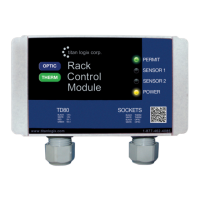
3. Intermittent RCM Permissive. Permit light changes from green to red and back to
green intermittently.
a. All lights go out:
i. Check power and electrical ground between the RCM and Finch or
junction box terminated wiring.
b. Power light blinks, and then turns solid yellow:
i. Check power and electrical ground between the RCM and Finch or
junction box terminated wiring.
ii. Measure the battery voltage at the Finch with a Digital Multimeter
(DMM).
1. The voltage must be at least 8VDC and stable for correct
RCM operation. Provide power from a well charged battery.
Do not use a battery charger.
c. One or both Sensor lights blink red and off while the Power light remains
solid yellow:
i. Finch display shows “----“ and then volume:
1. Power, electrical ground or the SV Bus data between the
Finch display and TD80 transmitter is being interrupted.
a. Check all electrical wiring and connections between
the affected transmitter and display.
ii. Finch is operating normally, showing volume:
1. Check the SV Bus data wiring of the affected Sensor
channel between the RCM and the Finch or junction box
terminated wiring.
d. Permit light goes from green to red and then back to green after about 10
seconds. Sensor 1 and/or Sensor 2 lights go red:
i. Power to the TD80 and Finch is being interrupted.
1. Check all battery power and electrical ground connections to
the Finch display.
e. Permit light goes from green to red and then back to green after about 5
seconds. Sensor 1 and/or Sensor 2 lights go red:
i. SV Bus data is between the Finch and the RCM is being interrupted.
1. Check the SV Bus data wiring of the affected Sensor 1
and/or Sensor 2 channel between the RCM and Finch or
junction box terminated wiring.
f. Permit light remains red until the next time power is cycled and then returns
to green:
i. Check the Finch display for error codes indicating a TD80 transmitter
or probe malfunction. Resolve the TD80 and/or probe problem.
ii. Observe the Finch display for erratic and incorrect volume changes
or alarms. This indicates a TD80 or probe malfunction. Resolve the
TD80 and/or probe problem.


 To Next Page
