11
IOM - FFDE
Redefine your comfort zone. ™ | www.titus-hvac.com
Troubleshooting
Mode Choice:
Verify mode setting choice to DIP switch S1 (Control Mode), which is manual mode and then retry.
Motor Issues in Manual Mode:
(If you are in a network or analog mode, contact your controls contractor
for troubleshooting assistance; if you continue to
need assistance, contact the factory.)
Unit is not adjustable:
Step 1. Verify that rotation of the manual speed potentiometer does
not change the RPM. If rotating does nothing, remove the electrical box
cover, then remove the 4-pin motor connector from the control board and
reinstall 180 degrees rotated. Also insure that the 4-pin connection wires
are pushed down securely onto connector pins. Again adjust the knob to
verify proper fan operation. Note: The 4 pin connector is on the 1/8” white
cable from motor.
Low Air Velocity:
Step 1. Check to be sure that the manual speed potentiometer is set
correctly.
Step 2. Check incoming power supply for proper voltage (120,208-
240,277/24).
Step 3. Examine the HEPA filter.
High Air Velocity:
Step 1. Check to be sure that the air flow settings are correct
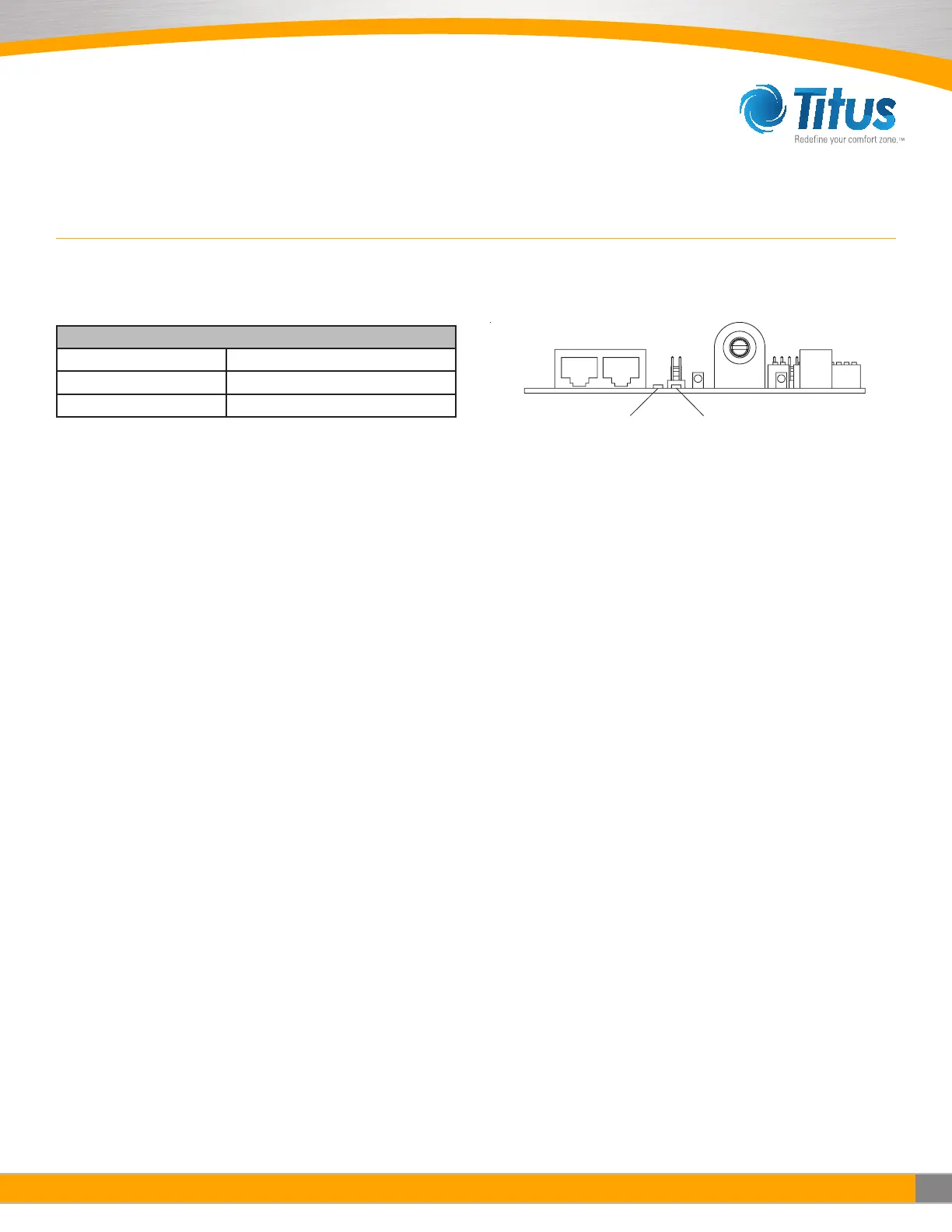
Net LED Status Definition
Green LED OFF Power Lost or No Communications
Green LED Flickering Network Data Traffic In Progres
Green LED ON A/B network wires are swapped
Filter Issues:
Non-Laminar Flow and/or Excessive Contamination:
Step 1. Insure that no large obstructions are upstream of airflow pattern
Step 2. Determine that no other air-moving devices are operating in or
around clean room which disrupt room’s airflow pattern
Step 3. Check air velocity and if low, conduct the “Low Air Velocity”
procedure outlined above.
Step 4. Conduct smoke and photometer test on HEPA/ULPA filter. Seal or
replace HEPA filter as necessary.


 To Next Page