12
IOM - FFDE
Redefine your comfort zone. ™ | www.titus-hvac.com
IOM
FFDE / FFDER / FFDERA
Infrared Speed Control (Optional)
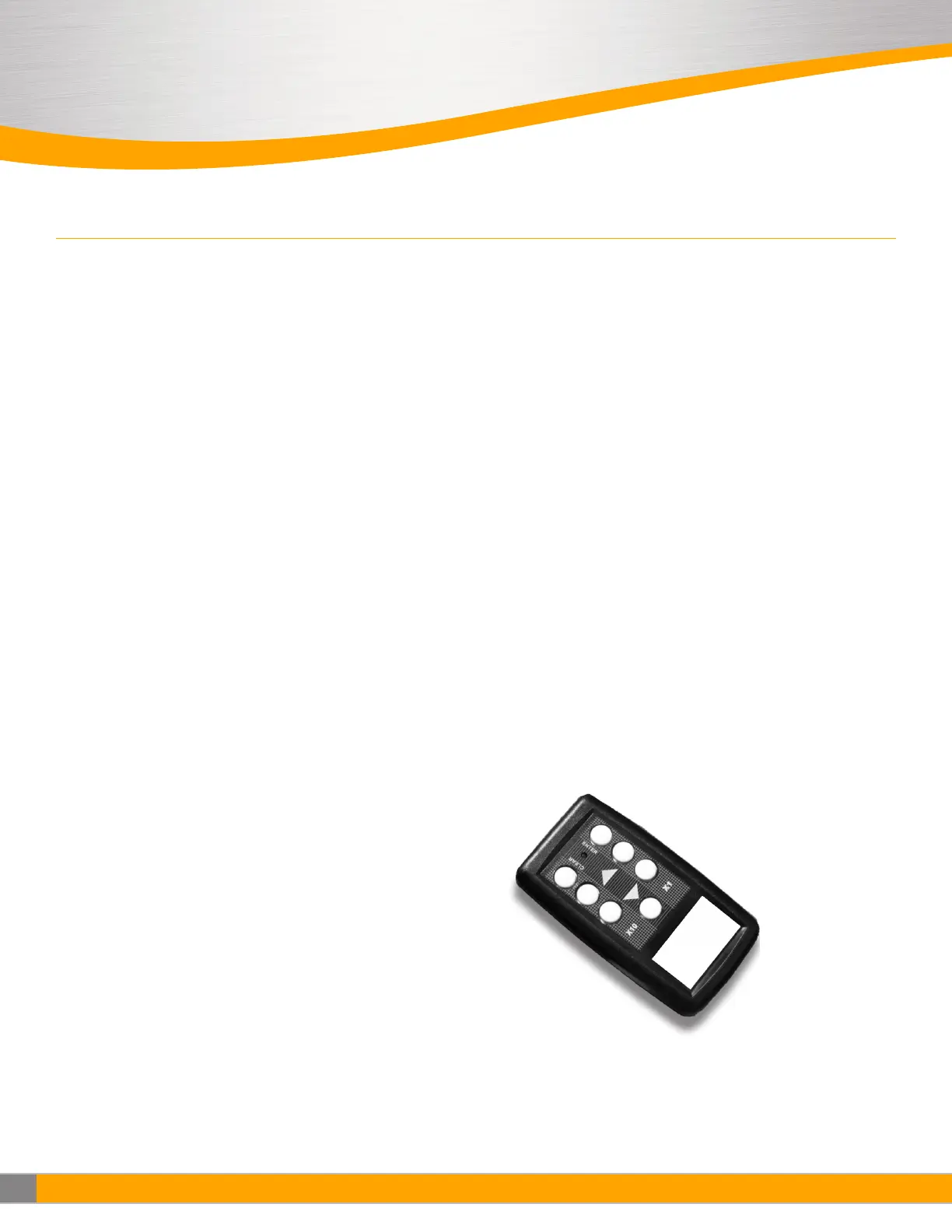
The Flow-Set is a handheld infrared remote control configured to adjust
the fan filter unit.
An EVO/ECM-IRC control sends the motors a FLOW INDEX and a GO signal.
The motor sends back a status signal that is connected to a red lamp. The
control includes an infrared remote receiver.
The Flow-Set handheld remote sends infrared remote commands to the
EVO/ECM-IRC control, allowing remote adjustment of the Motor. (See
Figure 10). Using the Flow-Set, you can turn the motor on/off, adjust the
flow index from 1-100 and read the current settings.
Point the Flow-Set at the Flow-Set target (red lamp if the motor is on)
on the equipment. Operate the on/off button or any of the four buttons.
The green lamp near the Flow-Set target lights, indicating you are in an
adjustment session. Continue to operate the on/off button or any of the
four buttons to achieve the desired settings.
Press the Enter button to save your new settings and exit the adjustment
session. Press the Clear button to delete your new settings, revert to the
IQ settings and exit the adjustment session. If you enter an adjustment
session and do not make any adjustments for 15 minutes, the adjustment
session automatically clears.
Use the Clear button to read the current settings. Point the Flow-Set at
the Flow-Set target and press the Clear button. A green lamp begins to
flash indicating the signal was received. The flash sequence indicates the
current flow index. The sequence occurs in two sets. The tens (1st) set
uses long flashes to indicate the tens digit. The units (2nd) set uses short
flashes to indicate the units digit. An extra long flash in the tens set or the
units set indicates the value of the corresponding digit is zero
• A flow index of 24 flashes two longs, then 4 short
• A flow index of 89 flashes 8 longs, then 9 short
• A flow index of 30 flashes 3 longs, then an extra long
• A flow index of 04 flashes an extra long, then 4 short
• A flow index of 100 flashes 10 longs, then an extra long
Use the On/Off button to turn the motor on or off. Point the Flow-Set at the
Flow-Set target on the equipment and press the on/off button. If you press
Enter while the motor is off, the motor stays off, even through a power on/
off cycle.
Adjust the flow index using the buttons. The button pair on the
left adjusts the index 10. The button pair on the right adjusts the
flow index 1. Using the 10 pair, you can quickly move the index
up and down. Using the 1 pair, you can precisely set the index to
achieve the desired flo . During an adjustment session, the green lamp
blinks each time you make a valid entry. If the flow index is already 100,
and you try to increase the flow index, the green lamp does not blink,
and the increase does not occur. If the flow index is at 91 and you press
the 10 buttons, the green lamp does not blink and the increase does
not occur because your entry would take the index above 100. When the
flow index is greater than 90, use the 1 button to increase the index.
The 1 and 10 keys respond in a like manner when you try to set the
flow index below 1. (Zero is not a valid flow index)
Batteries:
Two AA batteries power the EVO/IRC-Handheld Controller. (See Figure 10).
Remove the sliding door on the back of the unit to expose the battery
compartment. Remove the old batteries. Insert the new batteries in the
position indicated by the battery pictures molded into the bottom of the
battery compartment. The battery spring clips are difficult, so you may
need to use a small screwdriver to “shoehorn” the batteries into place.
For maximum battery life, store the EVO/IRC- Handheld Controller so the
buttons are not pressed. While current drain is minimum when the unit is
not sending infrared signals, some battery current is drawn to sense the
pressed key.


 To Next Page