Hardware Version : 5.02 Document Version : 1.0.
TECHMAN ROBOT INC. 5F., No. 58-2, Huaya 2nd Rd., Guishan Dist., Taoyuan City, 333411 , Taiwan
34
Software Update
After replacing a Joint, there is no need to execute ReinstallRobotId, but UpdateEsi and UpdateFW are
required.
After replacing the Patriot power board or End module, execute ReinstallRobotId, UpdateEsi, and
UpdateFW.
Accessing Windows: In the powered-off state, press the emergency stop switch and install the
Maintenance Dongle on the control box. After turning on, an error code will be displayed on the TM Flow
screen due to the emergency stop switch cutting off the power between the control box and the robot.
Click Exit in the bottom left corner of the screen to enter Windows.
Note: After entering Windows, be sure to release the emergency stop switch. After releasing the
emergency stop switch, check if the End module indicator lights are flashing. If the indicator lights are not
flashing, it means the control box is not correctly connected to the arm. Do not proceed with the
subsequent steps and prioritize troubleshooting.
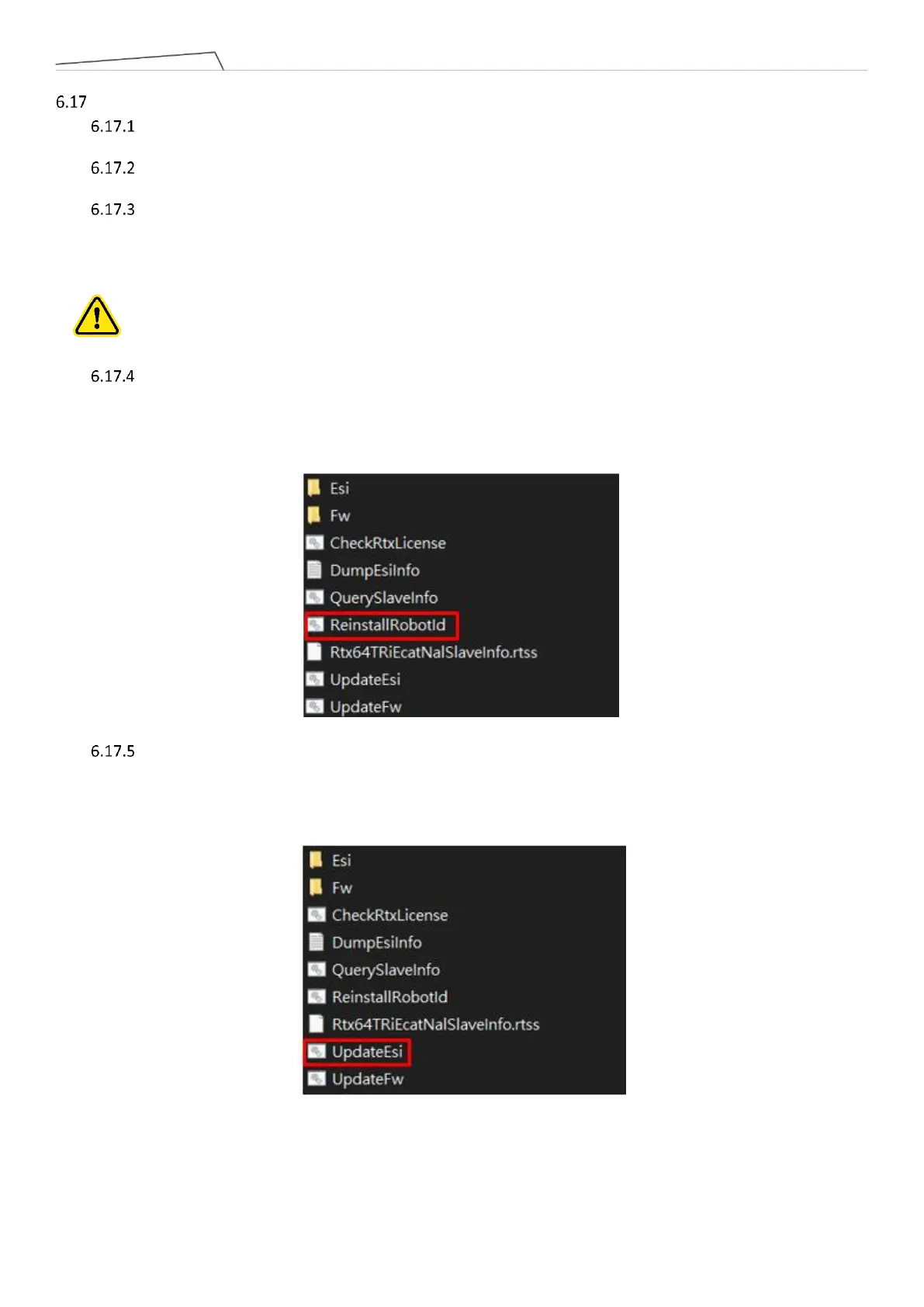
ReinstallRobotId: After entering Windows, execute the file "ReinstallRobotId" in the path "D:\Techman
Robot\TM Flow\ModuleRelease". After completion, it is necessary to completely turn off the power to
the control box and the robot before restarting. It is recommended to unplug the external power cord
after shutdown and then reconnect it before turning the power back on, ensuring a complete power
shutdown.
UpdateEsi: After entering Windows, execute the file "UpdateEsi" in the path "D:\Techman Robot\TM
Flow\ModuleRelease". After completion, it is necessary to completely turn off the power to the control
box and the robot before restarting. It is recommended to unplug the external power cord after
shutdown and then reconnect it before turning the power back on, ensuring a complete power
shutdown.



 To Next Page