Hardware Version : 5.02 Document Version : 1.0.
TECHMAN ROBOT INC. 5F., No. 58-2, Huaya 2nd Rd., Guishan Dist., Taoyuan City, 333411 , Taiwan
59
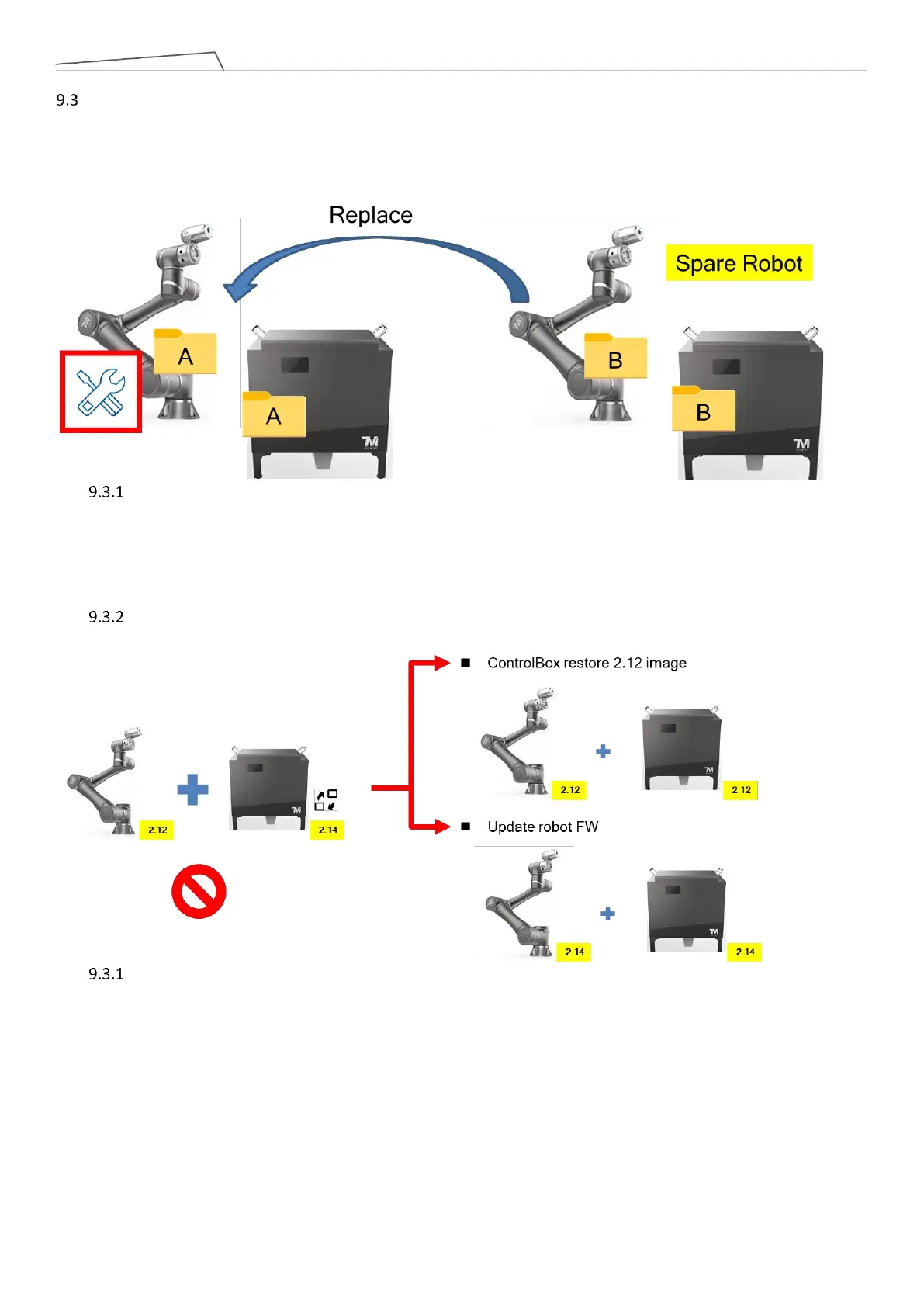
Arm Exchange: This function is designed for situations where either the arm or the control box experiences
abnormalities. In cases of urgency, where the customer needs to quickly resume production on the assembly
line, arm exchange can be performed to avoid production line downtime. As illustrated below, if Arm A is
damaged, this feature facilitates the exchange of Arm A with the available Arm B in stock, enabling the
production line to continue operations.
Remove the malfunctioning arm and directly connect the spare arm to the original control box. The
calibration data stored in the arm's IO board will overwrite the data in the original control box, so it's
crucial to back up the files in the original control box. The software will check whether the data between
the arm and control box matches.
The following scenarios will explain the handling when the arm firmware (FW) does not match the control
box HMI.
If the arm FW is version 2.12 but the spare control box's HMI version is 2.14, the user can choose to
restore the control box's HMI image to version 2.12 or upgrade the arm FW to version 2.14.
Joint type When the arm FW is version 2.14, but the spare control box's HMI version is 2.12, the user can
only upgrade the control box's HMI to match the FW. The main reason is that older versions of software or
firmware may not recognize the new Joint type.



 To Next Page