7
Be sure to attach the supplied terminal cover after connection completion. Because high voltage is
applied to the speaker terminals, never touch these terminals to avoid electric shock.
5. CONNECTIONS
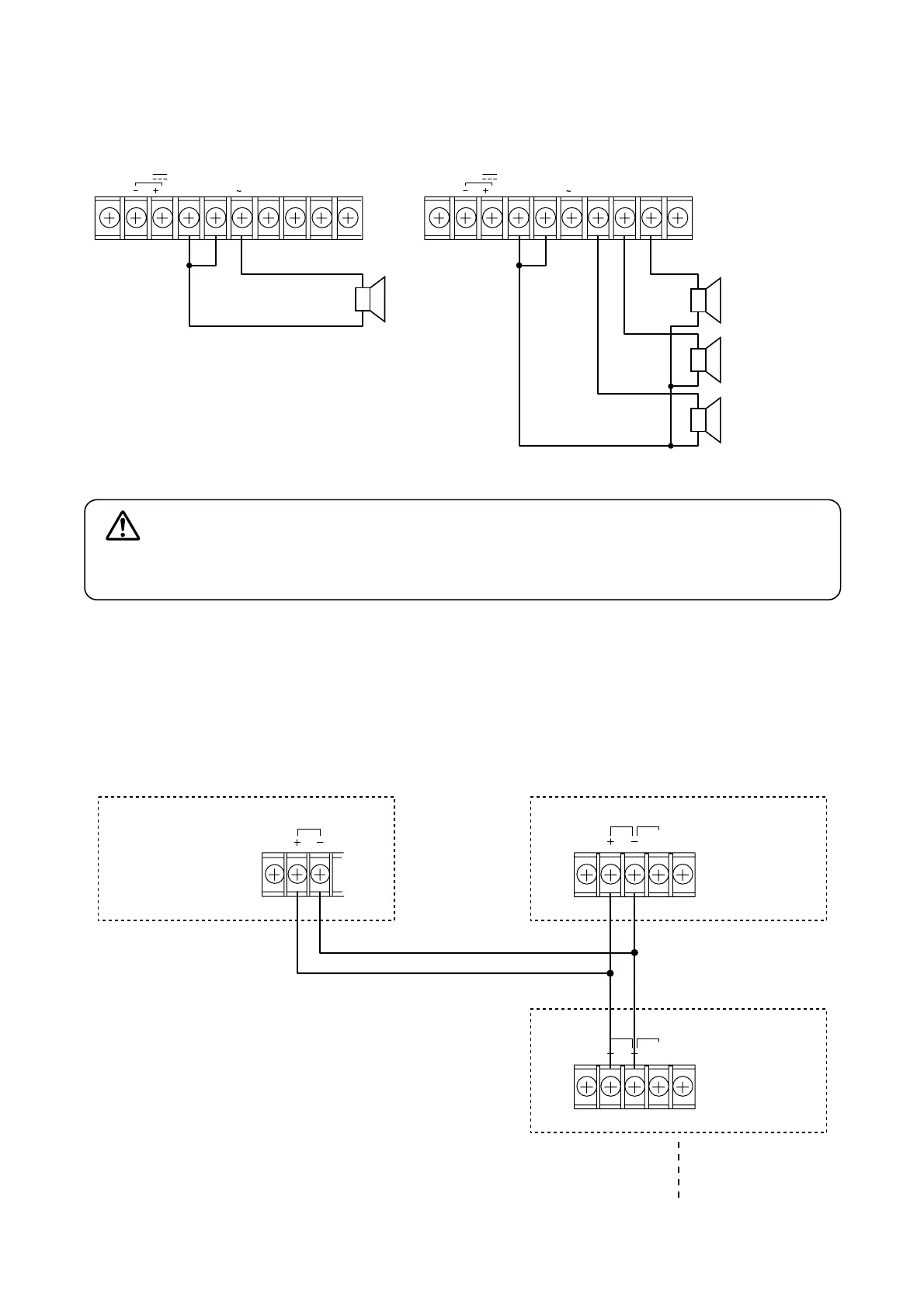
5.1. Speaker Connections
CC
4
16Ω
DIRECT
100 V
INPUT
ZONE 2
100 V
ZONE 1
100 V
Total impedance
330 Ω (A-1803)
167 Ω (A-1806)
83 Ω (A-1812)
4 – 16 Ω
100 V line
100 V line
100 V line
Notes
• Both the 4 – 16 Ω and 100 V terminals cannot be used
at the same time.
• Impedances indicated in the figures represent the total
speaker system (load) impedances.
24 V
CC
4 16Ω
DIRECT
100 V
INPUT
ZONE 2
100 V
ZONE 1
100 V
24 V
WARNING
5.2. Remote Power ON/OFF Control Connection
The optional P-1812 PA Amplifier's power can be remotely switched ON or OFF with the power switch
operation of the A-1800 series. (This remote control operates only when the P-1812's power is OFF.)
Make the Remote IN-OUT terminal connections as shown below.
REMOTE OUT
A-1803
A-1806
A-1812
REMOTE IN CONTROL
EMER-
GENCY
P-1812
REMOTE IN CONTROL
EMER-
GENCY
P-1812


 To Next Page