9.1.1. Mute operation A
The mute function can be activated either by the TEL, MIC, or MODULE (PAGE) input signal, or by shorting
the rear panel-mounted mute terminals.
[Mute signal settings]
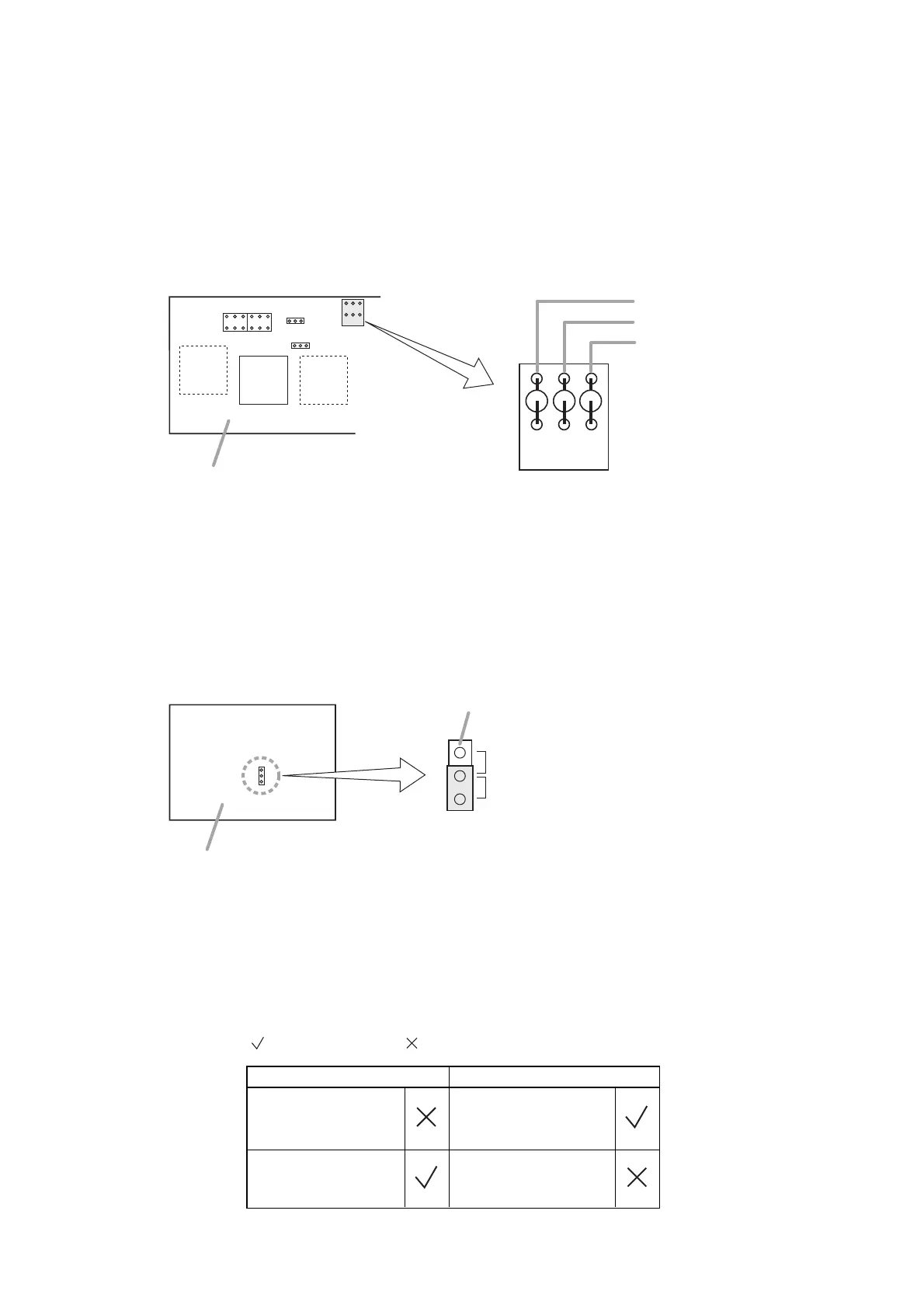
Input signals to activate the mute function can be selected by the internal jumper wire settings. The TEL, MIC,
and MODULE (PAGE) input signals are all factory-preset (Jumpers JP207, JP208, and JP209 are set.) as
muting signals.
Cut off the jumper wire corresponding to the input signal to be disabled for muting.
In any case, shorting the rear-mounted Mute terminals can also actuate the mute function.
Note: If Module Input is selected, the mute function can only be used when the Module Selector Switch is set
to the PAGE position.
[Muted signal settings]
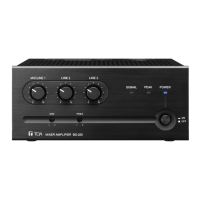
Use the unit's internal jumper switch JP301 to select the signal to be muted. Select either the input signal from
the TEL, MIC, and MODULE (PAGE) terminals or from the AUX, PROGRAM, and MODULE (BGM) terminals
as the signal to be muted.
9.1.2. Mute operation B
The mute function can be controlled by way of the rear panel-mounted Mute terminal.
Note: The mute function cannot be controlled by means of an input signal.
[Mute terminal]
11
PROGRAM, and MODULE (BGM) terminals.



 To Next Page