22
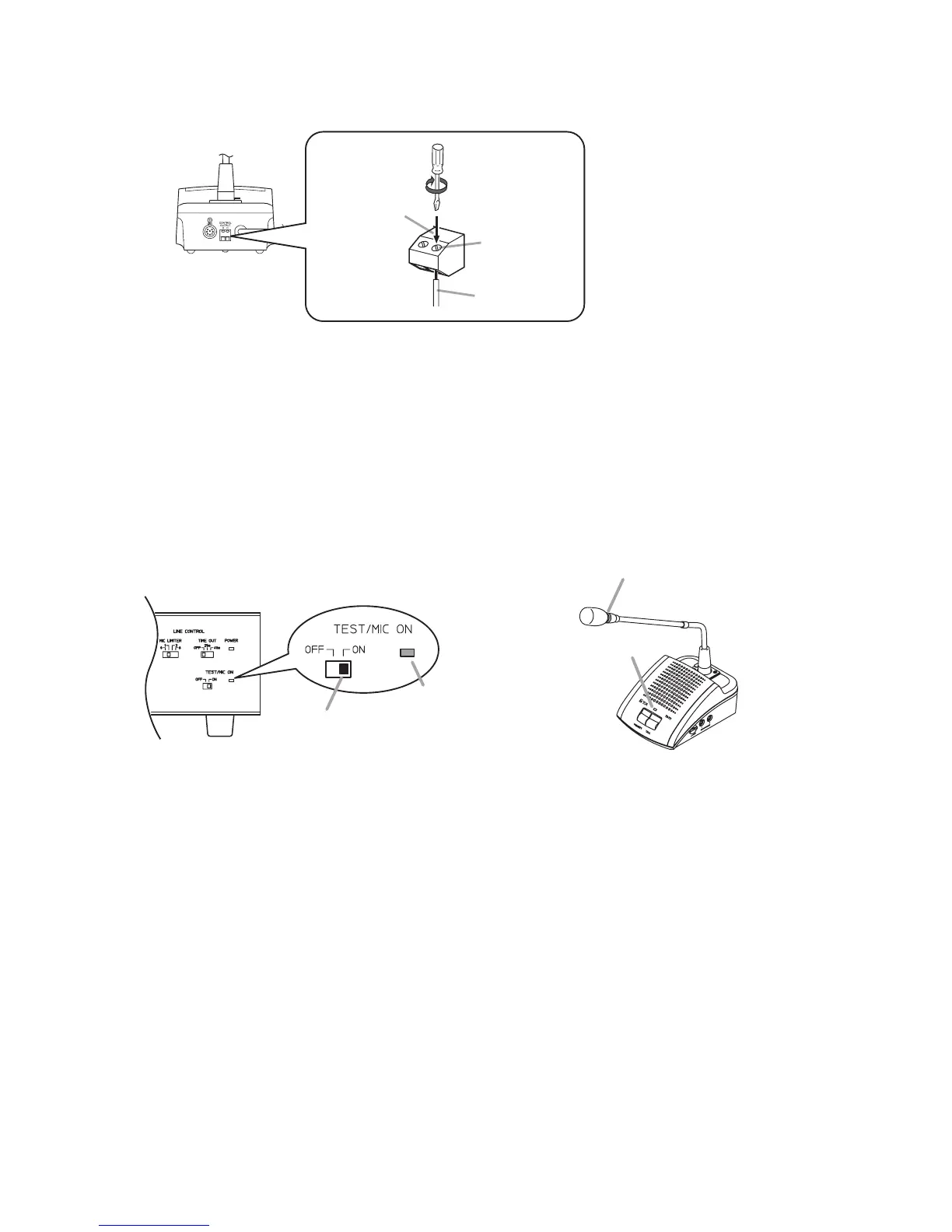
Step 3. Connect an indicator or other device to the TS-771 Chairman unit's or TS-772 Delegate unit's Control
Output terminal as required.
Note
This output terminal is closed
("make" contact) when the
Remote Delegate Interface unit
is set to Speech mode.
Step 4. Set the Test switch on the front panel of the Central unit to ON. (Test mode)
The Test indicator lights together with the conference unit's Microphone in-use indicator and the
indicator on the microphone.
Note that as the number of connected conference units increases, several seconds may elapse
before the indicators light.
When all indicators for the installed conference units light, this completes connection confirmation. In
this event, if the indicators of a certain conference unit do not light, check the connections of the
microphone and those between the Central unit and conference units.
Step 5. Shift the Central unit's Test switch back to the OFF position. (Test mode cancelled.)
Note that as the number of connected conference units increases, several seconds may elapse
before the indicators extinguish.



 To Next Page