32
9.1.2. Using in manual operation mode (MANUAL mode)
If acoustic feedback does not stop even using the FBS function in automatic operation mode, follow the
procedure below to search the frequency that caused feedback, then suppress the feedback.
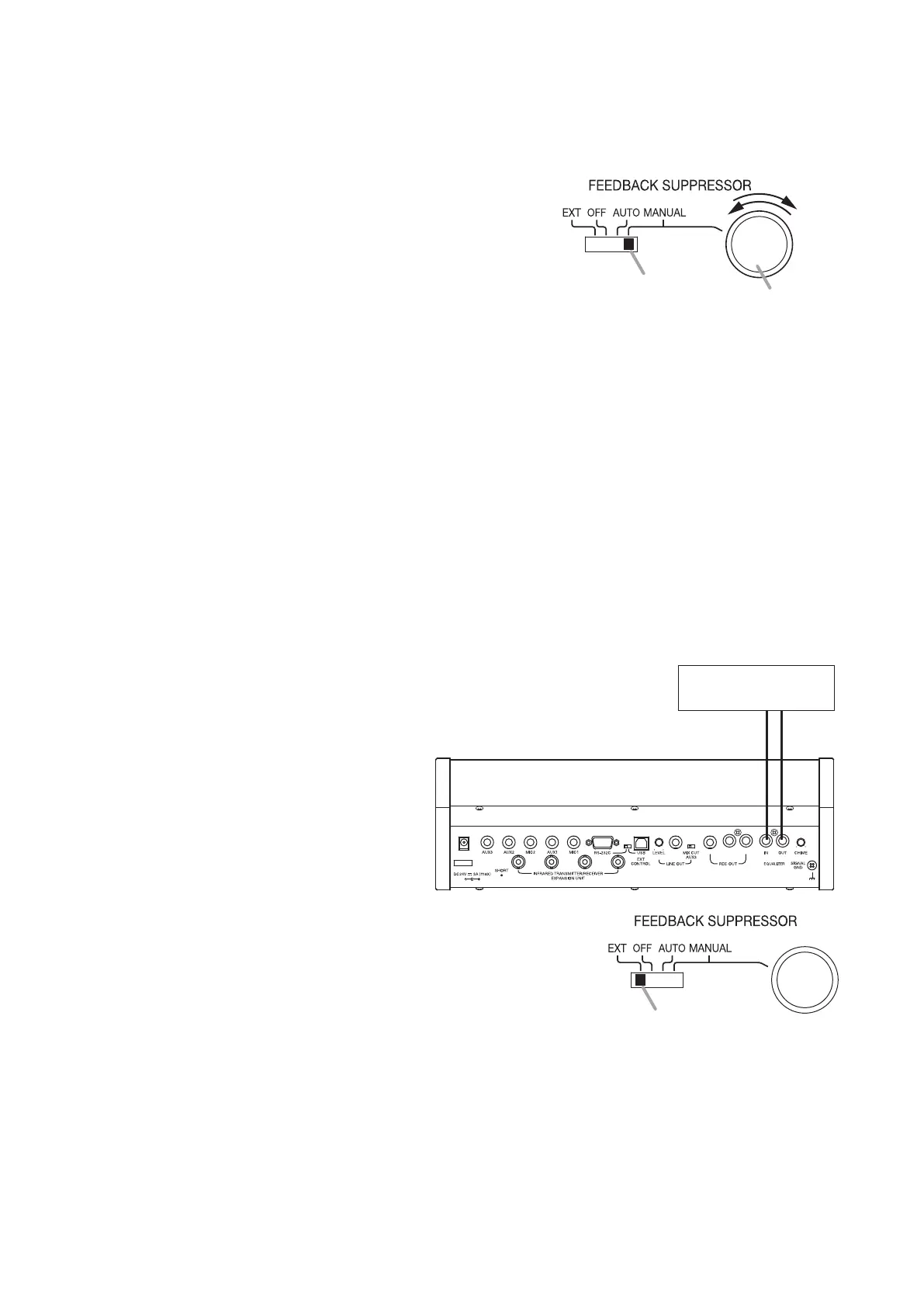
Step 1. Set the Feedback suppressor switch to the MANUAL
position.
Step 2. While gradually rotating the Feedback suppressor control
knob counterclockwise until it stops, seek the feedback
point.
If acoustic feedback point is found, stop rotating the knob
and do not touch it any more.
Note
Do not apply excessive force to the knob when it comes to a stop, as doing so may cause damage to
the knob.
Step 3. If acoustic feedback does not stop even when the knob reaches the immovable position, seek the
feedback point by gradually rotating the FBS control knob clockwise to its stop.
If acoustic feedback point is found, stop rotating the Knob and do not touch it any more.
Note
Whenfeedbackoccursagain,repeatSteps2and3tondthefeedbackpointonceagain.
9.2. Using an External Graphic Equalizer
Step 1. Connect an external equalizer to the unit as shown below.
Step 2. SettheFBSswitchtotheEXTposition.
Step 3. Take measures against acoustic feedback using the graphic equalizer.
For operation method of the graphic equalizer, read the instruction manual supplied with it.
1
2
3
FBS switch
FBS control knob
Central unit TS-910 (rear)
OUT IN
Equalizer
FBS switch



 To Next Page