18
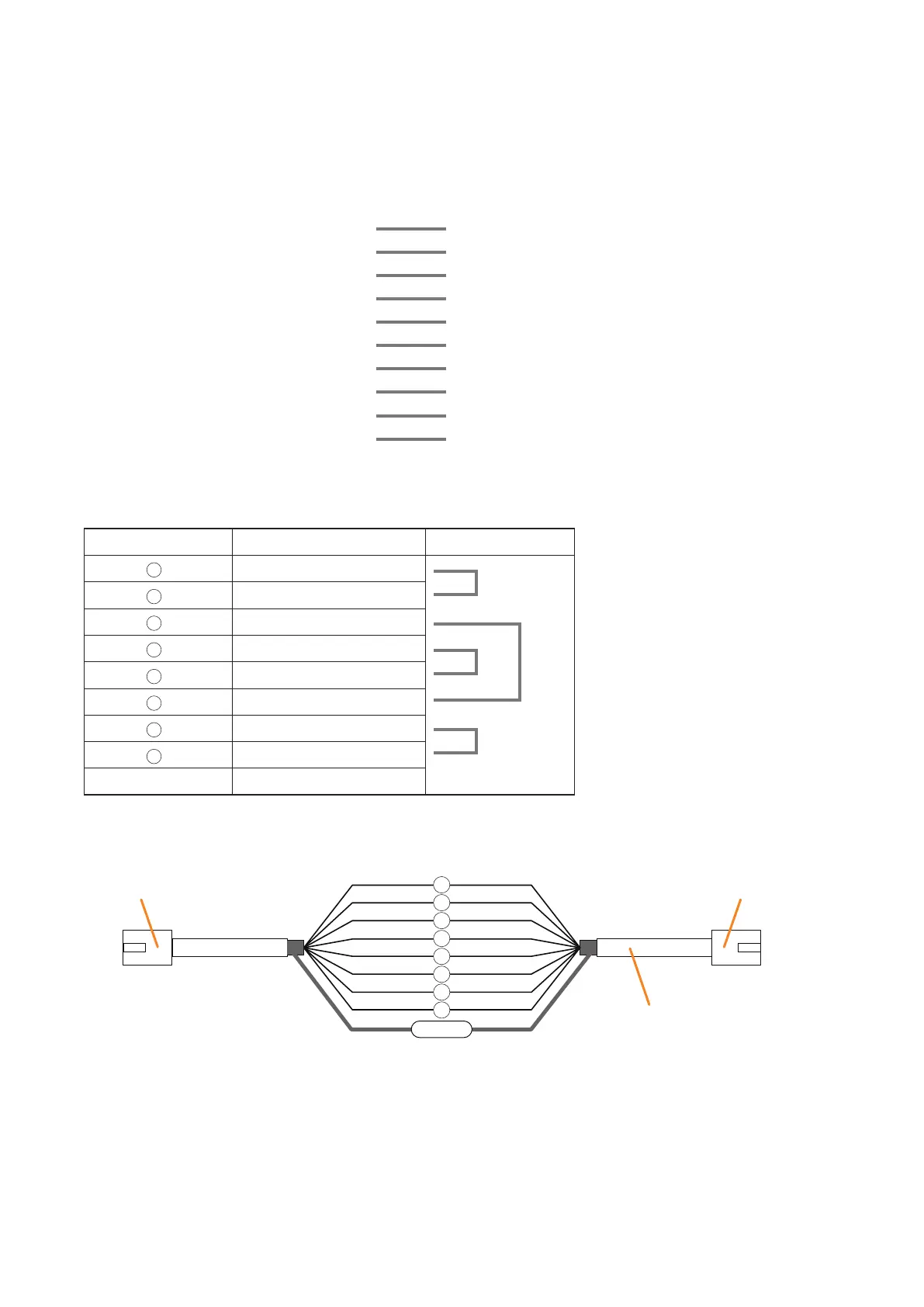
ConnectaRJ45connectortobothendsoftheCat.5STPcableandmakethefollowingconnections:
9. CABLE CONNECTIONS TO RJ45 CONNECTORS
[Source to Connect] [Source to be Connected to]
Component Connector Name Component Connector Name
VX-2000 DATALINK VX-2000SF DATALINK
VX-2000 AUDIOLINKOUT VX-2000SF AUDIOLINKIN
VX-2000SF AUDIOLINKOUT NextVX-2000SF AUDIOLINKIN
VX-2000SF DATALINK NextVX-2000SF DATALINK
VX-2000SF STANDBYPALINK VP-200VX/VP-3000series PALINK
VX-2000SF DS-SFLINK1,2 VX-2000DS/3000DS
DS-SFLINK/DS-LINKIN
VX-200SP PALINK VP-200VX/VP-3000series PALINK
VX-200SZ PALINK VP-200VX/VP-3000series PALINK
VX-200SP-2 PALINK VP-200VX/VP-3000series PALINK
VX-200SZ-2 PALINK VP-200VX/VP-3000series PALINK
[RJ45 connector pin assignment]
RJ45 connector
Pin No.
RJ45 connector
RJ45 connector
Cat. 5 STP cable
1
2
5
6
3
4
7
8
Shield
* Differs from cable makers. In wiring,
refer to the cable specifications for
colour.
2
3
4
5
6
7
8
RJ45PinNo. Colour* Pair
Orange / white
Orange
Green/white
Blue
Blue / white
Green
Brown / white
Brown
Shield Shield



 To Next Page