24
7. SWITCHING OFF SYSTEM POWER (DC)
Connector Name
• VX-3000DS
'
DS LINK Connections
DS LINK IN/OUT
RJ45 Pin No.
Orange/white
Shield
Brown
Brown/white
Green
Blue/white
Blue
Green/white
Input/0 – 3.3 V
Input (DC)/3.3 V
Output/0 – 3.3 V
Orange
Connection Check
Chassis GND
Battery Check Activation
NC
3.3 V DC Input
AC Off
DC Off
Charging Circuitry Failure
Battery Failure
Colour Pair Assignment Direction/Level
Shield
1
2
3
4
5
6
7
8
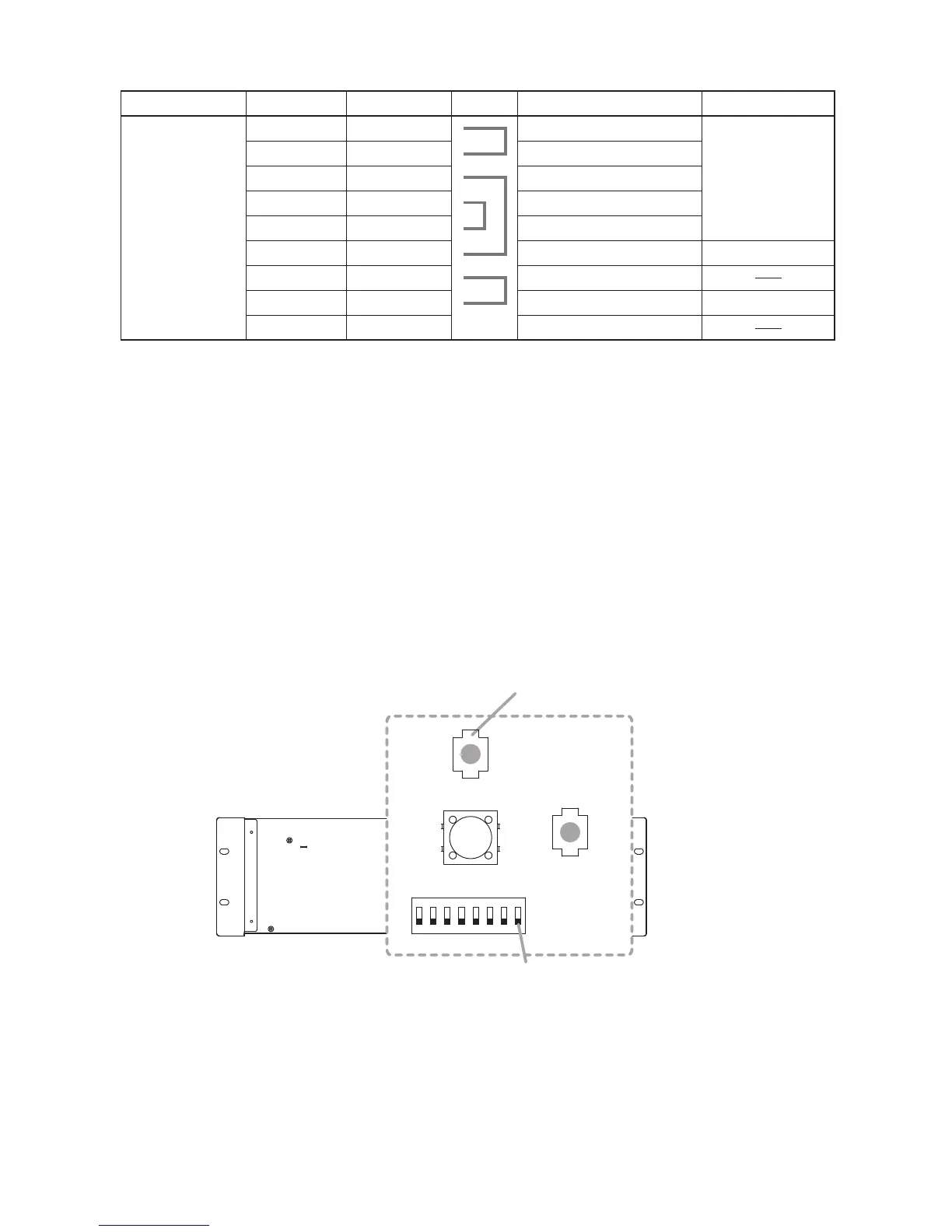
follow the procedure below.
The system power can be completely shut off without being switched over to the backup power supply.
[To switch off the system power]
(Case 1: When in AC operation mode)
Step 1. Terminate all current broadcasts to stop system operation.
Step 2.
Step 3. Shut off the AC power source.
Step 4.
(Case 2: When in Battery mode)
Step 1. Check the Battery indicator is lit.
Step 2. Hold down the shutdown button for 3 seconds.
[To switch on the system power]
Step 1. Turn on the AC power source.
Step 2. Check the DIP switch’s Switch 8 is OFF.
If not, place it to OFF position.
Step 3. Operate the system normally.
DIPSW SETTING
CHARGE
CURRENT
11A
5.5A
BATTERY INTERNAL
RESISTANCE
Plesae see
a lower part.
TERMINATE
TERMINATE
OFF
AC POWER
IN2
NOT USE
USE
AC POWER
LOSS
SHUTDOWN
BATTERY MODE
FUNCTION
ON
OFF
ON
ON
4
OFF
OFF
DISABLE
DS LINK
1 2 3 4 5 6 7 8
5
Switch 8
(Case 1: AC operation mode)
ON
(Case 2: Battery mode)
Shutdown button
Shutdown button
OFF



 To Next Page