3-13
Chapter 3
OPERATION
[Operationexample]
Described below are the steps of system operation from emergency mode activation to restoration.
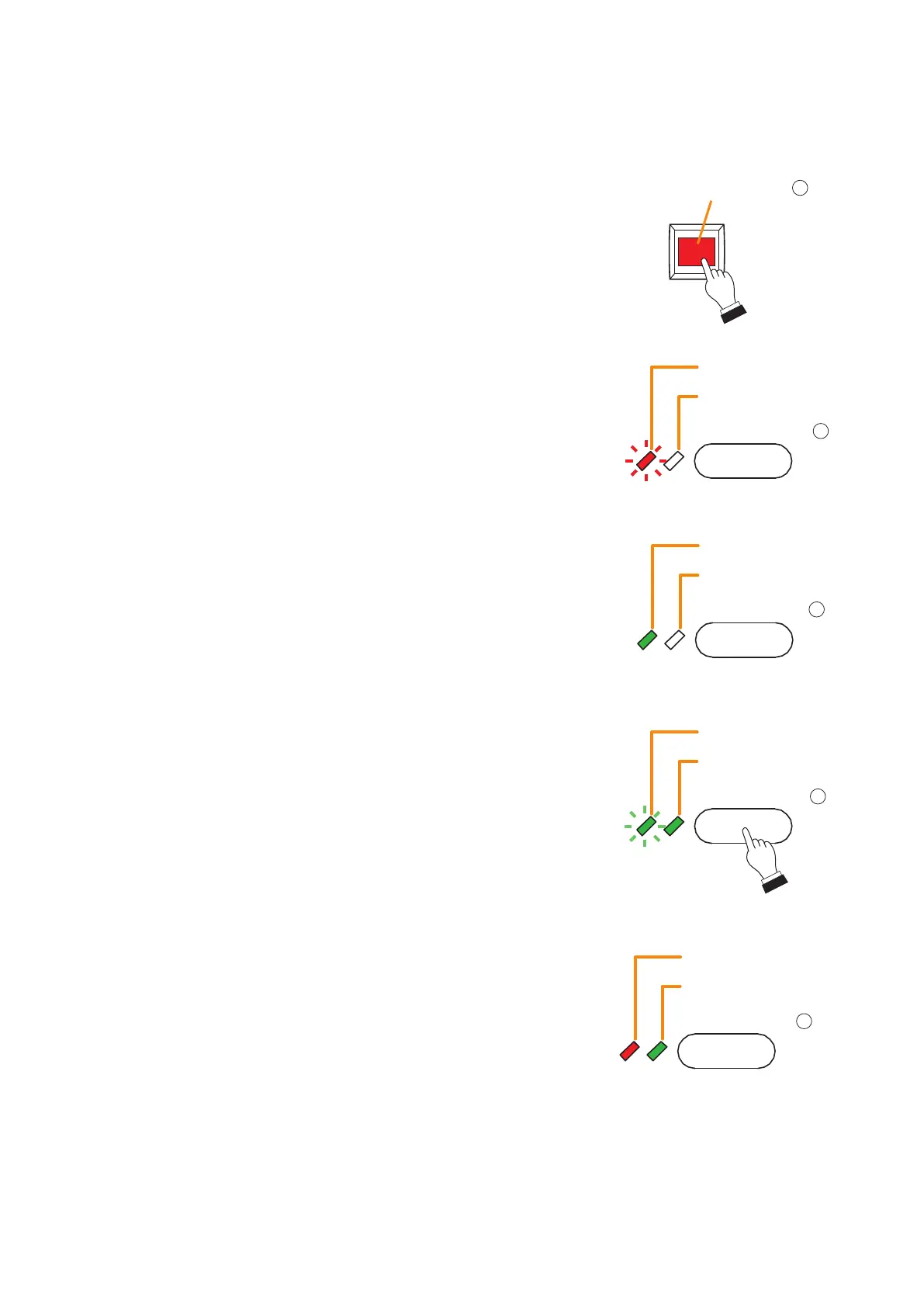
Step 1. Press the Emergency key (1).
•Emergency mode is activated and the Emergency key
lights red.
•The pre-congured emergency sequence pattern is
recalled, and the Alert Message is broadcast to all zones.
•The Zone monitor indicator of the All-Zone Call key (4)
indicates the type of message currently being broadcast.
Itashesredtoindicatethatanalertmessageiscurrently
being broadcast.
•The Phase state indicator of the Emergency Sequence
Phase Shift key (2) lights green when the emergency
sequence phase 1 is broadcast.
1
Emergency key
Zone monitor indicator
Selection indicator
Flashes red
4
All-Zone Call key
Phase state indicator
Key ON/OFF indicator
Green
2
Phase Shift key
Step 2. Press the Emergency Phase Shift key (2) to broadcast
the Evacuation message, if necessary. The Evacuation
message will be broadcast to all zones. In this event, the
broadcast pattern shifts from the emergency sequence
phase 1 to the phase 2, and the Phase state indicator
ashesgreen.
The Zone monitor indicator of the All-Zone Call key (4)
indicates the type of message currently being broadcast.
Itchangesfromashingredtosteadyredstatustoindicate
that the evacuation message is being broadcast.
The Emergency Sequence function automatically switches
the current message to the Evacuation message after a
5-minute interval if nothing is done.
Flashes green
Green
Phase state indicator
Key ON/OFF indicator
2
Phase Shift key
Zone monitor indicator
Selection indicator
Green
4
All-Zone Call key
Red



 To Next Page