The general pairing procedures are as follows:
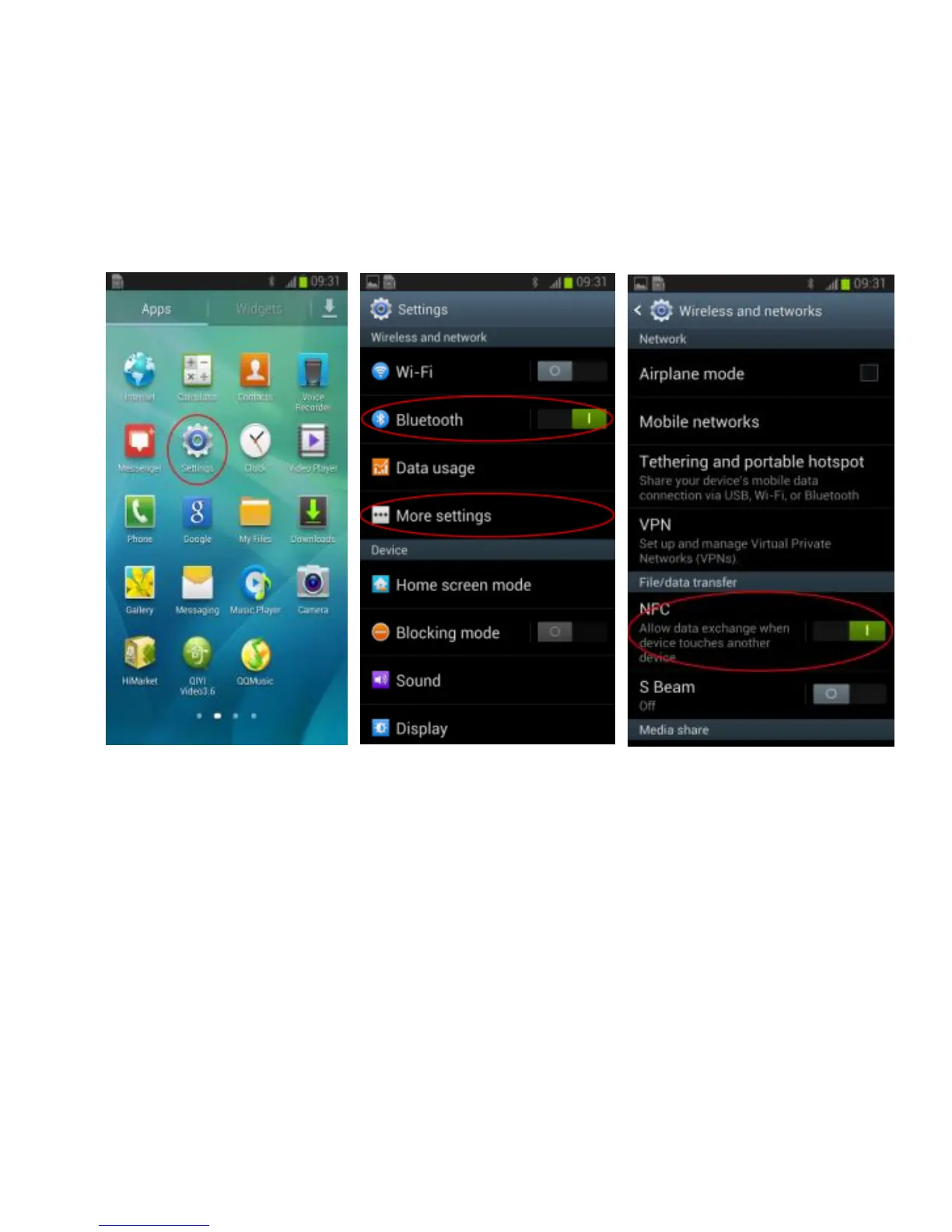
1) Please activate the Bluetooth and NFC function of cell phone;
Please refer to following pictures:
Touch Setting button to enter into setting interface, activate Bluetooth function,
then go to More settings interface to activate NFC function.
2) Pairing and connecting with cell phone
Please refer to following pictures:
Make the NFC chip of cell phone and NFC logo on your Tokio Wireless within 1
centimeter, Tokio Wireless will turn on and enter pairing mode automatically,
there will be a request and prompt tone on cell phone “Pair the Bluetooth device”,
according to prompt tone, click “Yes” to confirm. Now, Tokio Wireless has
already paired and connected with cell phone.
5


 To Next Page