Press the [Memory] key.
The memory indication lamp lights and operating conditions are displayed.
<
Calling the memory
>
①
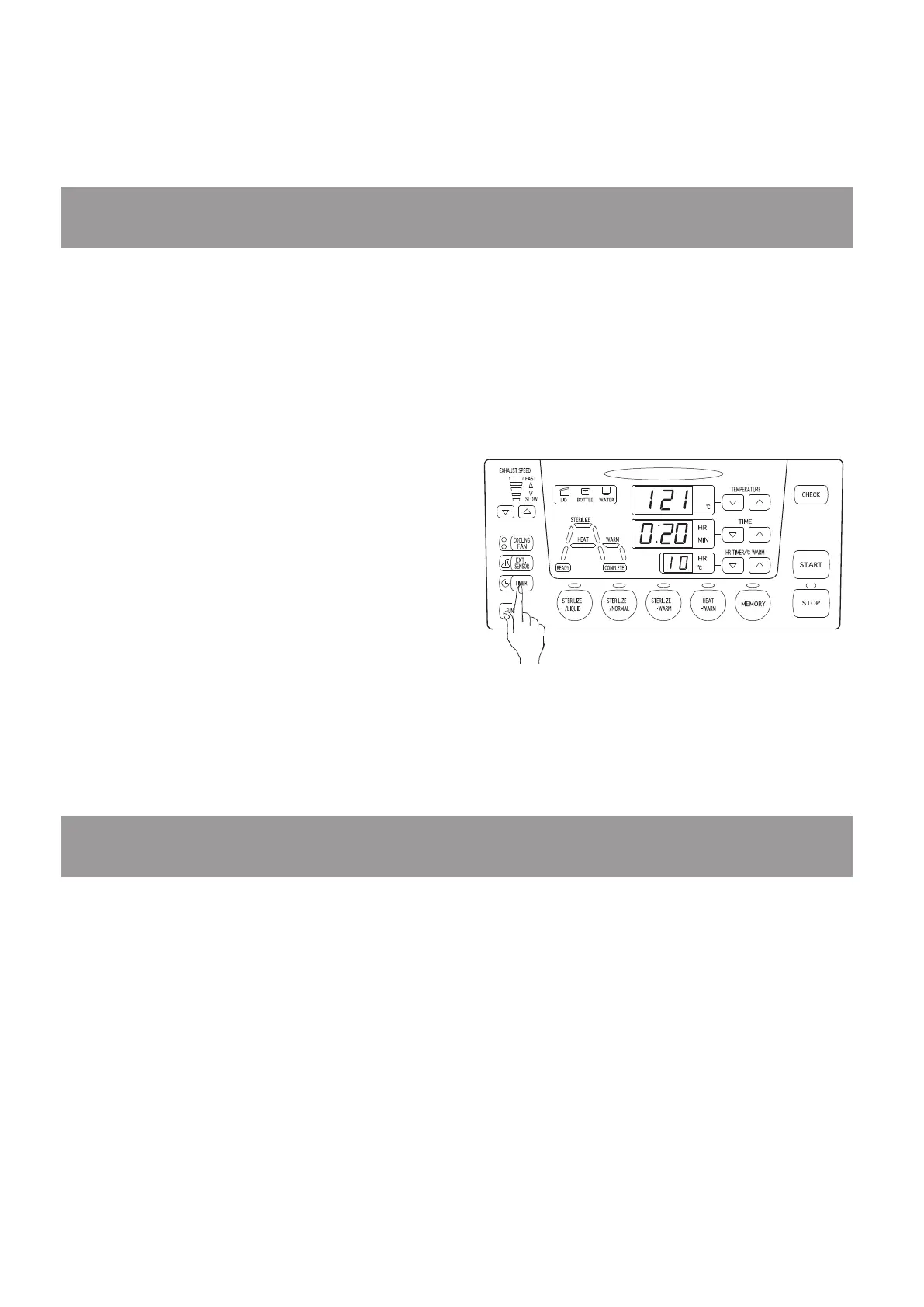
Press the [Timer] key.
The timer indication lamp lights and the
waiting time is displayed at the warming/
timer display.
Press the [Warming/timer setting] keys to set
the waiting time when the timer indication
lamp is illuminated.
※
The settable range of the timer waiting time is
1 to 99 hours.
Press the [Start] key when the timer indication lamp is illuminated.
The operation indication lamp lights and the remaining waiting time is displayed at the
warming/timer display.
※
Operation can be interrupted by pressing the [Stop] key.
<
Memorizing the preferred course
>
①
②
③
6-5. Timer function
The waiting time till the start of operation can be specied. Timer setting can be performed by
following the procedures given below after the lid status is conrmed by the lid open/close
detection system and the desired operating conditions are set.
※
The lid status should be conrmed by the lid open/close detection system before pressing the [Start]
key. When the lid indication lamp goes out, the conrmation by the lid open/close detection system
is completed.
6-6. Checking function
The set temperature and time can be displayed during operation.
The actual temperature can be displayed during display of the set values.
Press the [Check] key when the operation indication lamp is illuminated.
The set temperature and time are displayed while the key is depressed.
<
Checking the set temperature and time
>
①
Press the [Check] key when the operation indication lamp is not illuminated.
The actual temperature is displayed while the key is depressed.
<
Checking the actual temperature
>
①



 To Next Page