English
15
Managing multiple handsets
8 Managing multiple handsets
8.1 Adding a new handset
You can register new handsets on the base if these handsets support the DECT GAP protocol. The
base can support a maximum of 5 handsets. If you already have 5 handsets, and you wish to add
another one or change one handset, you must first delete a handset, then associate the new handset.
8.2 Delete a handset
9 Reset the phone
It is possible to return the phone to the original default configuration. This is the configuration which
was installed when you first received the telephone. After the reset all your personal settings and
call list entreis will be deleted, but you phonebook remains.
To return to default settings:
10 Troubleshooting
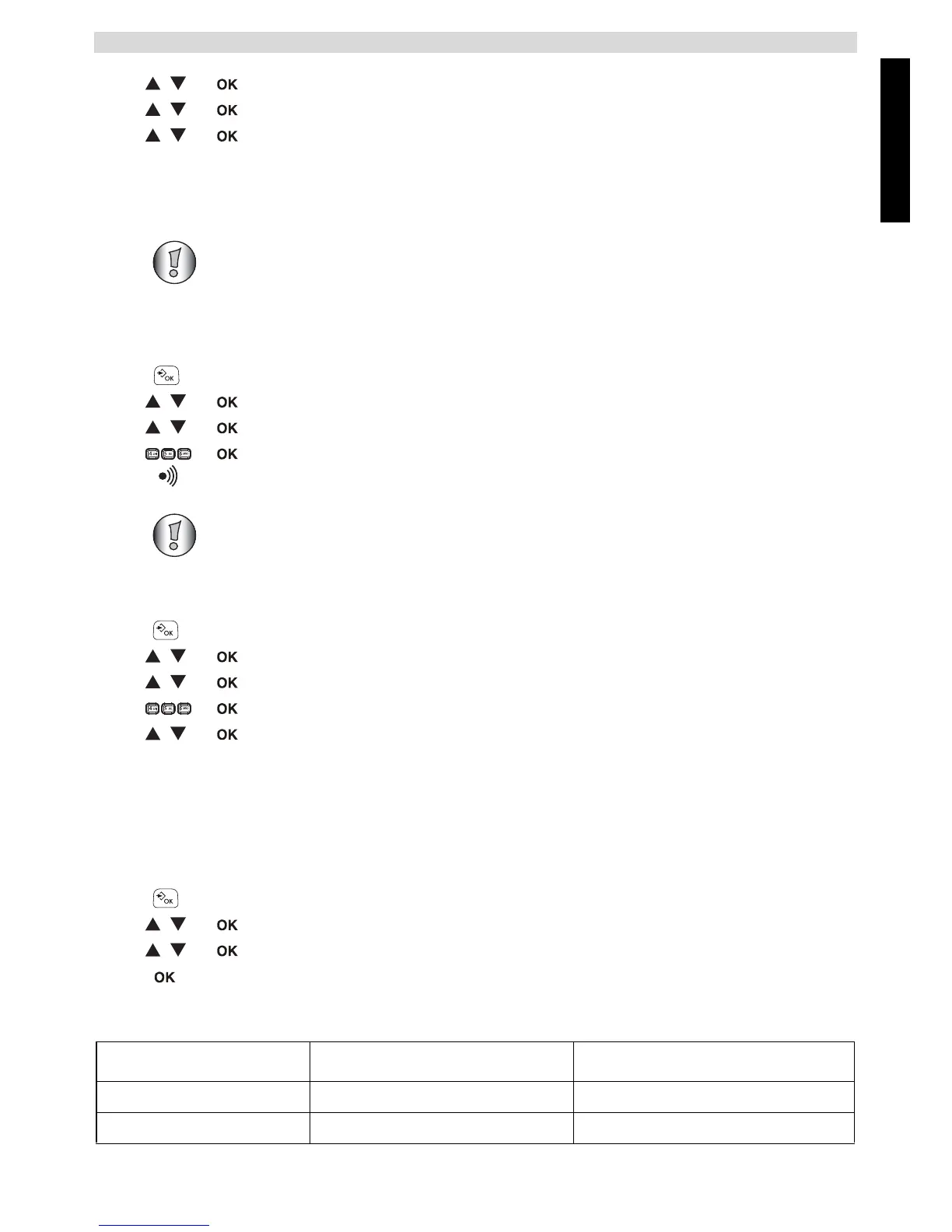
2 Select “ADVANCED SET” and confirm.
3 Select “DIAL MODE” and confirm.
4 Select “PULSE” or “TONE” and confirm.
Only needed when you have deregistered a handset or when you bought a new one.
1 Enter the menu by pressing the menu key.
2 Select “ADVANCED SET” and confirm.
3 Select “REGISTER” and confirm.
4 Enter the 4-digit system PIN and confirm.
5 Press and hold the paging-key on the base for 5 seconds.
DECT GAP Profile only guarantees that basic calling-functions will work
correctly between different brands/types. There’s a possibility that certain services
(like CLIP) will not work correctly.
1 Enter the menu by pressing the menu key.
2 Select “ADVANCED SET” and confirm.
3 Select “UNREGISTER” and confirm.
4 Enter the 4-digit system PIN and confirm.
5 Select the handset you want to remove and confirm.
1 Enter the menu by pressing the left menu key.
2 Select “ADVANCED SET” and confirm.
3 Select “RESET” and confirm.
4 Confirm again.
Symptom Possible cause Solution
No display Batteries uncharged Check the position of the batteries
Recharge the batteries



 To Next Page