12. SETTING INSTRUMENT STATION
58
12.2.2 Coordinate Resection Measurement
Observe existing points with known coordinate data to calculate the coordinate
value for the instrument station.
• Between 2 and 10 known points can be measured by distance measurement,
and between 3 and 10 known points by angle measurement.
PROCEDURE
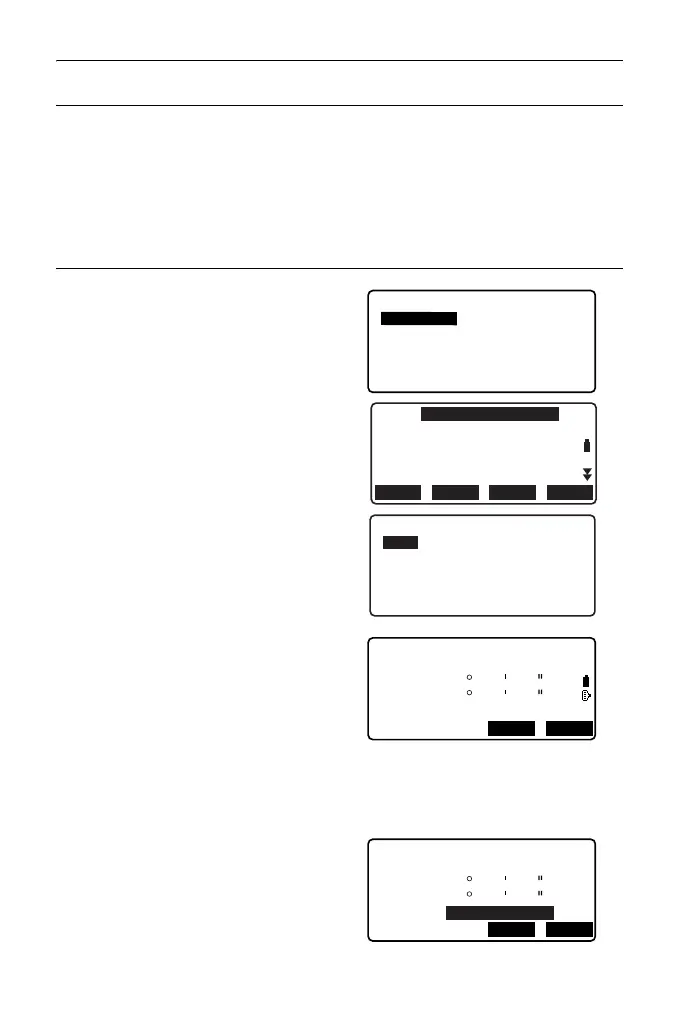
1. Select "Occ.orien." from the
coordinate measurement menu.
2. Press [RESEC].
3. Select “NEZ”.
4. Sight the first known point and
press [MEAS] to begin
measurement.
The measurement results are
displayed on the screen.
• When [BS AZ] has been
selected, the distance cannot be
displayed.
5. Press [YES] to use the
measurement results of the first
known point.
• You can also input target height
here.
Coord.
Occ.Orien.
Observation
EDM
N0:
E0:
Z0:
PT
HI 1.200m
PNT-001
0.000
0.000
<Null>
BS AZLOAD
BS NEZ
RESEC
Resection.
NEZ
Elevation
Setting
Resection 1st PT
SD
ZA
HA-R
80
120
30
10
10
00
MEAS
ANGLE
Resection 1st PT
HR
525.450m
SD
ZA
HA-R
80
120
30
10
10
00
YESNO
1.400m



 To Next Page