59
12. SETTING INSTRUMENT STATION
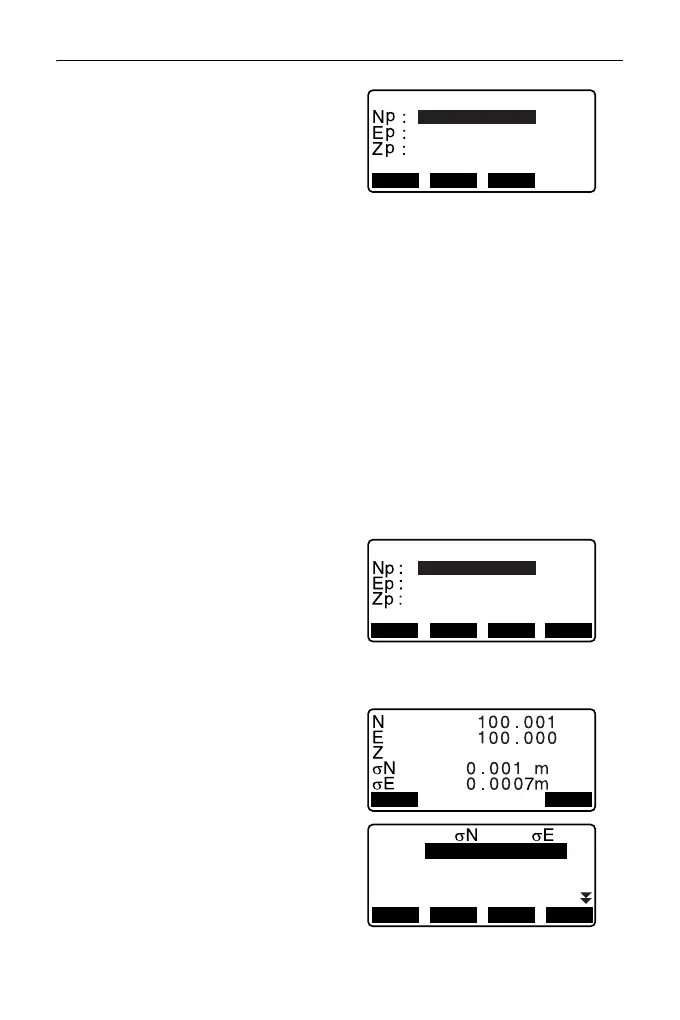
6. Input coordinates for the first
known point and press [NEXT] to
move to the second point.
• When [LOAD] is pressed,
registered coordinates can be
recalled and used.
"12.1 Entering Instrument
Station Data and Azimuth
Angle PROCEDURE Reading
in Registered Coordinate
Data"
•Press {ESC} to return to the
previous known point.
7. Repeat procedures 4 to 6 in the
same way from the second point.
When the minimum quantity of
observation data required for the
calculation is present, [CALC] is
displayed.
8. Press [CALC] to automatically
start calculations after
observations of all known points
are completed.
Instrument station coordinate and
standard deviation, which
describes the measurement
accuracy, are displayed.
9. Press [RESULT] to check the
result.
• Pressing {ESC} returns to the
previous screen.
•Press [ADD] when there is a
known point that has not been
measured or when a new known
point is added.
20.000
1st PT
30.000
40.000
10.000mHR
RECLOAD NEXT
20.000
3rd PT
30.000
40.000
10.000m
HR
REC NEXTLOAD CALC
1st
2nd
3rd
-0.001 0.001
-0.001 0.001
0.005 0.010
4th
-0.003 -0.002
*
RE_CALC
OMIT
RE_MEAS
ADD



 To Next Page