28
PREPARATIONS
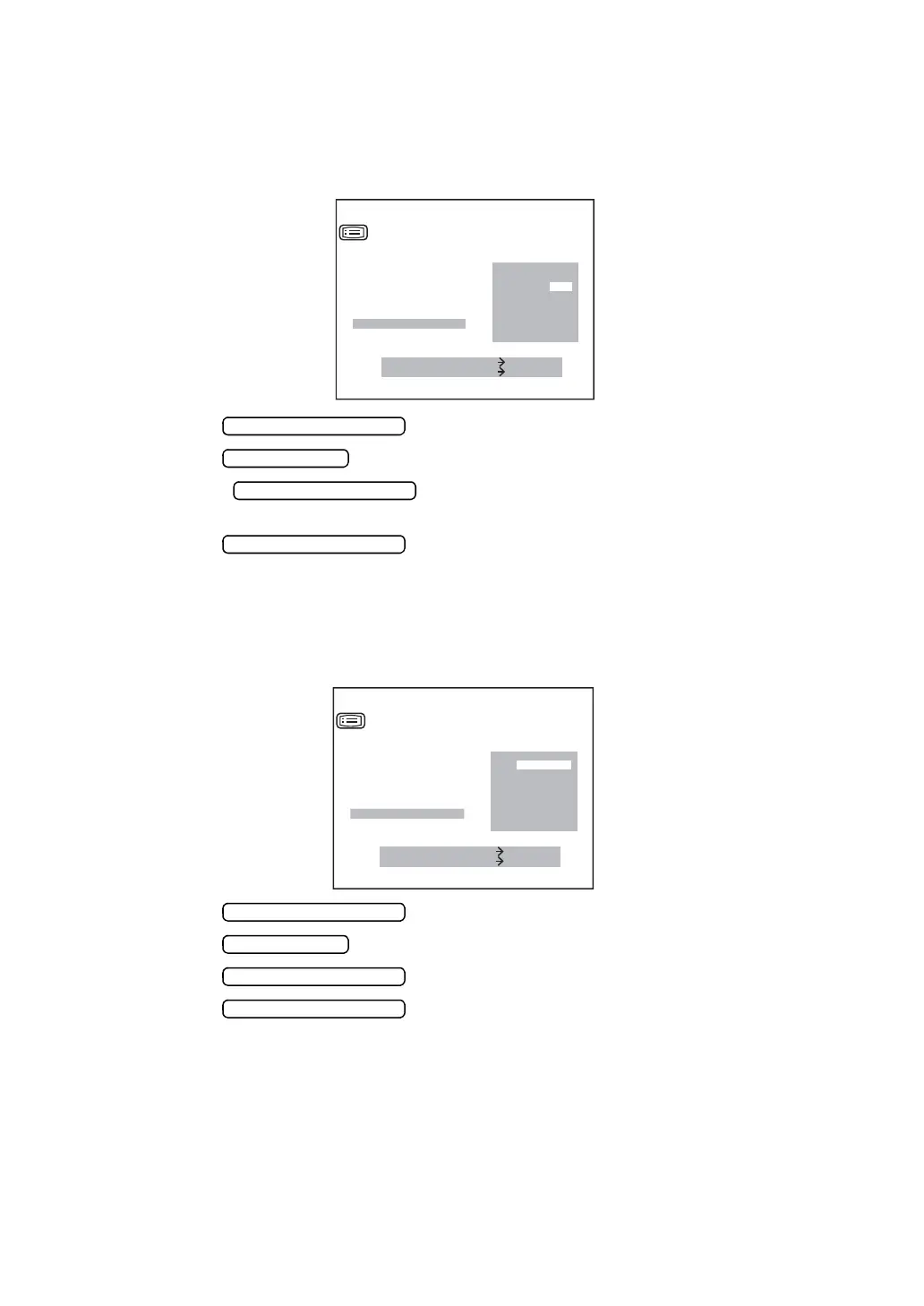
ADD FACTOR
The ordinary additional power (ADD) can be printed out. Before shipment, it is set to [NO] (no
printout).
1 In the “INITIAL MENU SCREEN”, choose “INITIAL SET” and get the “INITIAL SET
SCREEN”.
2 Press the and move the cursor to “ADD MODE”.
3 Press the and choose “YES” (printout) or “NO” (no printout).
4 Press the , and the cursor goes to the next item “DISPLAY
STYLE”.
5 Press the , and the cursor returns to the first item (BUZZER).
CHANGING DISPLAY STYLE
The display style can be changed. Before shipment, it is set to“LAYOUT 1”.
1 In the “INITIAL MENU SCREEN”, choose “INITIAL SET” and get the “INITIAL SET
SCREEN”.
2 Press the and move the cursor to “DISPLAY STYLE”.
3 Press the and choose “LAYOUT 1” or “LAYOUT2” .
4 Press the , and the cursor goes to the next item “EXIT”.
5 Press the , and the cursor returns to the first item (BUZZER).
MEASURE SWITCH ITEM
PRINT SWITCH SELECT
YES
NO
INITIAL SET
DPTR SHIFT
AVERAGE DISP.
DATE
INIT AUTO
C.D MEMORY
CREDIBILITY.NUM
ADD MODE
MEASURE SWITCH ITEM
PRINT SWITCH SELECT
LAYOUT 1
LAYOUT 2
INITIAL SET
AVERAGE DISP.
DATE
INIT AUTO
C.D MEMORY
CREDIBILITY.NUM
ADD MODE
DISPLAY STYLE















 To Next Page