62
OPERATIONS IN USE
OPERATION OF FOOT SWITCH: Pro Lite
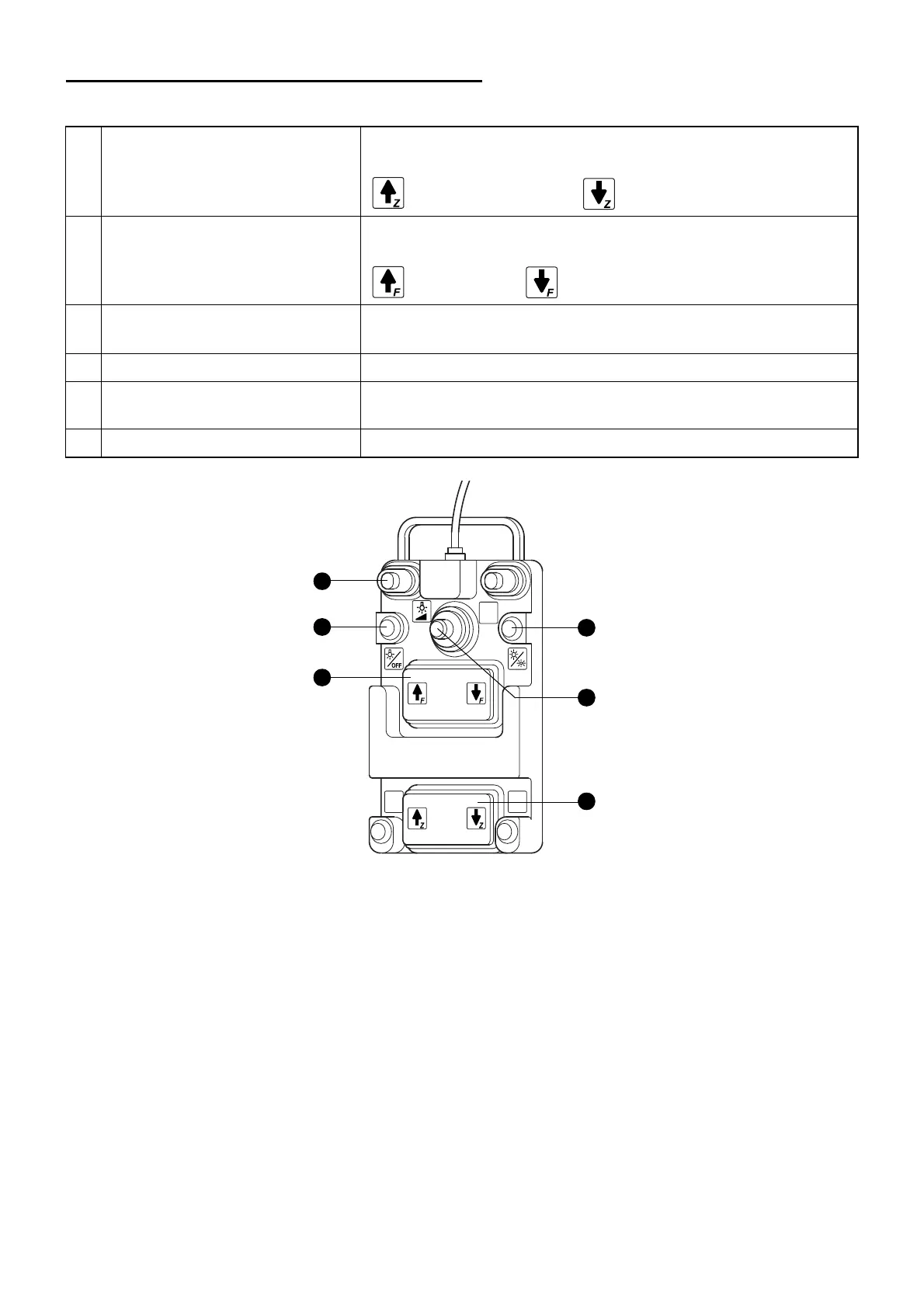
The following illustration displays the adjustment of the foot switch.
1 Zoom up/down switch Adjusts the zoom magnification. Magnification can be changed
continuously. Magnification is increased with
and is decreased with .
2 Focus up/down switch The focusing unit moves the microscope unit up and down in
order to adjust the focus. The microscope can be moved up with
and down with .
3 Illumination light intensity
adjustment switch
Move to the left to increase the light intensity. Move to the right to
decrease the light intensity.
5 X-Y translator lever switch Moves the microscope in the X and Y directions.
6 Illumination angle switch The illumination is changed in the following order: +2° & -2°
→
+2° & +4° & -2° → Yellow filter → +2° & -2° ...
7 Illumination blinking switch Turns on/off the illumination.
3
7
2
6
5
1
* Adjustment for the shipping of the product.



 To Next Page