73
OPERATIONS IN USE
4 Bring the observation section into focus by operating the focus up/down switch.
Adjusting the stereo variator to IN provides an acute stereo angle for binocular observation.
This reduces the shading caused by the cornea, even for microcoria patients. (Refer to
"OPERATION OF THE STEREO VARIATOR: OFFISS, OFFISS Lite" on P. 75.)
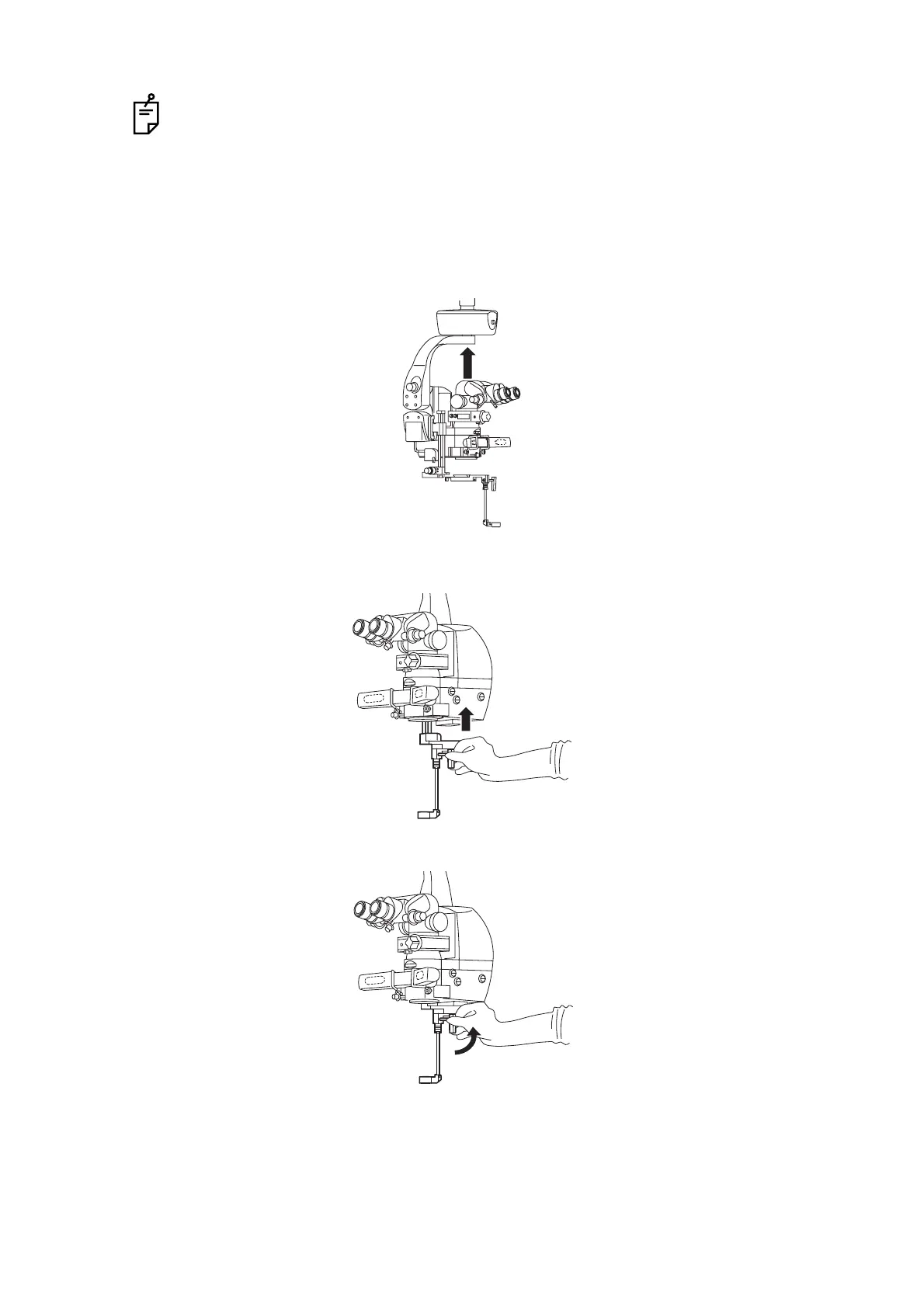
Storing the front lens
1 Hold the microscope operation handle and press the electromagnetic lock release switch. Then
raise the microscope by 200mm or more.
2 Move the front lens IN/OUT lever upward until it clicks and make sure that it is securely
connected.
3 Turn the front lens counterclockwise to store it.


 To Next Page
 Loading...



