Setting Mode
19
Setting Mode
In this mode, following items can be set.
Setting Items
How to Set
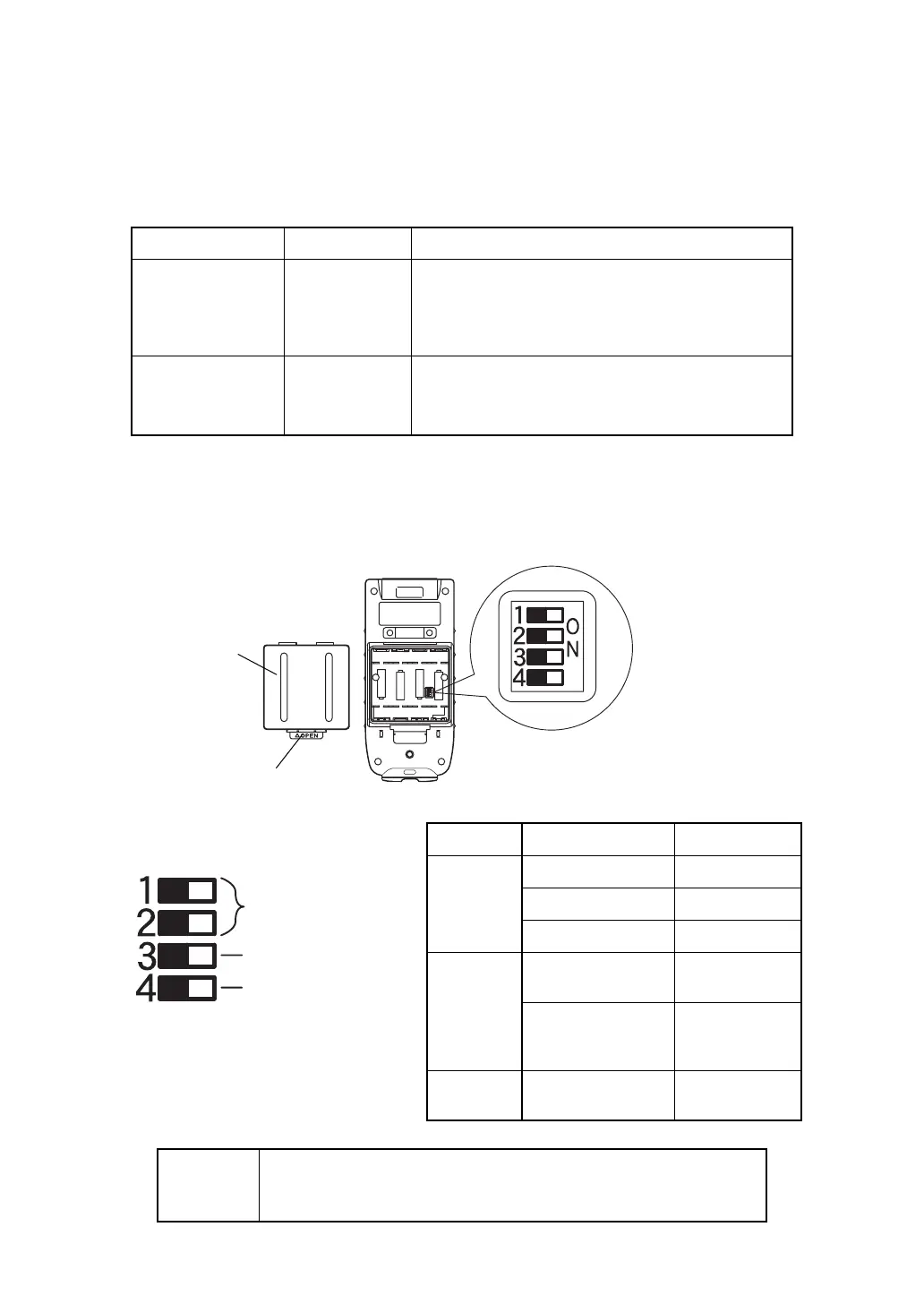
Set the setting mode by using the dip-switch located in battery space.
1
Detach the battery cover and take off the dry batteries.
2
Tu rn the dip-switch ON or OFF using with a pin.
Items Selecting item Description
Communication
channel
1 to 3
Sets a channel to be used for communications. The same
communication channel must be assigned to both RC-
2RW and the total station.
The turn-round function will work regardless of setting
channel.
Communication type
Normal /
Turn-round only
Select communication type.
Normal: Normal communication
Tu r n-round only: Turn-round function is only available but
other communication can not be available.
Dip-switch Setting Contents
1
2
1: OFF 2: OFF Channel 1
1: ON 2: OFF Channel 2
1: OFF 2: ON Channel 3
3
OFF
Normal
communication
ON
Tu r n-round
function is only
available
4
No use
(Fixed to OFF)
-------------
Notice
●
Dip-switch No.4 must be fixed to OFF position.
The RC-2RW does not work correctly when the switch No.4 is set to
ON position.
Battery cover
battery cover unhooking lever
Dip-switch
Communication
channel setting
(Combination of No.1
and No.2)
Communication type
No use
(Fixed to OFF)



 To Next Page