30
Horizontal Calibration
(1) Checking Calibration
1
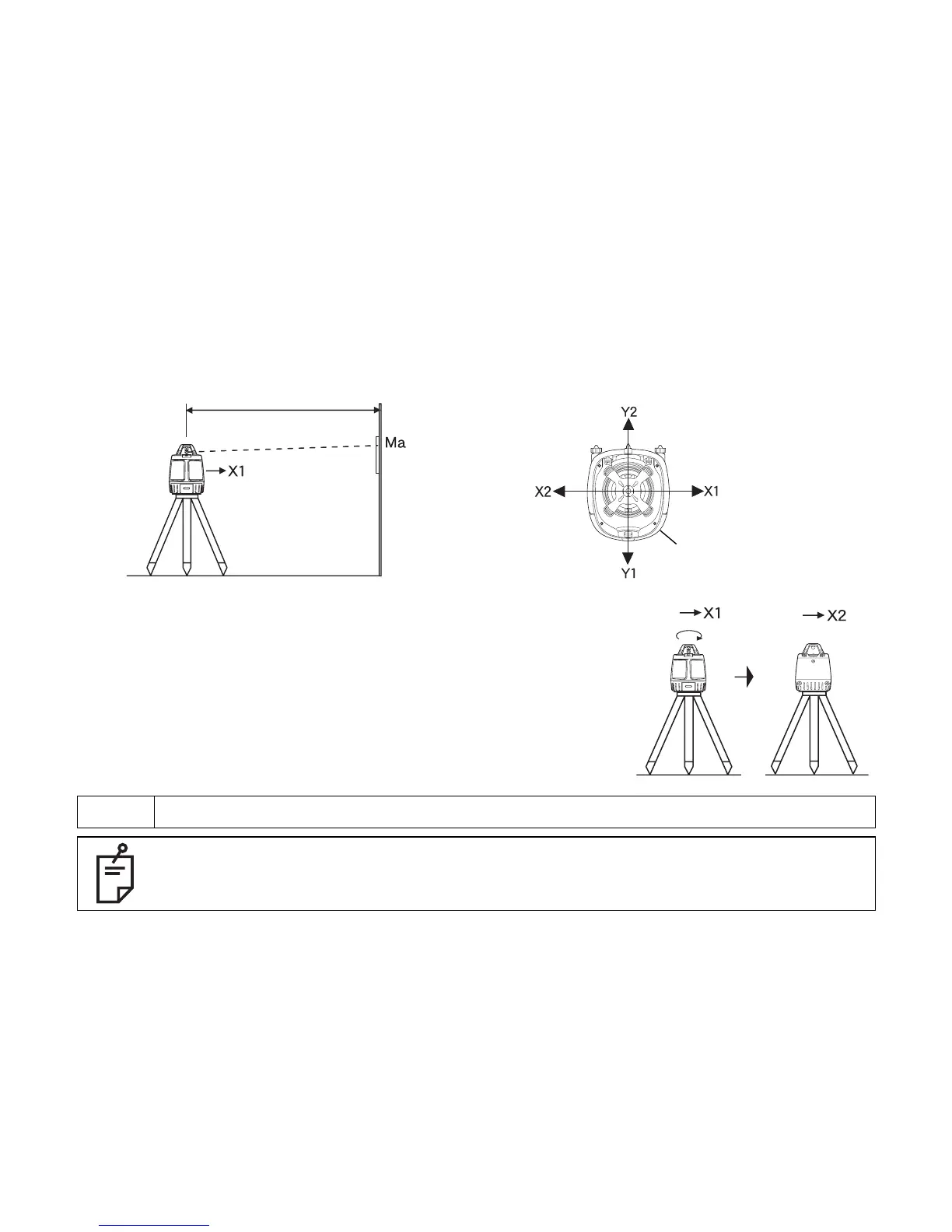
Set up a tripod 30 m (98 ft) from a wall. Mount the instrument
on the tripod, facing the X1 side toward the wall.
2
Turn the unit on and allow auto-leveling to complete.
3
Place a piece of paper on the wall. Detect the laser position
on the wall with target and mark it. Turn the instrument off.
4
Loosen the tripod screw, rotate the instrument 180 degrees.
NOTE When rotating the instrument, make sure the heights of the instruments are aligned.
When the laser beam is difficult to see, it can be checked in the Level sensor mode or
the Laser pointing mode.
30 m (98 feet)
Target
Wall
Instrument as seen from above
Panel side



 To Next Page