31
(2) Adjusting Calibration
If the distance between either set of marks is more than 6mm (1/4 of an inch) but less than
25mm (1 inch), turn the unit off by pressing the [START] pad once and use the following
procedure to calibrate the laser. Confirm that unit has shut off before beginning the proce-
dure.
(In steps 2 and 3, use of optional RC-30 remote control can be helpful. See page 33.)
1
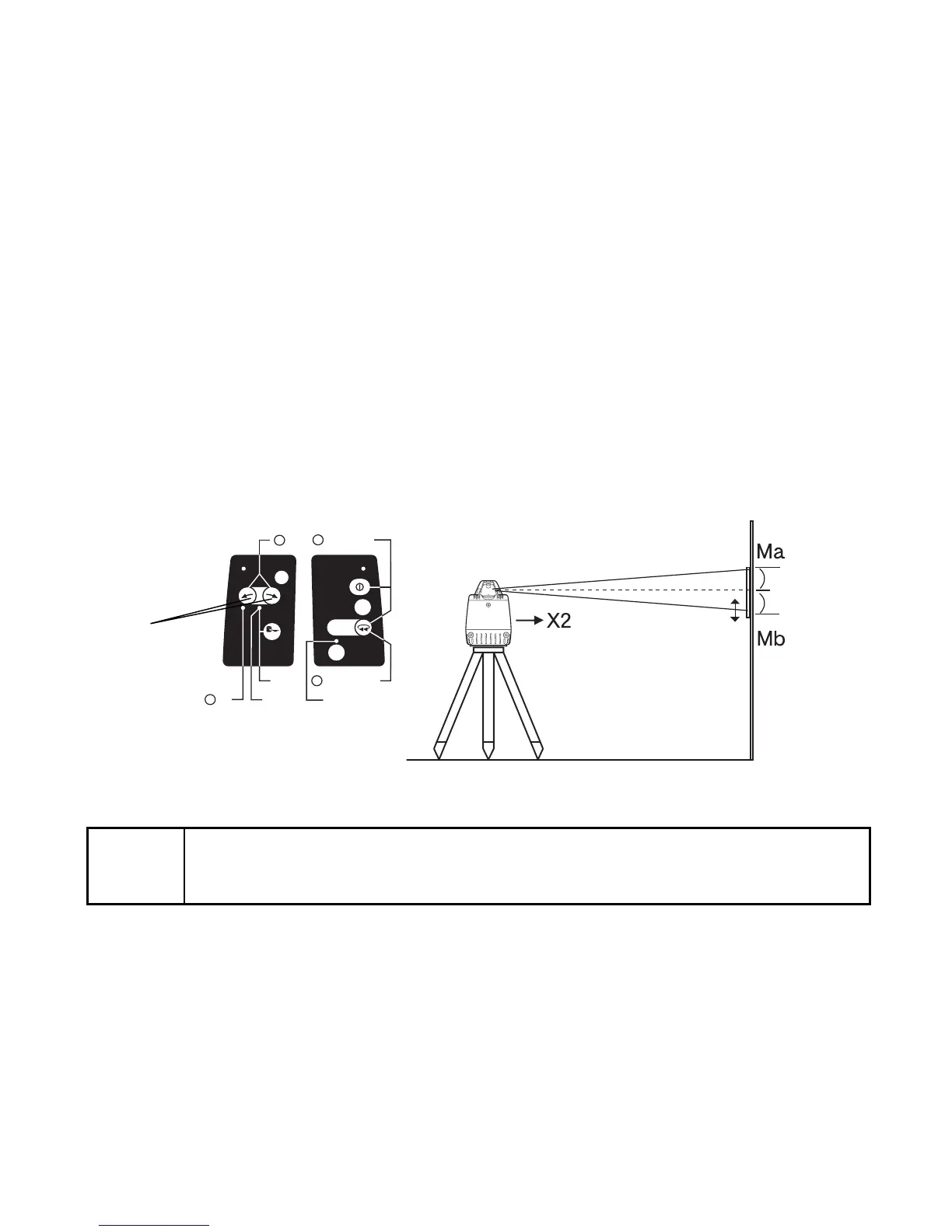
While pressing the [ENTER] key, press the [START] key. This activates the X axis calibra-
tion mode. Confirm that the [X] LED is lit.
2
By pressing the right or left Alignment Control pad, move the X2 (Mb) laser beam up or
down until its centered between marks Ma and Mb.
Note
• This operation can be performed with the Remote Controller RC-30.
•When using the RC-30, select the X axis with the X/Y axis selection key and
move the laser beam up or down with the alignment key.
START
1
XV
Y
2
3
ENTER
ERROR
4
X/Y
Laser beam
up or down
Center
position



 To Next Page