15
NOMENCLATURE
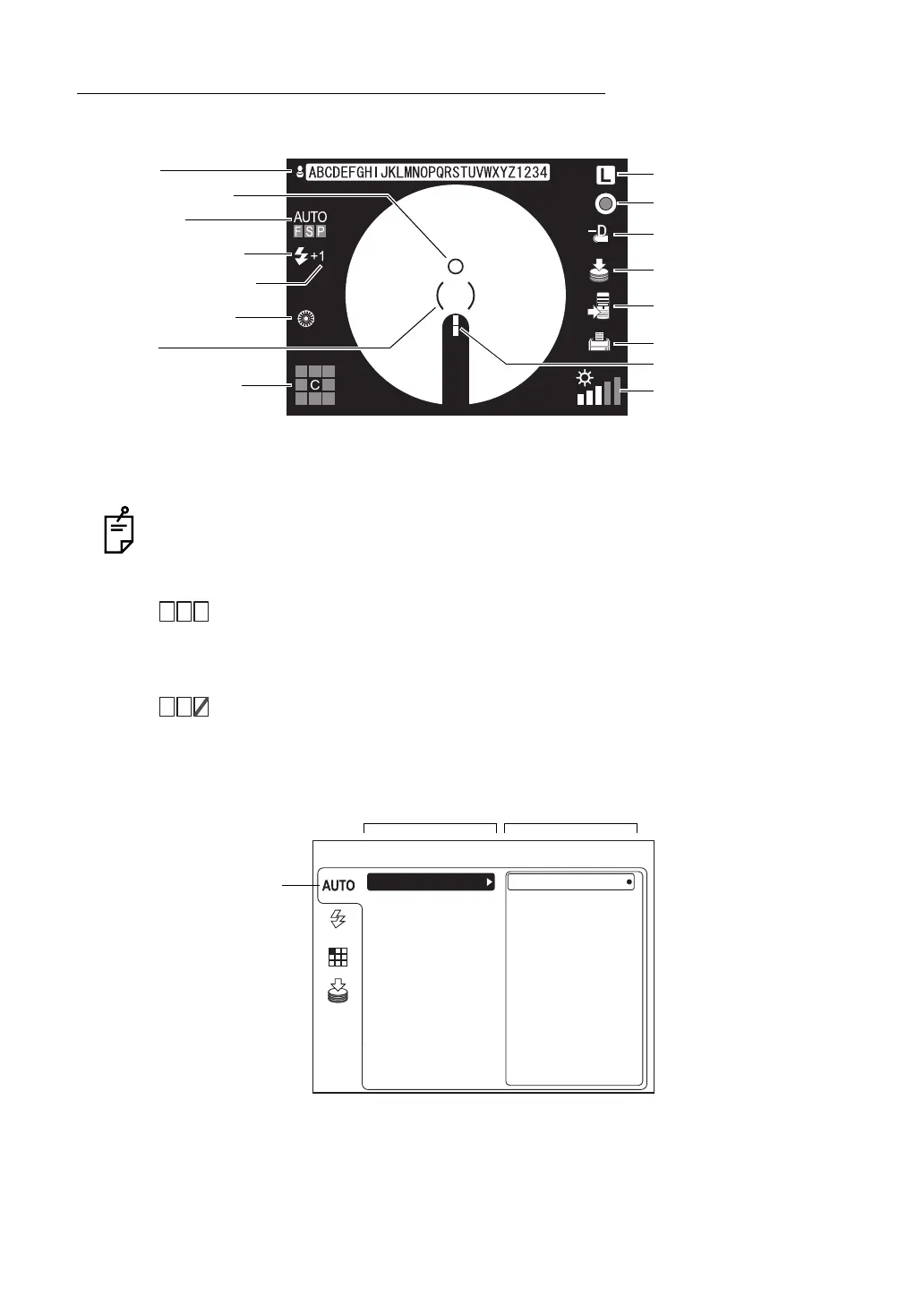
COMPONENTS ON COLOR LCD MONITOR SCREEN
Monitor screen
* When the ( ) scale blinks in red, pull the base toward you (the operator) to the limit. For mov-
ing the instrument, refer to page 41.
The AUTO display shows the auto function that is ON. For setting the auto functions,
refer to "MENU SETTING" on page 24.
"F" is lit: The auto focus function is ON. (Set it to "OFF", and "F" is darkened.)
"S" is lit: The auto shoot function is ON. (Set it to "OFF", and "S" is darkened.)
"P" is lit: The auto small pupil function is ON. (Set it to "OFF", and "P" is dark-
ened.)
When the auto function, which has been set to "ON", is invalidated, a red
oblique line is displayed.
The left figure shows that the auto small pupil function is invalidated.
MENU screen
Patient ID
AUTO display
Xenon charging display
Flash level compensation
Small pupil diaphragm
Fixation target position
Right/left eye
Alignment bright spot
* ( ) scale
Split lines
Illumination level
RF filter
Diopter compensation lens
USB memory recognition
External connection device
Printer recognition display
display
display
recognition display
AUTO
FSP
AUTO
FSP
MENU
ON
SHOOT
FIXATION
FLASH
MEMORY
SMALL PUPIL
OFF
FOCUS
FOCUS Icon
Item to be set Contents to be set


 To Next Page