13
NOMENCLATURE
CONTROL PANEL COMPONENTS
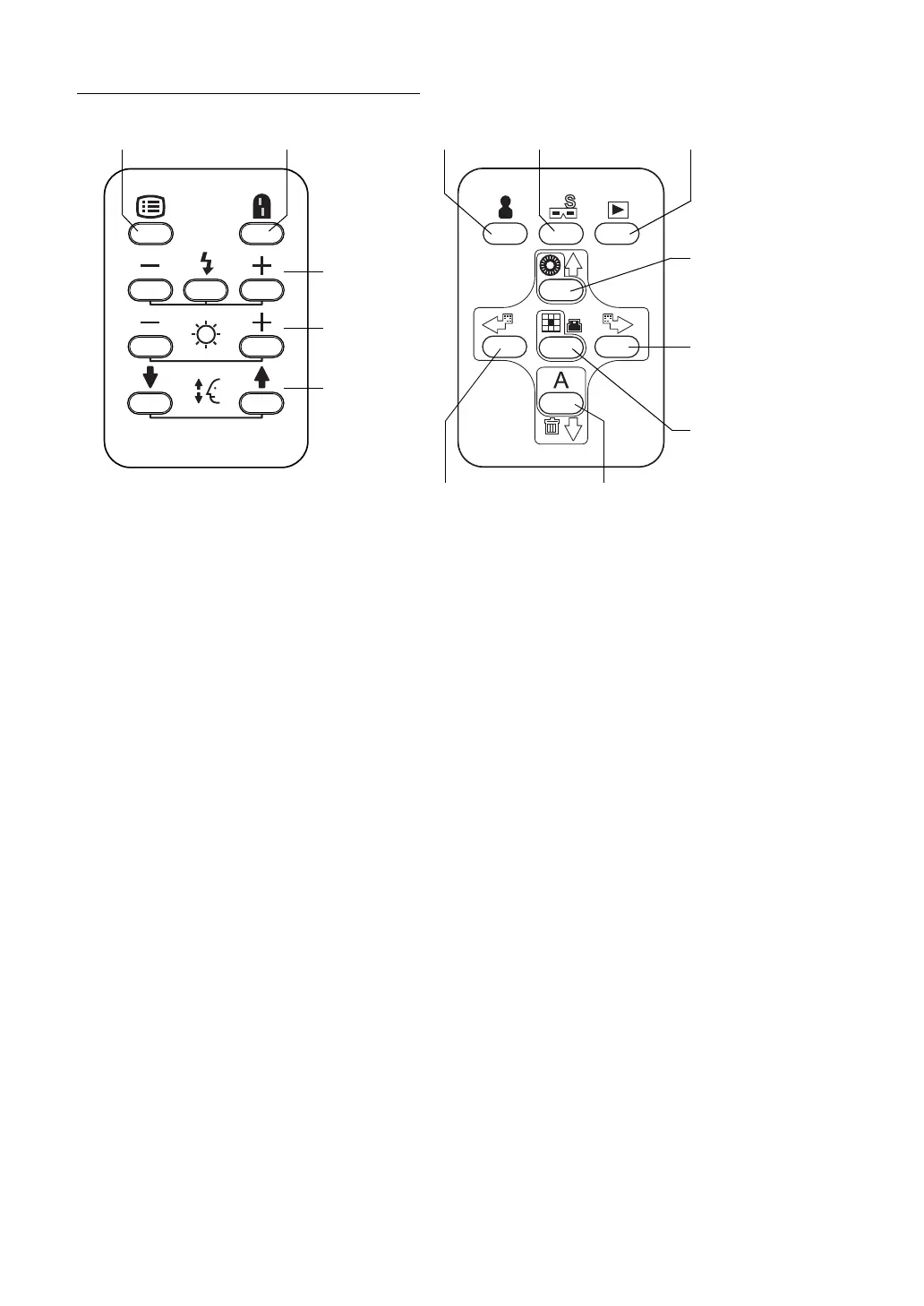
Menu switch: P.24
Displays "MENU".
Split switch: P.44
Turns on/off the split line.
* (The function of the split switch can be changed by setting. For example, this switch can
be set in order to turn on/off the internal fixation target.)
Flash level switch: P.39
Adjusts the flash level according to the patient's eye condition.
Illumination level switch: P.38
Adjusts the illumination level according to the patient's eye condition.
Chinrest switch: P.37
Adjusts the chinrest up/down movement.
ID input switch: P.36
Moves to the ID input screen.
Image playback switch [Reading the image]: P.59
Reproduces the image stored in the set record media.
(This switch function is invalidated by the setting on the external recording device and the
instrument.)
Illumination diaphragm selector switch: P.51
(Upward cursor switch): P.24, P.36
Used in small pupil photography. IN/OUT of the illumination diaphragm for small pupil
(hereinafter, small pupil diaphragm) is done.
(You can move the selection cursor upward when entering the menu and ID.)
Menu switch Split switch
Flash level switch
Illumination level
Chinrest switch
ID input switch
Stereo photography switch
Image playback switch
(-, reset, +)
switch (-, +)
(down, up)
Illumination diaphragm
(Upward cursor switch)
Fixation target selector
(Rightward cursor
Fixation target selector
(ENTER switch)
AUTO switch
(Downward cursor switch)
(Image deletion switch)
Fixation target selector
(Leftward cursor switch)
switch (reset)
switch (clockwise)
switch)
selector switch
switch (counterclockwise)
(PRINT switch)


 To Next Page