23
PREPARATIONS
CONNECTING THE EXTERNAL DEVICE
This instrument can be connected to an image filing system such as IMAGEnet (commercial
product), etc.
Connecting to IMAGEnet (commercial product), etc.
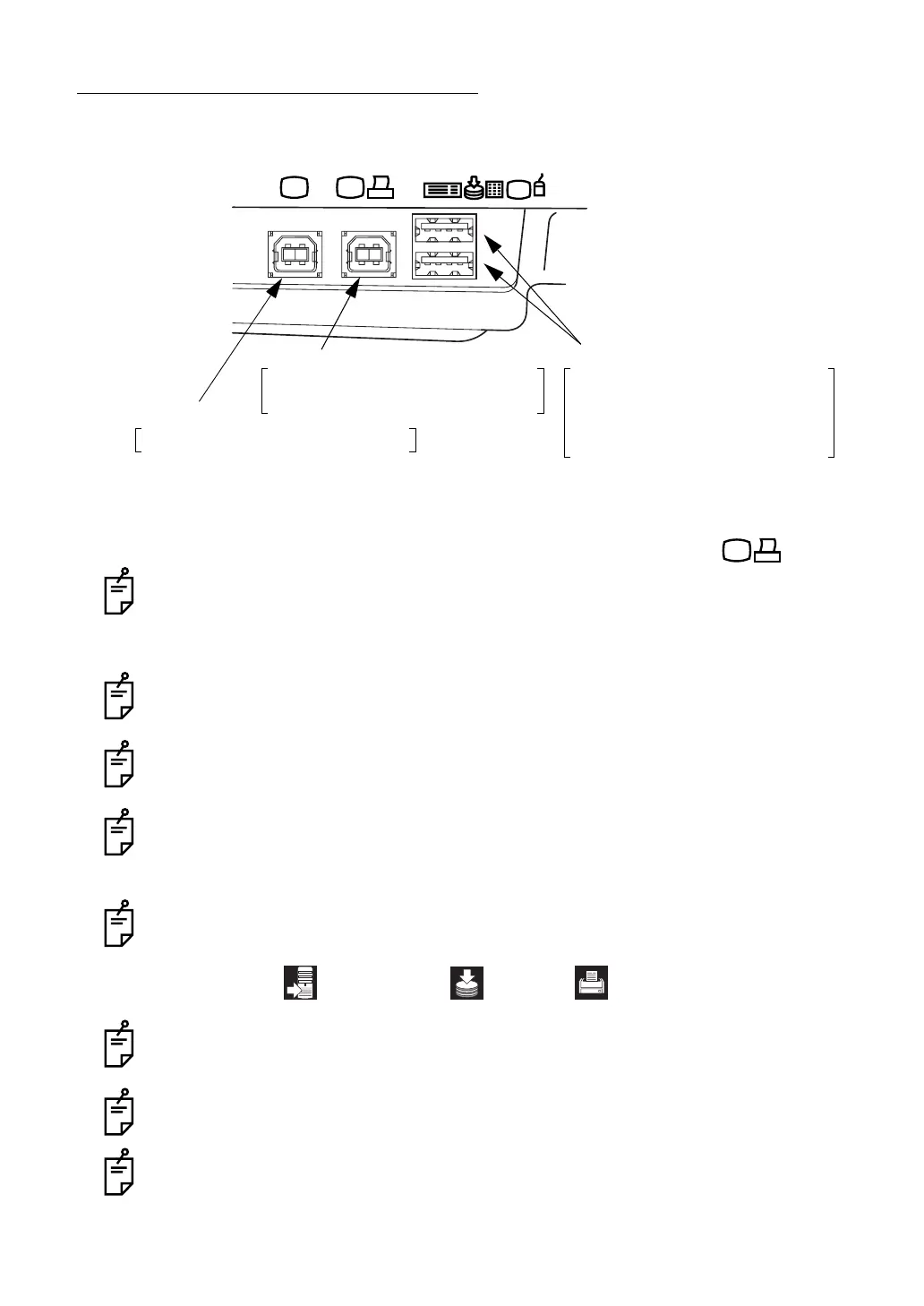
1 Connect one USB cable (commercial product) to the image/data terminal .
Be sure to connect IMAGEnet (commercial product), etc. to the image/data terminal.
2 Connect the other end of the USB cable to IMAGEnet, etc.
Use the external device complying with IEC60950/IEC60950-1 or UL60950/UL60950-1.
For details about connecting the external devices, contact your dealer or TOPCON (see
the back cover).
To increase the image transfer speed, connect IMAGEnet, etc. with two USB cables
(commercial products). In this case, the photographed image is not displayed on the
color LCD monitor. For details, contact your dealer or TOPCON (see the back cover).
When connecting the external device, do not take a picture before the recognition dis-
plays shown below appear on the color LCD monitor.
When you want to change the date stored in the recording device, contact your dealer or
TOPCON office (see the back cover).
Before using the USB memory, make sure that it is not infected with the computer virus.
Then, connect it.
For the use of an image filing system such as IMAGEnet, etc., refer to the instruction
manual of each system.
Image terminal
Image/data terminal Input/output terminal
Image filing system (commercial product)
Digital printer (commercial product)*
Recording device (commercial product)
Data input device (commercial product)
Ten key board (commercial product)
Keyboard (commercial product)
Mouse (commercial product)
Image filing system (commercial product)
* By connecting the digital printer applicable to Pict Bridge, direct print is done.
Personal computer: USB memory: Printer:


 To Next Page