24
PREPARATIONS
MENU SETTING
In menu setting, ON/OFF of the auto functions, the flash level and the fixation target can be
set.
Preparations for menu setting
1 Check the power cord connections.
For details about the connection, see "CONNECTING THE POWER CORD" on page 22.
2 Turn the ON (I).
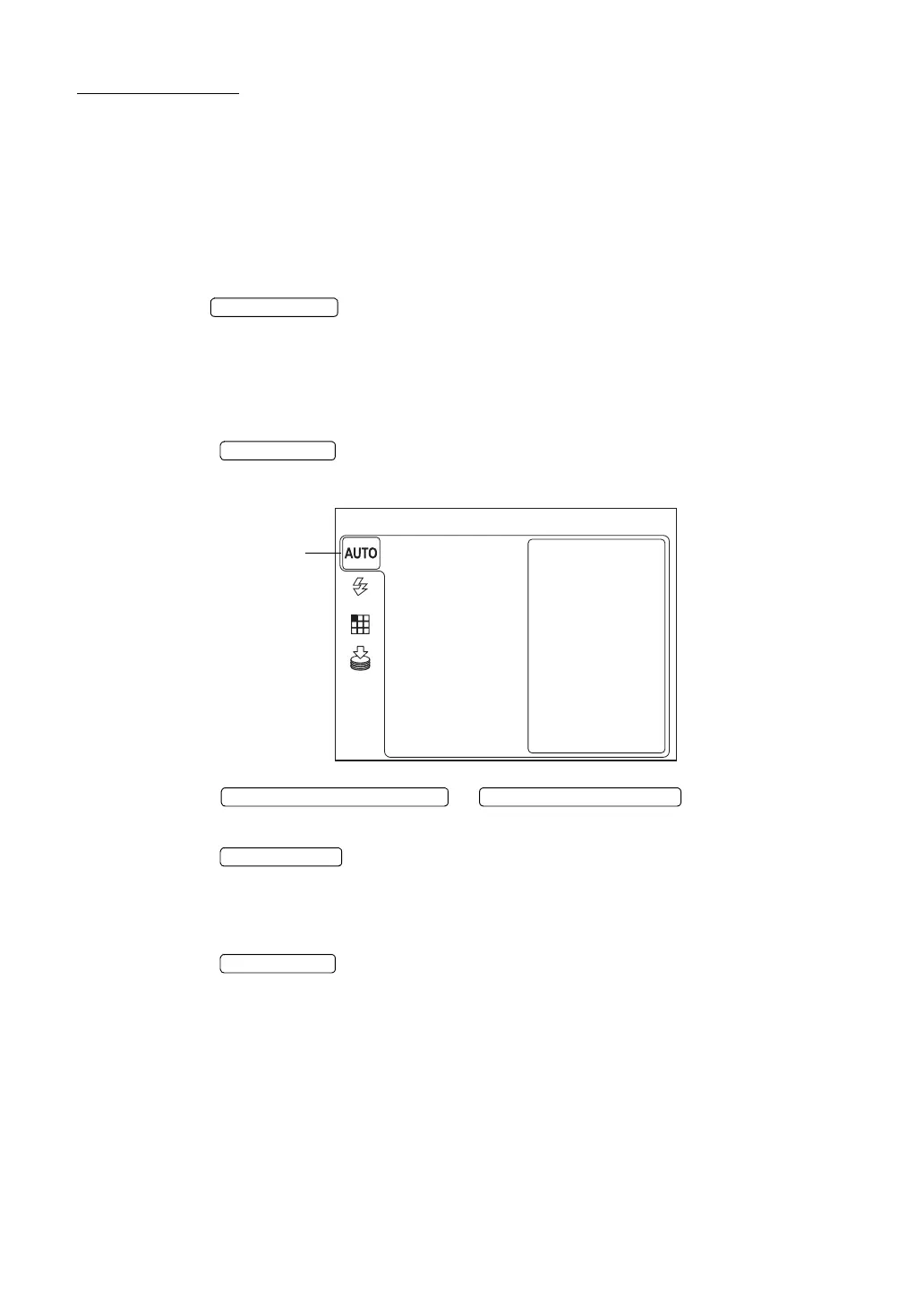
Displaying the menu screen
1 Make sure that the Monitor screen is displayed.
2 Press the on the control panel.
Make sure that "MENU" is displayed.
3 Press the or ; the selected item is
changed.
4 Press the , and the selected item is chose.
Returning to the Monitor screen
1 Press the .
POWER SWITCH
MENU SWITCH
MENU
FOCUS
SHOOT
FIXATION
FLASH
SMALL PUPIL
MEMORY
The color of the selected
icon is changed.
DOWNWARD CURSOR SWITCH UPWARD CURSOR SWITCH
ENTER SWITCH
MENU SWITCH


 To Next Page