25
PREPARATIONS
Setting of auto focus
Set the auto focus function ON/OFF. (When shipped, "ON" is set.)
When auto focus is set to ON, focusing is automatically done when taking a picture.
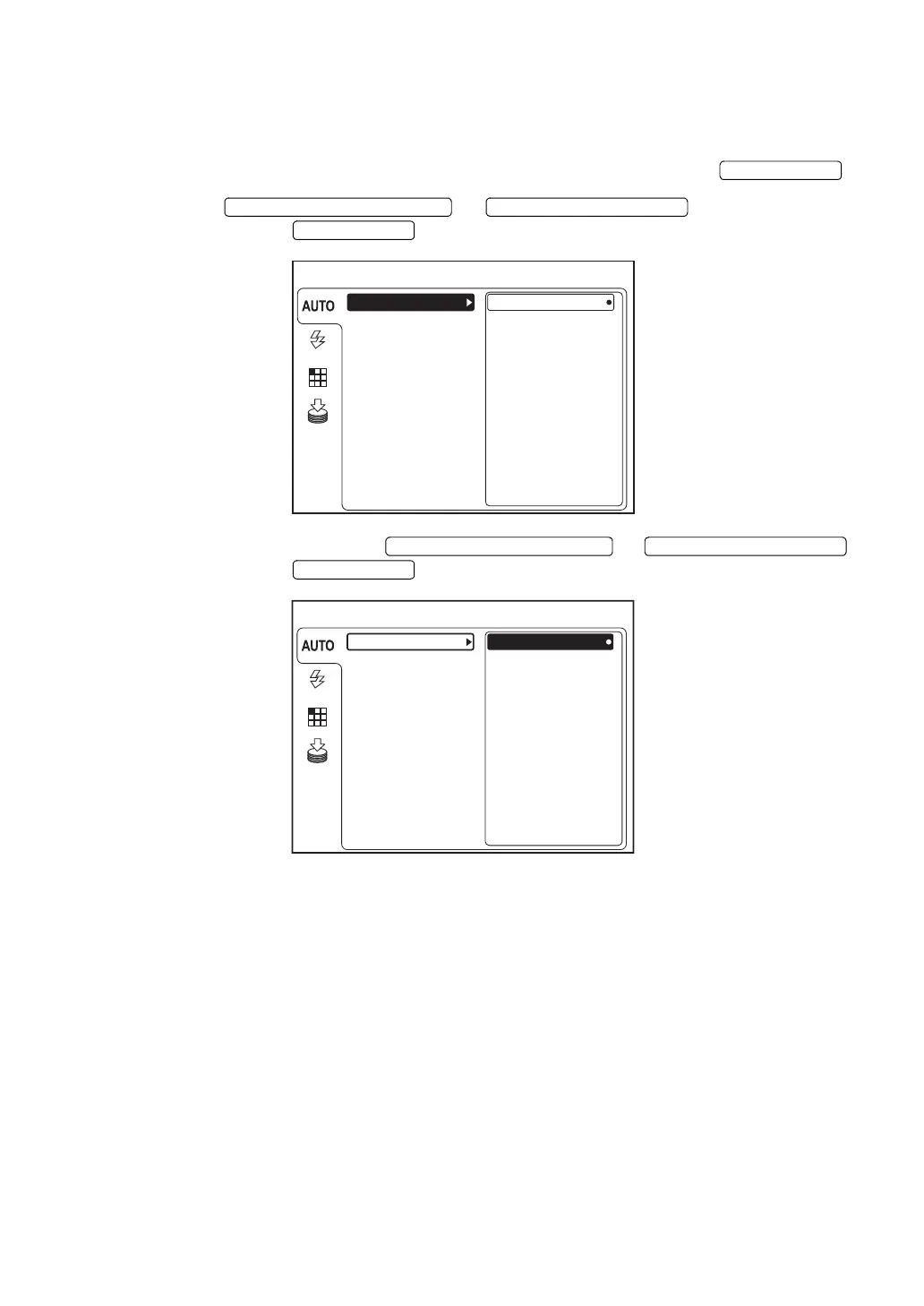
1 On the "MENU" screen, make sure that "AUTO" is selected and press the .
2 Press the or to select "FOCUS"
and then press the .
3 Select "ON" or "OFF" with the or
and then press the . The selected data is set.
ENTER SWITCH
DOWNWARD CURSOR SWITCH UPWARD CURSOR SWITCH
ENTER SWITCH
MENU
ON
SHOOT
FIXATION
FLASH
SMALL PUPIL
OFF
FOCUS
MEMORY
DOWNWARD CURSOR SWITCH UPWARD CURSOR SWITCH
ENTER SWITCH
MENU
SHOOT
FIXATION
FLASH
SMALL PUPIL
OFF
FOCUS
ON
MEMORY


 To Next Page