57
OBJECTIVE OPERATIONS
STEREO PHOTOGRAPHY
1 Press the on the Monitor screen.
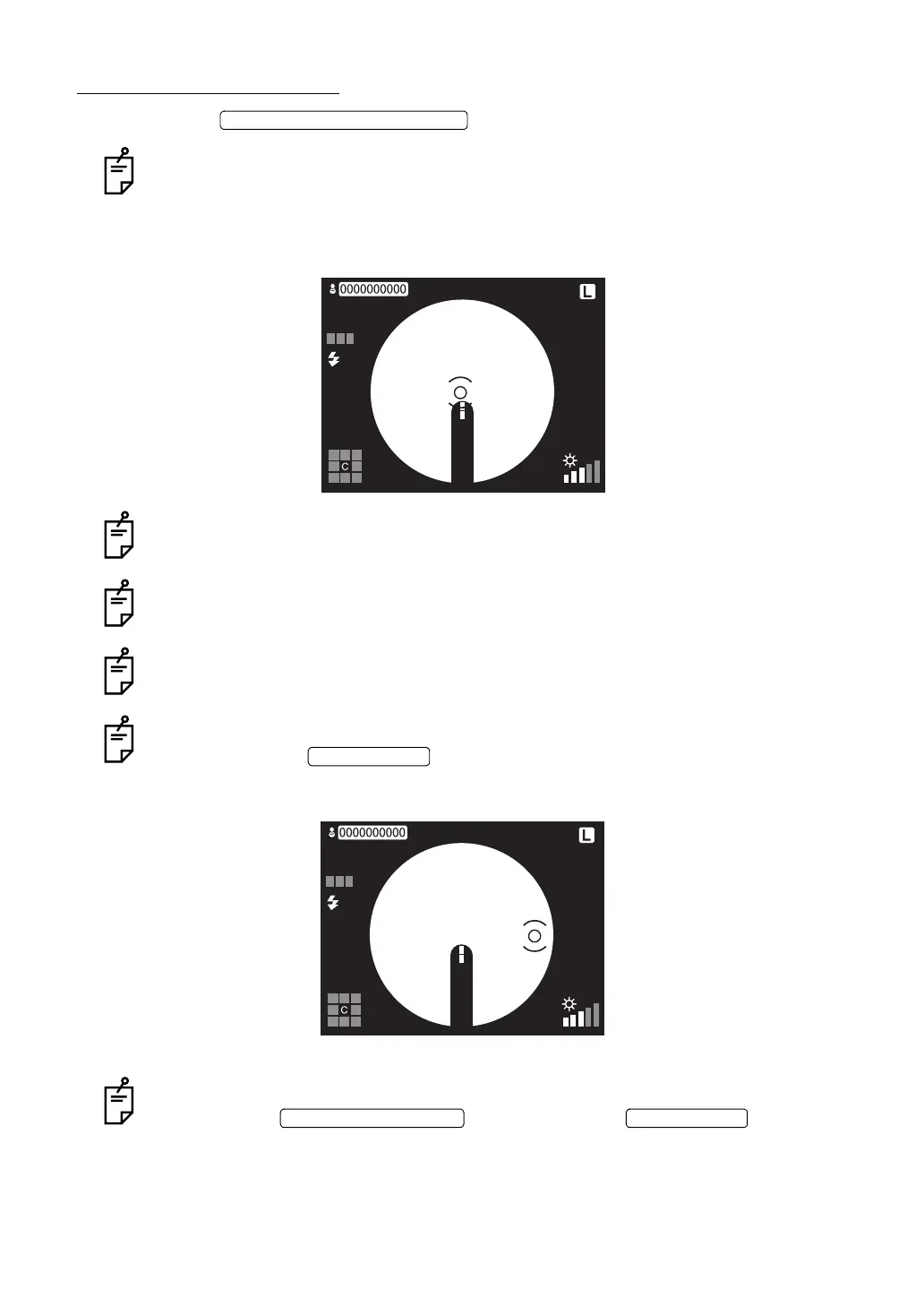
The ( ) scale is set vertically.
2 Move the instrument body by operating the control lever to bring the alignment bright spot
into the ( ) scale.
With this, focusing and positioning are done. Photography is not done yet.
With this, the ( ) scale moves rightward.
When the auto focus function is OFF, align the split line by turning the focusing knob.
When the auto shoot function is OFF, bring the alignment bright spot into the ( ) scale
and then press the .
3 Bring the alignment bright spot into the ( ) scale, which has already been moved rightward.
With this, the instrument takes a picture of the one side and the preview screen appears.
When the auto shoot function is OFF, bring the alignment bright spot into the ( ) scale.
Next, press the and then press the .
STEREO PHOTOGRAPHY SWITCH
AUTO
FSP
ENTER SWITCH
AUTO
FSP
PHOTOGRAPHY SWITCH ENTER SWITCH


 To Next Page