EasyManua.ls Logo

Topens CK2600 - User Manual

Topens CK2600
18 pages
Print Icon
To Next Page IconTo Next Page
Loading...
C030543
VER 20a
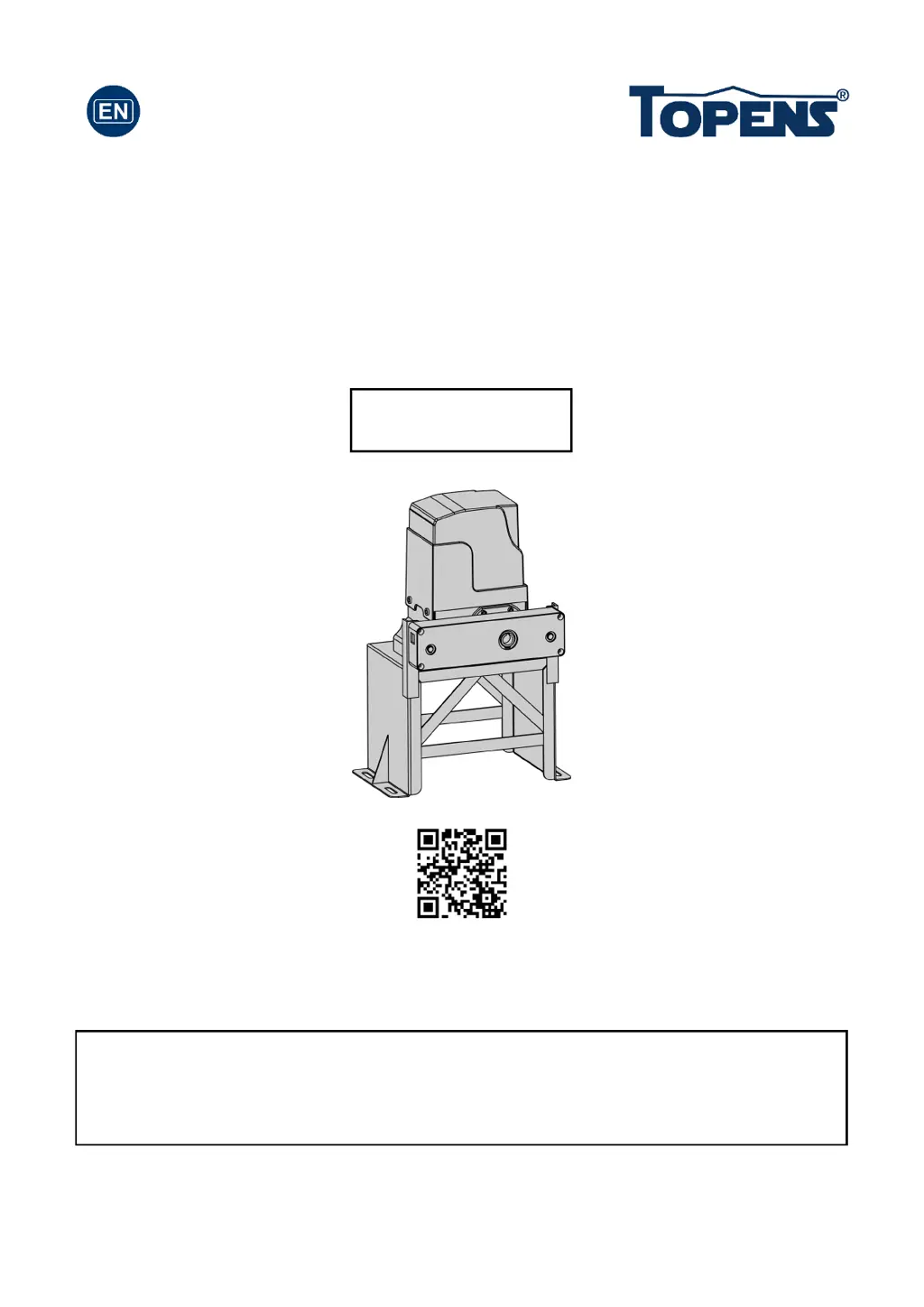
Sliding Gate Opener
User’s Manual
Model:
TOPENS Website
http://www.topenstool.com/
CK2600
Please read and follow all warnings, precautions and instructions before
installation and use.
Periodic checks of the opener are required to ensure safe operation.
Save this manual.

Questions and Answers

  • H
    Holly HopkinsJul 28, 2025
    Why doesn't my Topens CK2600 remote control work?
    • J
      Jonathan DanielsJul 28, 2025
      If your Topens Gate Opener remote control isn't working, here are a few things to check: * First, replace the battery in the remote. * Second, make sure you're not too far from the opener when using the remote. Try moving closer. * Third, ensure the remote control is suitable for the receiver. If the codes are correct, erase the remote controls and then re-program the codes in the device. * Finally, the control board might need to be replaced.
  • K
    Kelli FosterAug 1, 2025
    What to do if Topens CK2600 Gate Opener doesn't run and the Power LED is OFF?
    • A
      anthony52Aug 1, 2025
      If your Topens Gate Opener isn't running and the Power LED is off, try the following: 1. Check that the input voltage of the control board matches your local AC electricity. 2. Ensure the power switch is turned ON. 3. Inspect the fuse in the control board and replace it if it's burnt out. 4. If none of the above steps work, the control board may need to be replaced.
  • H
    Hannah HowardAug 7, 2025
    What to do if Topens Gate Opener doesn't run but the Power LED is ON?
    • R
      Robert MorrisAug 7, 2025
      If your Topens Gate Opener isn't running, but the power LED is ON, consider these possibilities: * Make sure the remote control has been programmed to the control board. * If the thermal protector is working, wait 20 minutes for the motor to cool down. * Check the magnets' installation. The opener won't run if both limit switches are activated by one magnet. * Inspect the limit switch by removing the wire connection of the limit switch connected to the 9#, 10#, and 11# terminals of the control board and try again. Replace the limit switch if the motor runs in both directions. * The control board may need replacing.
  • M
    Michael ThomasAug 12, 2025
    What to do if Topens CK2600 can open but won't close?
    • T
      thomaschristopherAug 12, 2025
      If your Topens Gate Opener opens but won't close, consider these solutions: * Check if the photocell is obstructed and remove any obstruction. * Inspect the limit switch by removing the wire connection of the limit switch connected to the 9#, 10#, and 11# terminals of the control board and try again. Replace the limit switch if the motor runs in both directions. * The control board may need replacing.
  • M
    mwolfAug 16, 2025
    What to do if Topens CK2600 Gate Opener opens, but stops and will not return?
    • J
      John SteeleAug 17, 2025
      If your Topens Gate Opener opens but stops and won't return, consider these solutions: * Check the installation of the magnets. The opener won't run if both limit switches are activated by one magnet. * Inspect the limit switch by removing the wire connection of the limit switch connected to the 9#, 10#, and 11# terminals of the control board and try again. Replace the limit switch if the motor runs in both directions. * The control board may need replacing.
  • P
    Pedro WilsonAug 21, 2025
    How to fix a Topens Gate Opener when the motor runs but the gate doesn’t move?
    • M
      morrisoncraigAug 22, 2025
      If the motor of your Topens Gate Opener is running, but the gate isn’t moving, ensure the clutch for emergency release is adjusted properly and is not slipping.

Summary

General Safety Precautions

Preparation for Installation

Parts List

Accessories and Specifications

Included Accessories

Lists accessories included in some models, referring to the actual package.

Optional Accessories Parts List

Lists optional accessories available for purchase from TOPENS Store.

Technical Specifications & Features

Details technical specifications and key features of the gate opener.

Installation of the Opener

Manual Operation

Chain and Bracket Installation

Chain Brackets

Guides on attaching chain brackets to the gate frame using various bolts.

Installing the Chain

Step-by-step instructions for fitting the chain around sprockets and idler wheels.

Limit Switch Installation

Power Supply Connection

Control Board Wiring

Control Board Settings

Remote Control Operation

Program or Erase Remote

Instructions for pairing new remotes and erasing existing codes for security.

Using the Remote

Details on how to operate the gate opener with the provided remote control.

Wireless Keypad Programming

Troubleshooting Guide

Maintenance Procedures

Topens CK2600 Specifications

General IconGeneral
TypeSliding Gate Opener
Protection LevelIP44
Maximum Gate Length40 ft
Remote Control RangeUp to 100 ft (30 m)
Safety FeaturesObstacle detection
Remote ControlIncluded
Battery BackupNo
Maximum Gate Weight600kg (single leaf)
Operating Temperature-4°F to +122°F (-20°C to +50°C)

Related product manuals