EasyManua.ls Logo

Topens HLR01 - User Manual

Topens HLR01
4 pages
Print Icon
To Next Page IconTo Next Page
Loading...
HomeLink Compatible Universal
Gate/Door Opener Remote Control Kit
Item No.: HLR01
C030403
VER 21a
Question and Answer IconNeed help?

Do you have a question about the Topens HLR01 and is the answer not in the manual?

Summary

Receiver PCB Terminals Overview

Wire Connection Methods

Connect KIT with Board Power

Connect HLR01 to gate/door opener with power on the board, using board-connected power.

Connect KIT with External Power

Connect HLR01 to gate/door opener without board power, using an external 12-24VDC source.

HomeLink Programming Guide

Prepare for Programming

Ensure gate/door opener is powered off. Erase any previously learned codes before programming.

Program HomeLink to Remote

Step-by-step guide: Turn ignition to ACC, press HomeLink button, then press remote button.

Remote Control Management

Program New Remote to Receiver

Learn a new remote by pressing receiver's learn button and then the remote's A or B button.

Erase All Remote Controls

Erase all programmed remotes by holding the learn button and pressing A or B button.

Summary

Receiver PCB Terminals Overview

Wire Connection Methods

Connect KIT with Board Power

Connect HLR01 to gate/door opener with power on the board, using board-connected power.

Connect KIT with External Power

Connect HLR01 to gate/door opener without board power, using an external 12-24VDC source.

HomeLink Programming Guide

Prepare for Programming

Ensure gate/door opener is powered off. Erase any previously learned codes before programming.

Program HomeLink to Remote

Step-by-step guide: Turn ignition to ACC, press HomeLink button, then press remote button.

Remote Control Management

Program New Remote to Receiver

Learn a new remote by pressing receiver's learn button and then the remote's A or B button.

Erase All Remote Controls

Erase all programmed remotes by holding the learn button and pressing A or B button.

Overview

This document describes the TOPENS HomeLink Compatible Universal Gate/Door Opener Remote Control Kit, model HLR01.

Function Description:

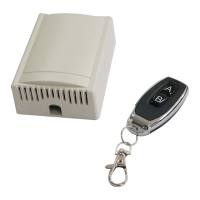
The TOPENS HLR01 kit is designed to provide HomeLink compatibility for existing gate and door openers, allowing users to control their gate or door using their vehicle's built-in HomeLink system. The kit includes a receiver unit and a remote control. The receiver unit connects to the control board of a gate or door opener, enabling it to receive signals from the HomeLink system or the included remote control. Button A on the remote control and the receiver is used to control PORT1 (NO1, COM1, NC1), while Button B controls PORT2 (NO2, COM2, NC2). This allows for independent control of two different gate/door opener functions or two separate gate/door openers.

Important Technical Specifications:

The receiver unit features two relay outputs, each capable of handling up to 7A at 250VAC or 7A at 30VDC. The power supply for the receiver can be 12-24VDC. The relays are labeled 943-1C-12DS, indicating their switching capabilities. The receiver board includes a "Learn Button" for programming new remote controls and erasing existing ones.

Usage Features:

Wire Connection:

The HLR01 kit can be connected to a gate/door opener in two primary ways:

  1. Direct Power from Opener Board: Connect the HLR01 kit directly to the gate/door opener's control board, utilizing the board's existing 12-24VDC auxiliary output for power. The NO1, COM1, NC1 terminals of the receiver connect to the pushbutton terminals of Gate&Door Opener1, and similarly, NO2, COM2, NC2 connect to Gate&Door Opener2.

  2. External Power Supply: If the gate/door opener board does not provide power, or if external power is preferred, the HLR01 kit can be powered by an external 12-24VDC power source. In this scenario, the external power supply connects to the receiver's power input terminals, while the relay outputs connect to the gate/door opener's pushbutton terminals as described above.

To program your vehicle's HomeLink system to operate with the HLR01 kit, follow these steps:

  • Preparation: Ensure the gate/door opener is powered off during programming. Erase any previously learned codes from the HomeLink button you intend to use.
  • Initiate Programming: Enter your car, turn the key to the "ACC" position. Press and hold the desired HomeLink button (typically on the mirror) until its red light flashes slowly (approximately 20 seconds).
  • Remote Control Pairing: While still holding the HomeLink button, position the HLR01 remote control 2 to 5 inches away from the HomeLink mirror. Press and hold a button on the HLR01 remote control. Continue holding both buttons until the HomeLink red light flashes rapidly.
  • Completion: Release both buttons. The HomeLink system should now be programmed to operate the gate/door opener.

Programming a New Remote Control to the Receiver:

To add a new HLR01 remote control to the receiver:

  • Press and hold the "learn" button on the receiver until its LED turns OFF.
  • Release the learn button.
  • Press either button A or B on the new remote control once. The receiver's LED will flash and then turn ON, indicating successful learning.
  • The receiver can store a maximum of 6 remote controls.

Maintenance Features:

Erasing Remote Controls:

To erase all programmed remote controls from the receiver:

  • Press and hold the "learn" button on the receiver. The LED will cycle from ON to OFF and then back ON again.
  • Do not release the learn button.
  • While still holding the learn button, press either button A or B on any remote control once. The receiver's LED will flash and then turn ON.
  • Release the learn button. All previously programmed remote controls will now be erased.

Support and Contact Information:

For any questions or support, contact TOPENS via:

  • E-mail: support@topens.com
  • When contacting support, include your Product Model, Purchasing Date & Site, Order #, and contact information for a response within 24 hours.
  • Telephone: +1 (888) 750 9899 (Toll Free USA & Canada)
  • Website: www.topens.com

Topens HLR01 Specifications

General IconGeneral
BrandTopens
ModelHLR01
CategoryGate Opener
LanguageEnglish

Related product manuals