service@toptro.com service@toptro.com
EN EN
22 23
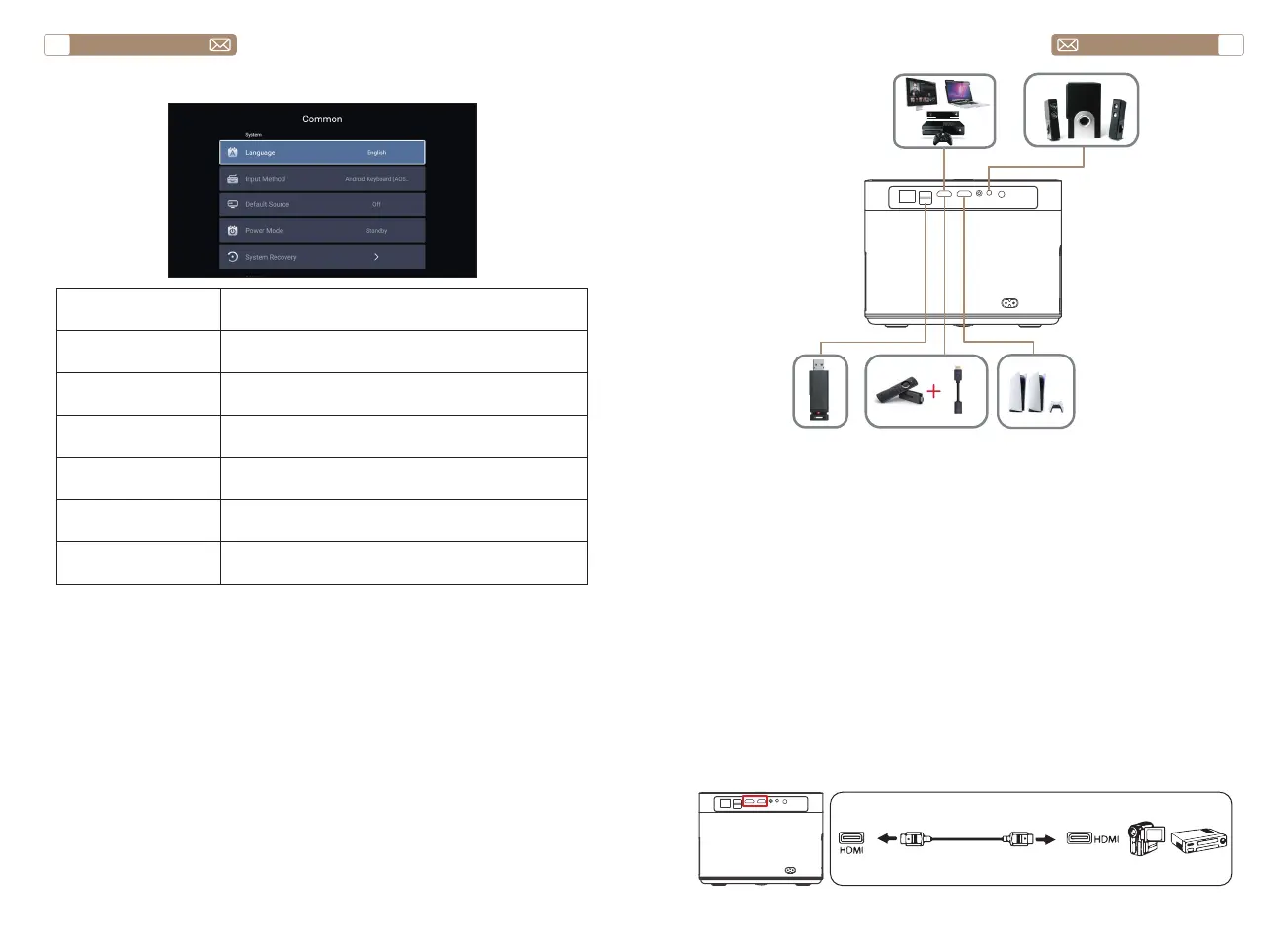
7.Common
Menu Function
Language Set up system language
Input method Set current input method
Default source Set up default source: Off, AV, HDMI1, HDMI2
Power mode Set power mode: standby, on, last
System Recovery Recover the system and all data
The device name Change projector name
SIGNAL LINES CONNECTION
TOPTRO X7 projector has 7 interfaces, HDMI port*2/ USB port*2/ 3.5mm
headphone output*1/ Network port*1/ AV port*1, please select the correct
port to connect your device (PC, DVD Player, Fire TV stick, TV box, Sound
bar, USB disk, PS4 etc.).
1. Connect your Fire TV stick (or PC, TV box, PS4 etc.) to the HDMI port of
the projector;
2. Enter the home page to select the corresponding HDMI as the signal
source.
1. Turn on your DVD player and the projector;
2. Connect to the DVD Player and the projector with the HDMI cable
3. Enter the home page to select the corresponding HDMI as the signal
source.
Note: When the projector is connected to the DVD player via the HDMI
cable, if there is no sound, it may be that the output signal of the HDMI
port of the DVD player is not compatible with HDCP, please try to connect
your Sound bar/Speaker.
1.Connect the Devices via the HDMI port
2.Connect to the DVD Player


 To Next Page