TECHNICAL SPECIFICATIONS
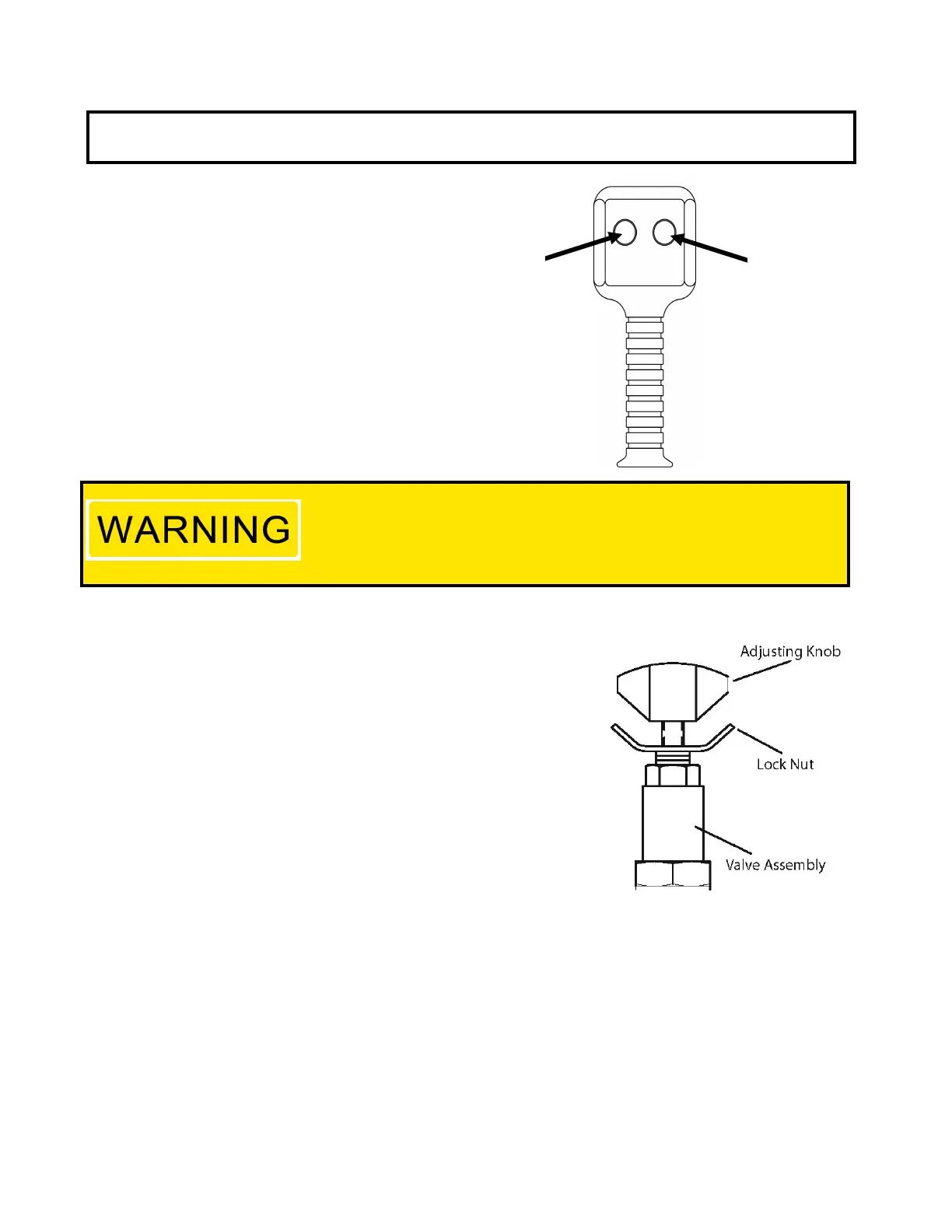
AIR CONTROL BUTTONS
ADVANCE
TO
RUN
RETRACT
TO
STOP
RUN = Press and hold button to activate
air solenoid and turn on.
STOP = Release run button and press
this button to turn off motor.
PRESSURE TORQUE SETTING
1. See torque wrench instructions for amount of pressure required
to produce desired torque.
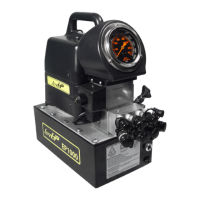
2. Loosen lock nut and back out relief valve to prevent unintended
pressure builds up.
3. Turn pump on. Press and the “RUN” switch, and read
pressure gauge.
4. While holding the button, turn relief valve in (clockwise)
to increase pressure or out (counter-clockwise)
to decrease maximum pressure. Repeat until
correct pressure is obtained.
5. Tighten lock nut on the relief valve to maintain setting.
6. Run pump several times to test this setting before
setting tool on the nut.
Make these adjustments BEFORE putting torque wrench on nut or bolt
head. The pump pressure setting may be above the pressure needed
to provide the required torque for your application.
Exceeding required torque will cause equipment damage and may lead
to serious personal injury.


 To Next Page