nsiindustries.com/tork
800.321.5847
LI-1125(C)
FOR TECHNICAL SUPPORT
888.500.4598
©2024 NSI Industries
TRK_458Z_MTM_ProdInstall
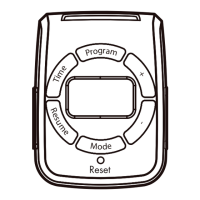
4. Press Program button to turn the first event OFF.
This setting is like the pervious step.There are 7 events you can set in this timer.
Once you finished the setting please press the program button back to standby status.
Note: If the timer is idle for 30 seconds. The time will automatically set to current time.
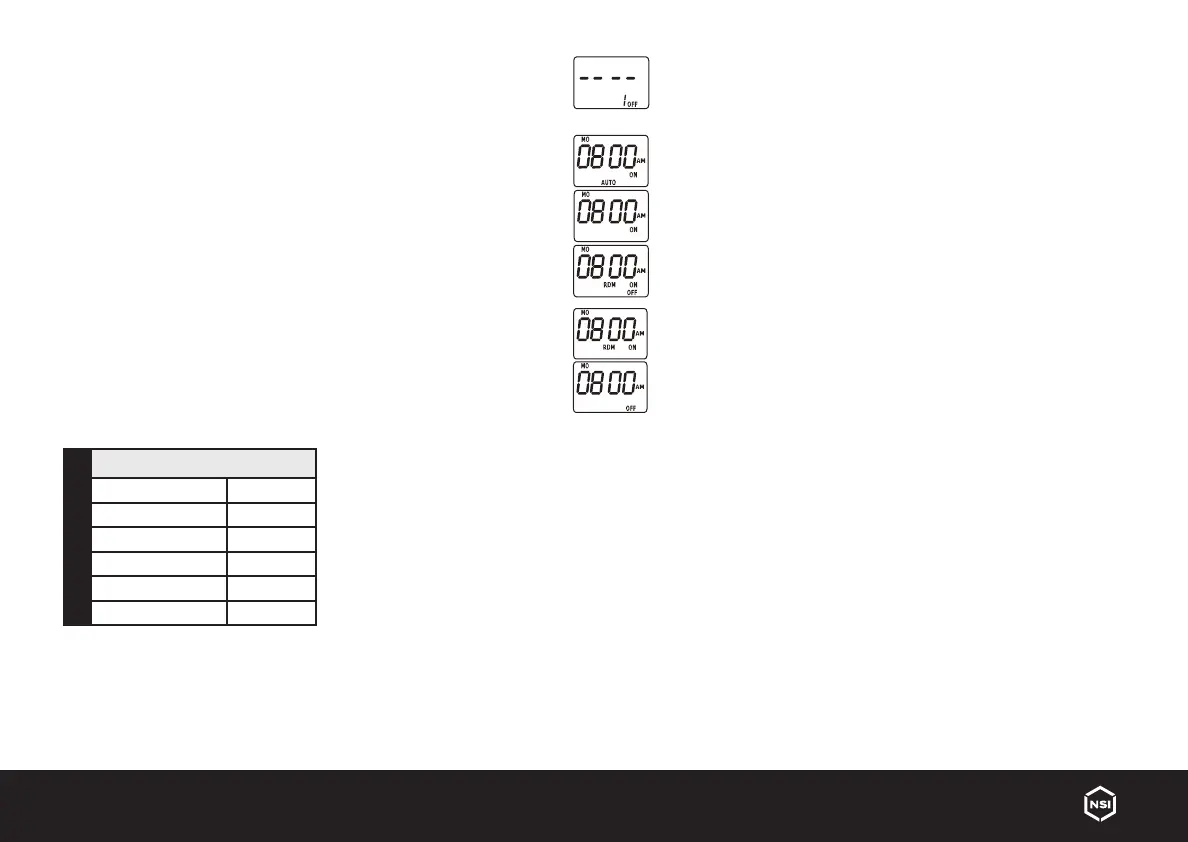
5. Press Mode button to choose dierent functions between ON, ON AUTO, ON,
RANDOM(RDM), OFF, OFF AUTO, OFF RDM
ON - Device will be ON permanently and will stay on manual mode.
ON AUTO — AUTO mode has been selected the device will be ON and will stay ON until
another scheduled event takes place.
ON RDM — RDM mode has been selected the device will be ON and will stay ON until
another scheduled event takes place.
When RDM setting is ON: Random setting will increase or decrease the time on your
ON/OFF setting by 30 minutes.
OFF — OFF mode has been selected the device will stay OFF.
OFF AUTO — OFF AUTO mode has been selected the device will be OFF and will stay
OFF until another scheduled event takes place.
OFF RDM — OFF RDM mode has been selected the device will be OFF and will stay OFF
until another scheduled event takes place.
6. Plug desired device in to the timer. Plug the timer into the electrical receptacle.
Federal Communications Commission Interference Statement
This equipment has been tested and found to comply with the limits
for a Class B digital device, pursuant to Part 15 of the FCC Rules. These
limits are designed to provide reasonable protection against harmful
interference in a residential installation. This equipment generates, uses
and can radiate radio frequency energy and, if not installed and used
in accordance with the instructions, may cause harmful interference to
radio communications. However, there is no guarantee that interference
will not occur in a particular installation.
If this equipment does cause harmful interference to radio or television
reception, which can be determined by turning the equipment o and on,
the user is encouraged to try to correct the interference by one or more of
the following measures:
■ Reorient or relocate the receiving antenna.
■ Increase the separation between the equipment and receiver.
■ Connect the equipment into an outlet on a circuit dierent from that to
which the receiver is connected.
■ Consult the dealer or an experienced radio/TV technician for help
This device complies with Part 15 of the FCC Rules.
Operation is subject to the following two conditions:
(1) This device may not cause harmful interference, and
(2) this device must accept any interference received, including
interference that may cause undesired operation.
FCC Caution: Any changes or modifications not expressly approved by
the party responsible for compliance could void the user’s authority to
operate this equipment.
RATINGS
125VAC 60Hz
General Purpose 15A 1875W
Resistive 15A 1875W
Tungsten 8A 1000W
Electronic Ballast/LED 500VA
Ballast 8.3A 120VAC
Motor 1/2HP
WARNING
Risk of electric shock
Risk of fire
■ Do not use to control appliances that contain heating elements (cooking appliances, heaters, irons, etc.)
■ Do not exceed electrical ratings
■ Plug directly into an electrical outlet
■ Do not use in wet locations
■ Use indoors only
■ Unplug timer before cleaning
■ Keep children away


 To Previous Page
 Loading...