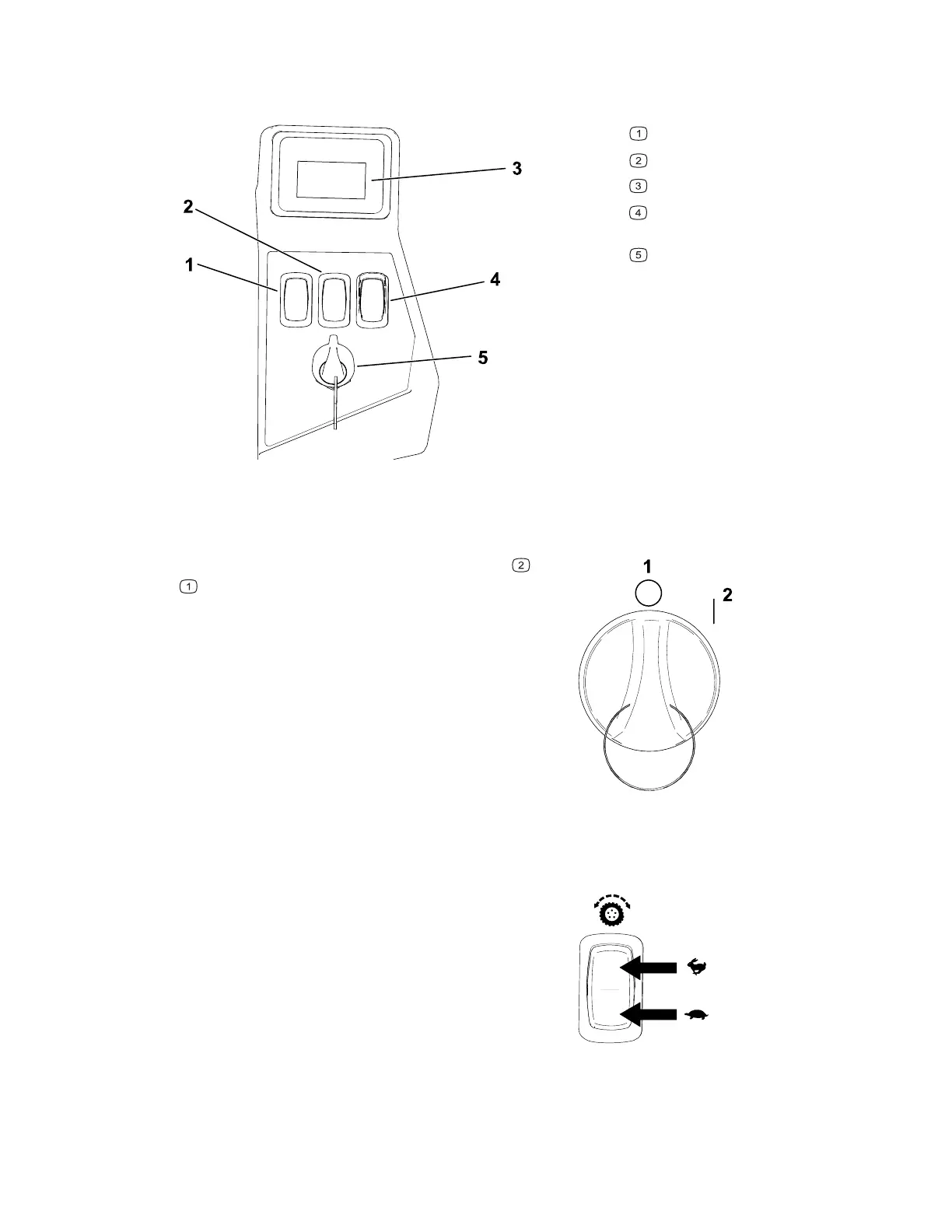
Control Panel
Become familiar with all the controls before you start and operate the machine.
G427498
Blade-speed switch
Traction-speed switch
Information display
Blade-control switch (power
takeoff)
Key switch
Key Switch
G444702
Use the key switch to power the machine ON or
O
FF . Turn the key past the ON position to start
the machine.
Traction-Speed Switch
G428592
Use the traction-speed switch to select a faster or
slower ground speed.
3463-565A Page 3–2 Product Overview: Control Panel



 To Next Page