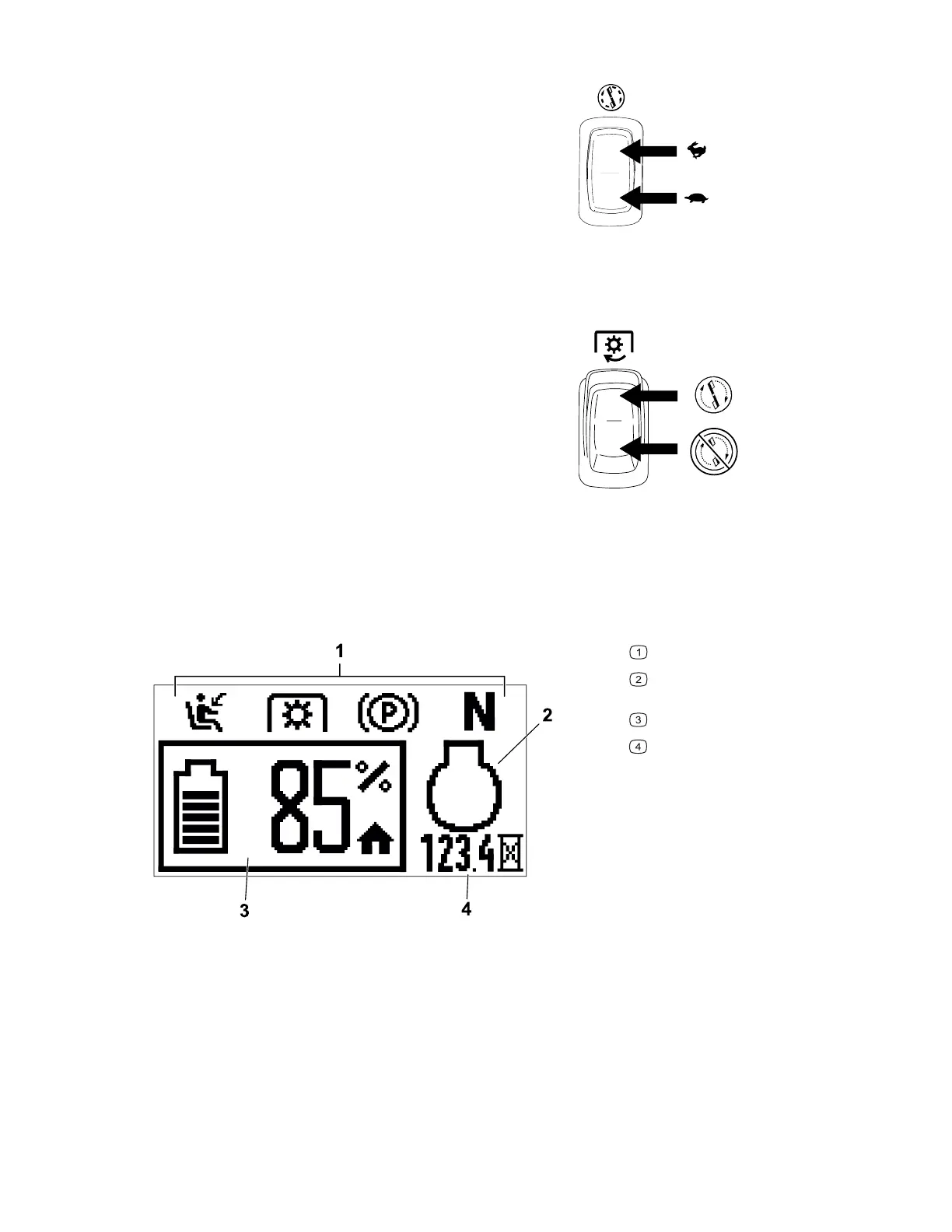
Blade-Speed Switch
G428591
Use the blade-speed switch to select a faster or
slower blade speed.
Note: Use the FAST position for best cutting
performance; use the S
LOW position for less energy
consumption.
Blade-Control (PTO) Switch
G428617
The blade-control switch, represented by a power-
takeoff (PTO) symbol, engages and disengages
power to the mower blades.
Information Display
The information display shows messages and the status of the machine (e.g., operating
hours, battery charge, component positions).
G427630
Interlock indicators
Motor status (displays only during
active faults)
Battery status/charge
Operating hours
Product Overview: Control Panel Page 3–3 3463-565 A



 To Next Page