EasyManua.ls Logo

Toro TEMPUS 53828 - User Manual

Toro TEMPUS 53828
48 pages
Print Icon
To Next Page IconTo Next Page
Loading...
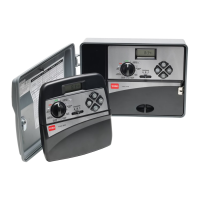
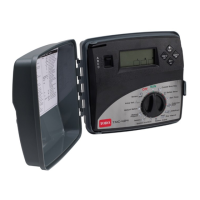
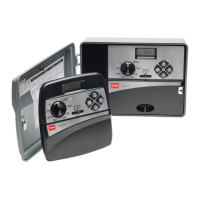
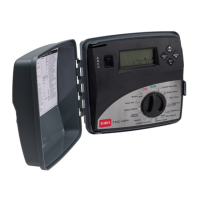
TEMPUS Controller
Residential Controller Models:
53828 - 6 Station
53829 - 8 Station
53827 - 8 Station with Wi-Fi
English
User’s Guide
Español

Table of Contents

Question and Answer IconNeed help?

Do you have a question about the Toro TEMPUS 53828 and is the answer not in the manual?

Overview

The TORO TEMPUS Controller is a residential irrigation controller designed for managing watering schedules. It is available in several models: 53828 (6 Station), 53829 (8 Station), and 53827 (8 Station with Wi-Fi).

Function Description

The TEMPUS Controller offers a modular solution with a universal programming module that adapts to each back module model. It supports two independent watering programs (A and B) and allows for a watering schedule based on a 7-day calendar, day interval, or odd/even days. Users can set up to three start times per program and run times up to 8 hours with 1-minute increments. The controller includes a user-set budget and optional pre-set seasonal budget. It features a multi-language display option (English, French, Spanish, Italian, German) and keeps the 24-hour date and time alive without a battery. The device also includes automatic short circuit detection and a full electric test for the valve solenoid (open/short circuit, current reading). Additional features include a rain delay mode, rain sensor ready capability, and Wi-Fi remote control readiness (for model 53827).

Important Technical Specifications

Dimensions:

  • Programming Module: 7.3 in. W, 5.5 in. H, 2.6 in. D
  • Back Module: 5.9 in. W, 4.1 in. H, 1.5 in. D

Power:

  • Back Module: Power Supply: 24 VAC 50/60Hz @ 0.625 Amps. Output to Each Solenoid Valve and to MV: 24 VAC @ 250mA. Maximum 2 Outputs ON at the same time, including MV. Sensor Input: N.C. Dry Switch - 24 VAC @ 15mA.
  • Programming Module: Power Supply: 24 VAC 50/60Hz @ 150mA.
  • Wi-Fi Module (model 53827 only): Power Supply: 3.3 VDC @ 150mA.

Use:

  • Programming module and back module work as a matching pair only.

Working Temperature:

  • From -10°C to 60°C.

Other:

  • Disconnection means: Type 1Y.
  • Pollution degree: 2.
  • Rated impulse voltage: 330V.

Usage Features

The controller's programming module allows for easy setup and operation. Users can set the language, current time and date, and plan their watering schedule using a provided form. The controller memory retains the programmed watering schedule and keeps the clock active for up to 24 hours during power outages. A back-up power system ensures that in case of a power discharge, the controller will resume normal operation starting at the time the power became fully discharged, with the current date and time being set.

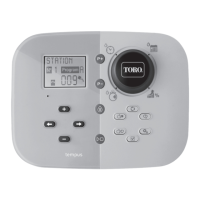
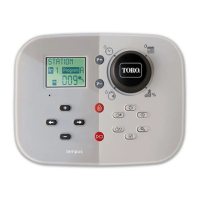
Programming Module Components and Control Dial Positions:

  • Programming Dial: Used for irrigation functions.
  • Run Time (clock icon): Sets station run time duration.
  • Start Time (clock with arrow icon): Sets individual start time(s) for automatic watering program.
  • Water Days (calendar icon): Sets individual days of the week for automatic watering.
  • Watering Budget (% icon): Sets watering budget adjustment for run time duration.
  • P+ and P- Buttons: Select next/previous irrigation programs.
  • Auto Button (circle with arrow icon): Selects automatic operation.
  • Help Button (question mark icon): Shows help text on LCD display.
  • Settings Button (gear icon): Sets controller's parameters.
  • Test Button (check mark icon): Runs a program to check hydraulic and electric station operation.
  • Manual Program(s) Button (person icon with play button): Selects watering programs for manual operation.
  • Manual Station(s) Button (person icon): Selects station(s) for manual operation.
  • Pause Button (pause icon): Turns off and prevents automatic station operation.
  • Start/Stop Button (play/stop icon): Starts or stops manual program(s) and station(s) and test program(s).
  • Left and Right Arrow Buttons: Increase or decrease display number values and various functions.
  • Reset Button: Momentarily inserts a clip to press the hidden reset button to restart operations.

Watering Schedule Setup:

  • Calendar Day Schedule: Enables setting each day of the week as an active or inactive watering day for programs A and B.
  • Odd or Even Day Schedule: Enables watering on odd or even numbered days.
  • Day Interval Schedule: Enables watering on set days without regard to the actual days of the week, allowing for 1-day, 2-day, or 3-day cycles, up to a 31-day cycle.
  • Program Start Time: Allows setting up to 3 independent start times per day for each program.
  • Station Run Time Duration: Sets the amount of time a station will operate, from 1 minute to 8 hours.
  • Water Budget: Decreases or increases the run time duration for each station assigned to a selected program, with adjustments from 0% (program OFF) to 200% of the normal (100%) run time.

Special Settings:

  • Scheduled Days Mode: Allows setting the type of watering schedule (Calendar, Weekly, Cyclic, Even/Odd).
  • Max Stations ON at the Same Time: Configures the maximum number of solenoids that can be on at the same time (1-V YES-MV, 1 valve and master valve; 2-V NO-MV, 2 valves and no master valve).
  • Seasonal Water Budget: Pre-set to automatically adjust the budget based on average seasonal weather changes, with 36 different budget values for the whole year. Options include Seasonal ON, Hemisph-N On (Northern Hemisphere), and Hemisph-S On (Southern Hemisphere).

Control Operations: The controller has five modes of operation: Automatic, Manual Station(s), Manual Program(s), Test, and Pause (Off).

  • Automatic Operation: The controller tracks time and day and operates the automatic watering schedules as programmed.
  • Manual Station Operation: Allows assigning a temporary station run time duration to any station, overriding sensor input and canceling automatic program start times.
  • Manual Program Operation: Allows manually initiating automatic watering programs.
  • Test Mode: Runs a quick temporary watering program to test the operation of each electrical line to the valve solenoid.
  • Pause or Set to OFF: Delays all automatic watering operations from 1 to 31 days or turns them off.

Maintenance Features

Automatic Circuit Breaker: The TEMPUS controller features an electronic circuit breaker that automatically detects an overload condition on a station terminal during operation and turns off the station before controller damage can occur. If a station is found short circuited, "INFO-SHORT CIRC" will be displayed. A full electric test can verify wiring conditions. If a short circuited station is found and is no longer short circuited, the "INFO-SHORT CIRC" is removed. The most common cause of an overload condition is a short circuit in the valve wiring or a malfunctioning valve solenoid. The cause of the overload condition should be corrected before continuing to operate the controller.

Troubleshooting: The manual provides a troubleshooting guide for common problems such as a blank display, unresponsive commands, valves not turning on or off, and unexpected watering program start times, along with probable causes and remedies. For example, if the display is blank, the probable cause is power disconnection, and the remedy is to check transformer connections or the AC service panel.

Electromagnetic Compatibility: The device complies with Part 15 of the FCC Rules, ensuring it does not cause harmful interference and accepts interference received. Warnings are provided regarding changes or modifications not expressly approved by the party responsible for compliance, which could void the user's authority to operate the equipment. The device has been tested and found to comply with Class B digital device limits.

Technical Assistance and Patent Information: Users can find technical assistance at www.toro.com/tempus-diy and patent information at www.ttcopats.com. QR codes are provided for downloading the app on iOS and Google Play.

Warning: The product includes a warning about cancer and reproductive harm, with more information available at www.P65Warnings.ca.gov and www.toro.com/CAProp65.

Toro TEMPUS 53828 Specifications

General IconGeneral
BrandToro
ModelTEMPUS 53828
CategoryController
LanguageEnglish

Related product manuals