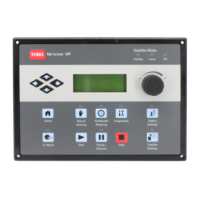
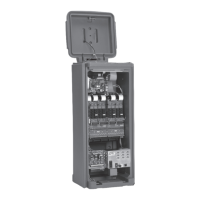
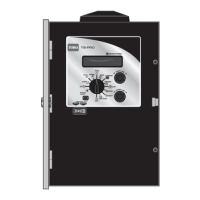
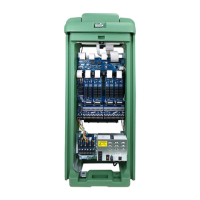
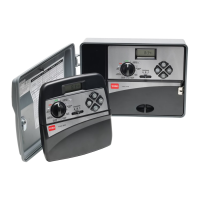
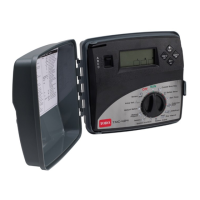
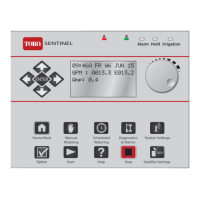
The Toro Vision II Series Controller is a sophisticated and technologically advanced irrigation system controller designed for residential and light commercial applications. It offers a range of unique features and operating characteristics, making it easy to program and operate.
Function Description:
The Vision II controller manages automatic watering programs for up to 12 stations. It allows users to set specific run times, assign stations to different programs (A and B) for varied schedules, and define daily watering schedules using either a Calendar or Interval mode. The Calendar schedule enables selection of watering days in a two-week cycle, while the Interval schedule allows for watering every day, every other day, or up to every seventh day. The controller also supports manual operations, including full program, partial program, and selected station watering. Unique features like Watering Delay™ and Seasonal Adjust Control™ provide flexibility in managing watering based on weather conditions or temporary suspensions.
Important Technical Specifications:
- Power Source: 120 VAC, 60 Hz (or 220/240 VAC, 50 Hz for export models).
- Transformer Output: 24 VAC, 30 VA.
- Fuses:
- F1 (Control Circuit): 3/4 Amp, protects internal electronics from excessive voltage.
- F2 (Station and Pump/Master Valve Output): 1-1/2 Amp, protects 24 VAC output to the field.
- Maximum Number of Plastic Valves Allowed Per Station: Two Toro 1 inch Electric.
- Output to Valves: .01 Amp to .374 Amp @ 24 VAC.
- Output to Pump Relay/Master Valve: .01 Amp to .374 Amp @ 24 VAC.
- Cabinet: Available in Plastic (Indoor/Outdoor, Wall Mount) and Metal (Lockable, Indoor/Outdoor, Wall Mount).
- Plastic Dimensions: 13 in. H x 9 in. W x 3-1/4 in. D (33 cm H x 23 cm W x 8.3 cm D).
- Metal Dimensions: 13-1/2 in. H x 9 in. W x 3-3/4 in. D (34.3 cm H x 23 cm W x 9.5 cm D).
- Conduit Access: 1/2 in. (13mm) for power, 1 in. (25 mm) for field wiring.
- Approvals: UL, TUV, and CSA Approved.
- Memory: Utilizes a special device to permanently store automatic watering program information, protecting it from power outages without battery backup. Only current time and possibly current day may need to be reset after extended power loss.
Usage Features:
- Display: Shows current time and day of week, station run time (set and remaining), program start time(s), water conservation percentage, and "Off" status.
- Program Select Key & Indicators: Allows selection of Program "A" or "B".
- Program Start Time Controls: Sliding controls to set up to three watering cycle start times for Program "A" and "B" (on the hour or in ten-minute increments past the hour). If both programs have the same start time, Program "A" runs first.
- Controller On/Off Key: Activates or deactivates the controller. When deactivated, "OFF" is displayed, but the clock continues to update.
- Watering Delay™ Key & Indicator: Suspends automatic operation for one to four days. The indicator shows the number of suspended days remaining. Can be canceled by pressing and holding the key for 5 seconds.
- Seasonal Adjust Control™: A sliding control to uniformly decrease or increase run time for all stations from 25% to 200% in 5% increments. Settings above 100% automatically split the increased run time into two watering cycles to reduce runoff.
- Week Select Key & Indicators: Selects week 1 or 2 of the Calendar watering schedule.
- Watering Day Schedule Switch & Indicators: Toggles between 14 Day Calendar (UP) and Interval (DOWN) watering schedules.
- Station Run Time Dials & Indicator: Rotary dials to select station run time, from 1 to 90 minutes (in 1-minute increments) or 10 minutes to 9 hours (in 10-minute increments for Hours mode). An "Hours Decal" is provided for stations set in Hours mode.
- Run/Program Switch: Used to switch between "Run" mode (for normal operation) and "Program" mode (for assigning stations to programs).
- Removable Jumper Plugs (J4, J5):
- Jumper J4: Deactivates the pump circuit for stations set in Hours mode (e.g., for drip irrigation, pool filters, or lighting systems).
- Jumper J5: Eliminates a 15-second delay prior to station operation, which is typically used to allow the pump or master valve to operate before the first station control valve opens.
- Delete Key: Deletes days or stations from a watering program.
- Enter Key: Enters days or stations into a watering program.
- Manual Operation Key & Indicator: Selects manual operations (Full Program, Partial Program, Selected Stations).
- Set Time Key: Sets the current time of day or changes the run time mode (Minutes to Hours or vice versa).
- Set Day Key: Sets the current day of the week.
- Programming Steps: A clear, step-by-step procedure is provided for setting current time and day, station run times, assigning stations to programs, setting daily watering schedules, and program start times.
Maintenance Features:
- Troubleshooting Guide: A comprehensive list of symptoms, probable causes, and remedies for common controller issues.
- Fuse Replacement: Two fuses (F1 and F2) protect the controller. Instructions are provided for safe replacement, emphasizing the use of the correct amperage rating to prevent damage. Users are warned to disconnect 120 VAC power at the source before servicing fuses.
- Watering Program Record: A form is included in the manual to record the location of each watering station and specific details of the automatic watering program for easy reference.



 To Next Page
 General