135
Toshiba Utilities
Fn-esse
5.375 x 8.375 ver 2.3.2
With Fn-esse, you can assign an Fn key combination to:
❖ Open a Windows
®
program
❖ Open a file in its associated Windows
®
program
❖ Display a customized folder of Windows
®
programs and/
or files from which to choose
Fn-esse also has several keys, known as hot keys, that
perform preassigned operations. For more information, see
“Hot Keys” on page 178.
You can assign any key that is not associated with a hot key
or a keyboard overlay.
Starting Fn-esse
You can access Fn-esse in one of two ways:
❖ Click Start, All Programs, Toshiba Utilities and
Fn-esse.
❖ Click on the Fn-esse icon.
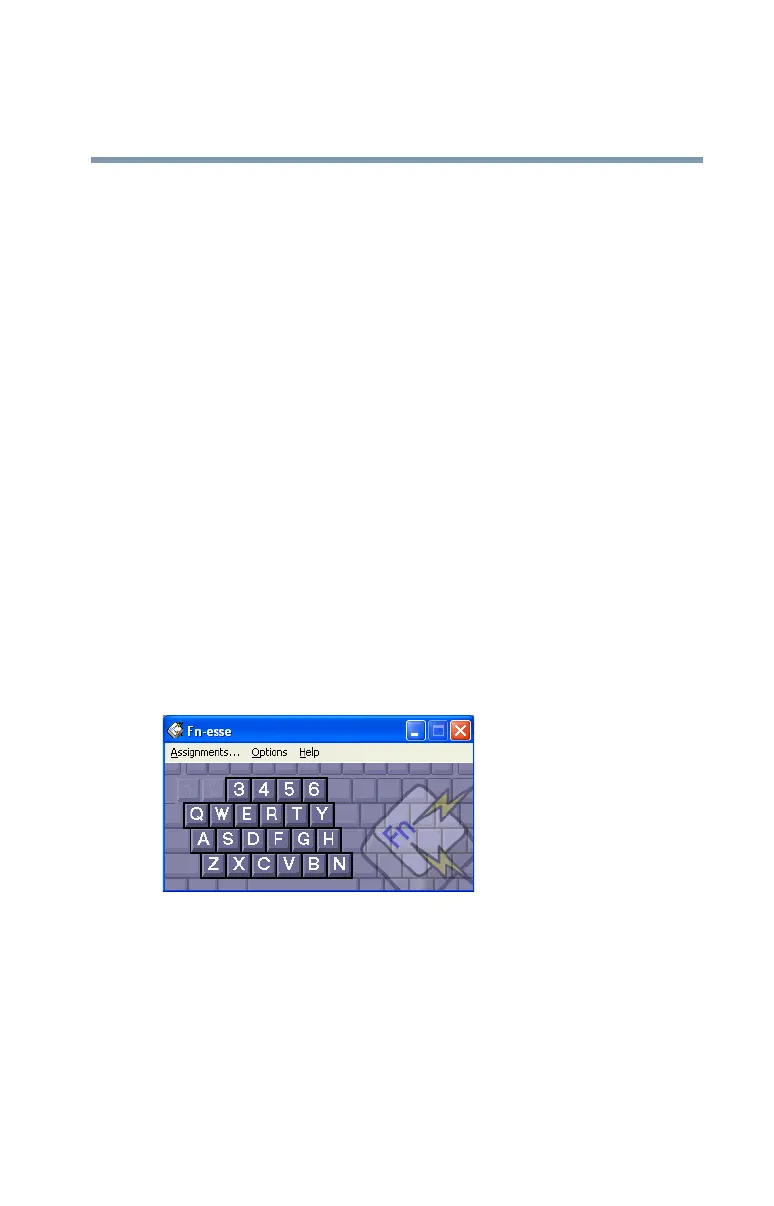
The Fn-esse keyboard appears.
Sample Fn-esse keyboard
The keys are color-coded as follows:
❖ Available keys are black.
❖ Assigned keys and keys associated with a popup list are
shown on the Fn-esse keyboard in the selected color.
❖ Unavailable keys are dark gray.



 To Next Page
 Loading...





